Language icon RO

Sortiment

12-03-2024

What to do with Vanished Fingerprint on your Google Pixel after Screen Replacement?

What to do with Vanished Fingerprint on your Google Pixel after Screen Replacement?

A common problem that occurs with Google Pixel smartphones is the failure of the fingerprint scanner after replacing the screen. In this blog, we share effective solutions to address this problem so that your customer can continue to use their phone effortlessly.


Start by Checking the Flex Cable

Make sure the fingerprint scanner flex cable is correctly connected to the motherboard and that it is not damaged. This is important to check because it could be causing the problem. If this is not the case, you have an idea where the possible problem could lie. If the cable does connect properly to the motherboard, it is likely that the fingerprint scanner needs to be recalibrated. Below are the steps to do this:


The Step-by-Step Calibration of the Fingerprint Scanner:

(Note: These steps only apply to the Google Pixel 6 and newer models.)


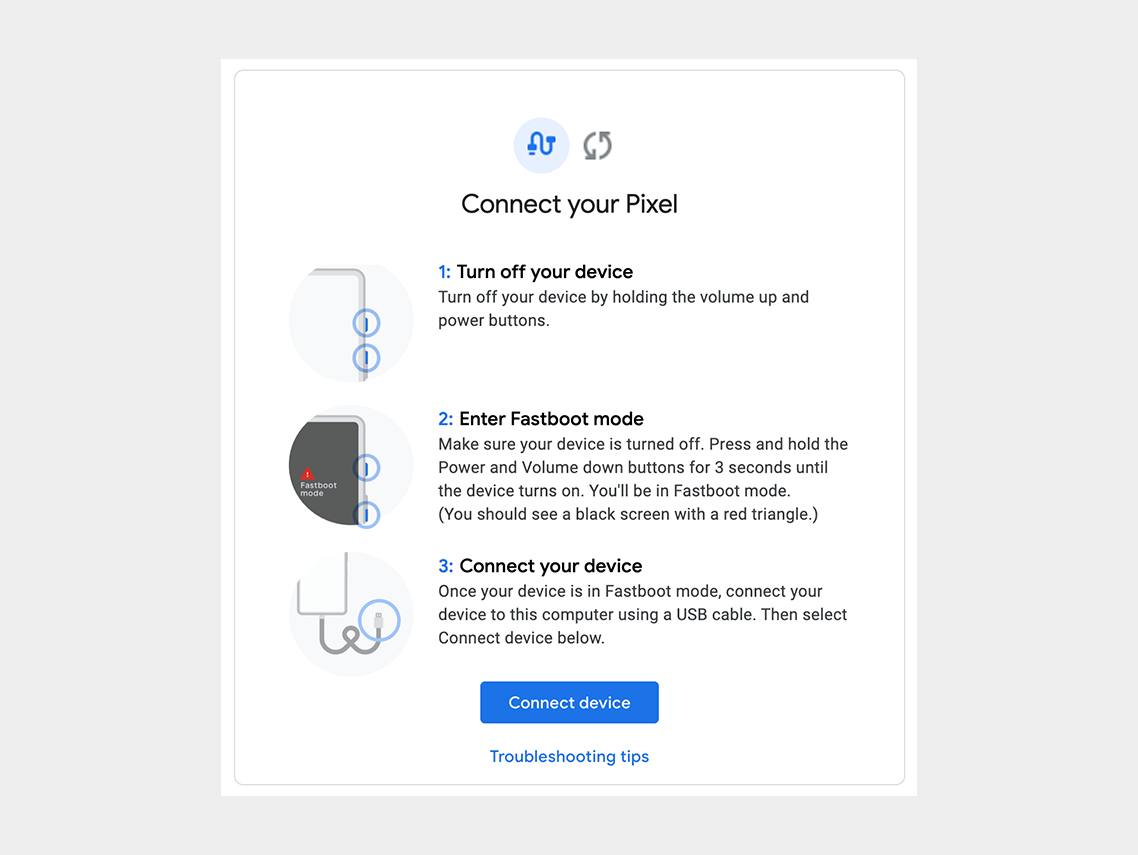
Step 1: Turn off the cell phone.

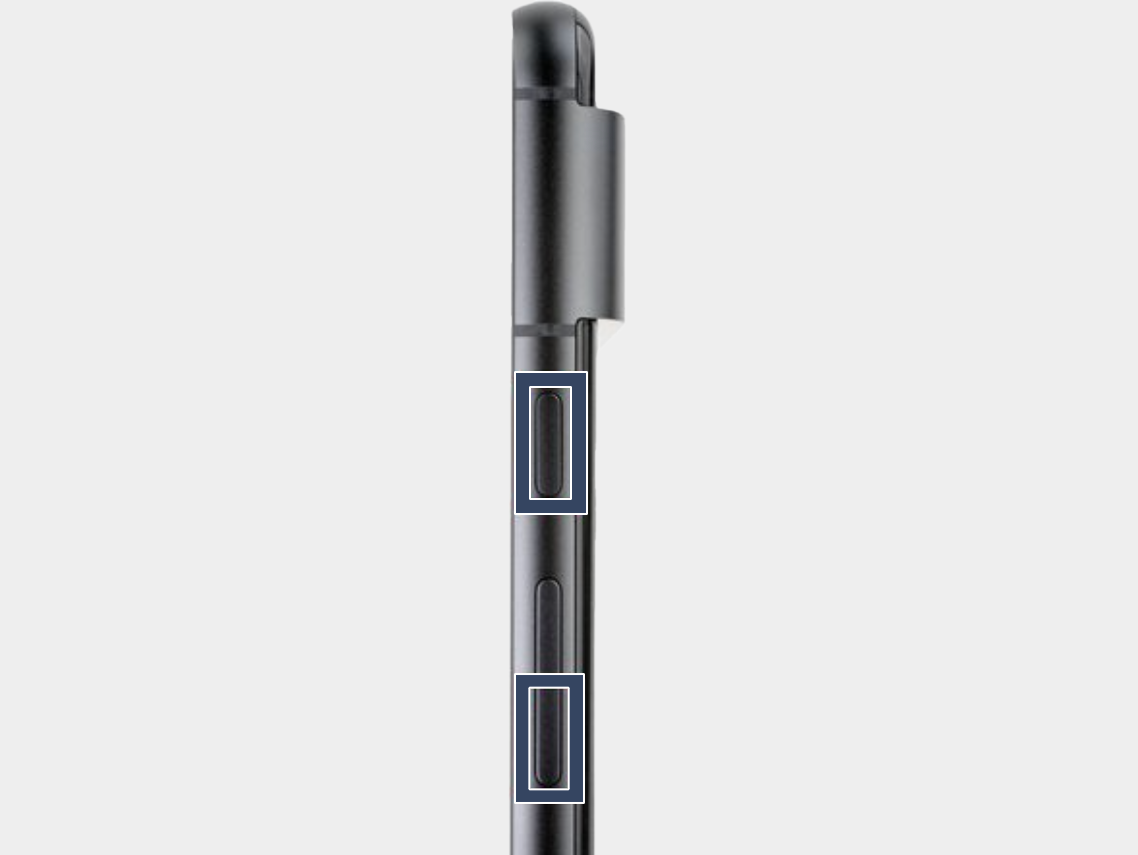
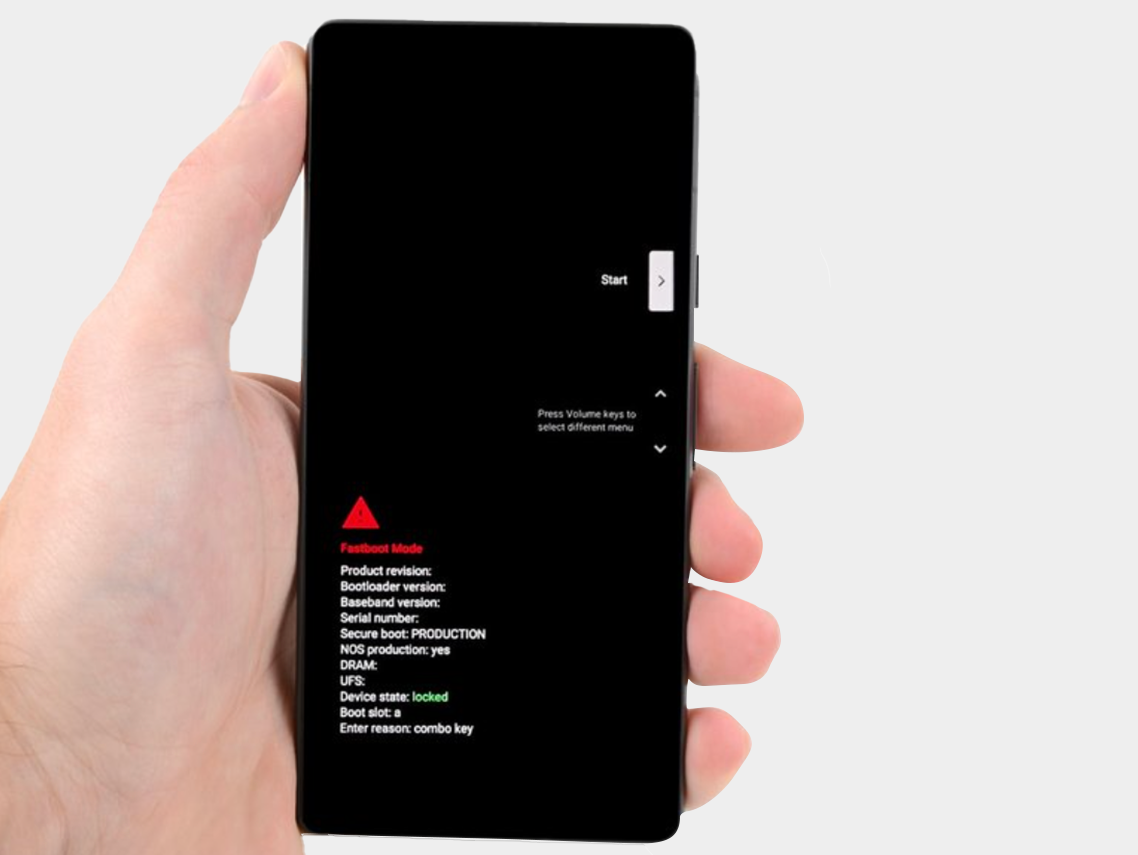
Step 2: Press the power button and volume down button for three seconds to enter the quick boot mode.
-


Step 3: Connect the phone to the computer.

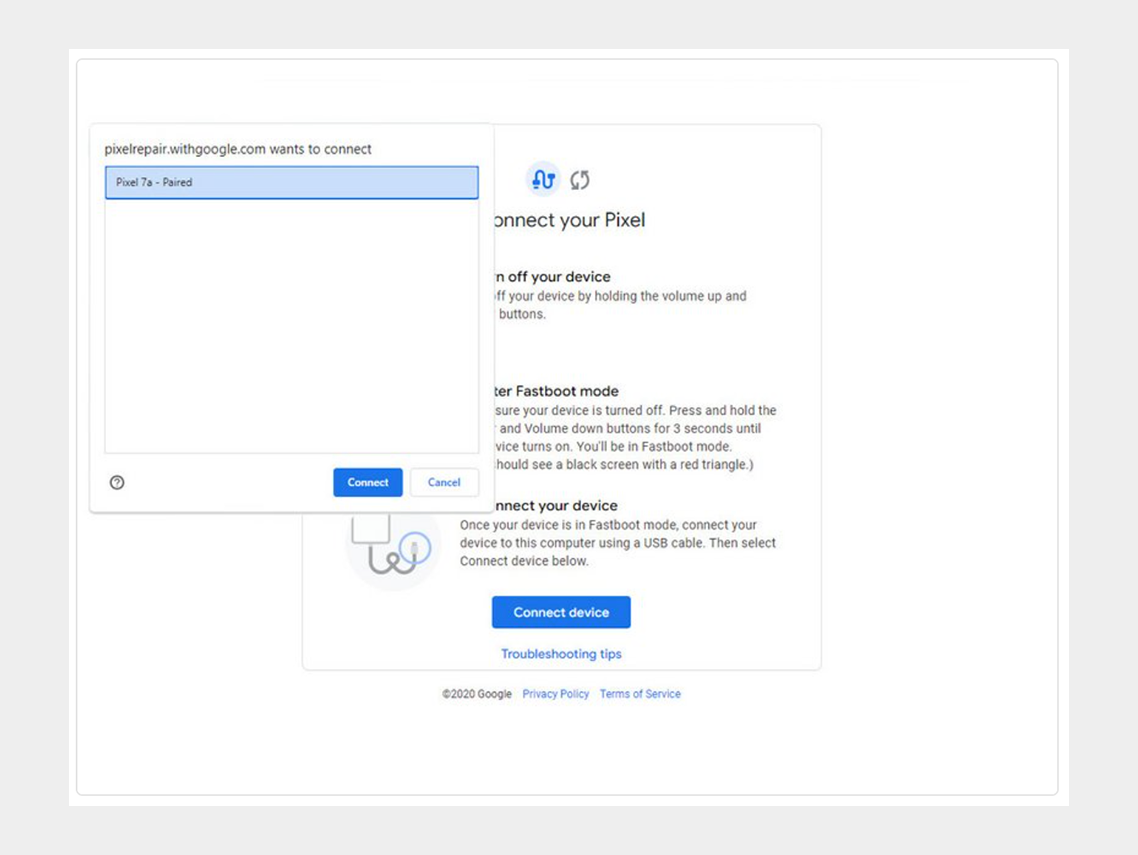
Step 4: Go to the calibration software and click on "Connect Device". Select the appropriate device.
-


If the device is not recognized, check the following:


  • Make sure Chrome has access to use USB devices. Go to Settings > Privacy and security > Site settings > Permissions > Additional permissions > USB devices.
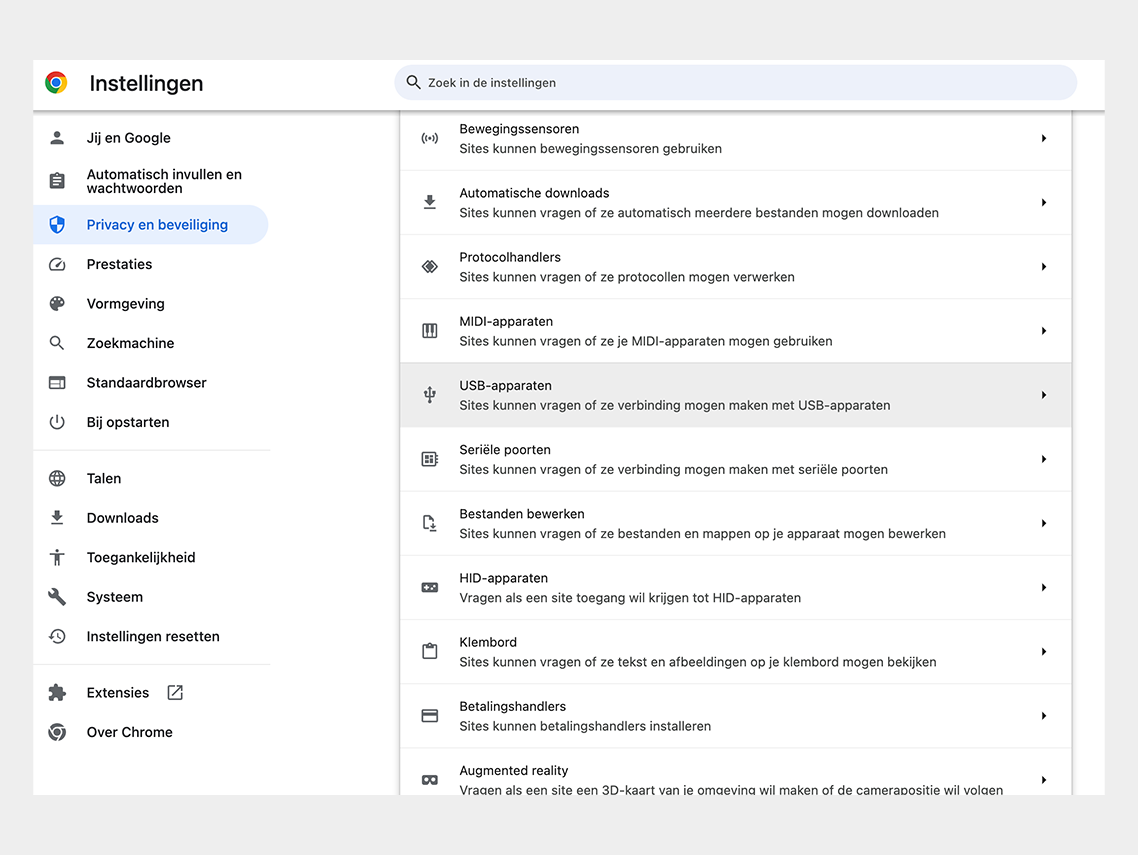

Google Chrome permission


  • Disconnect and reconnect the USB cable. Then try to connect again.
  • Try a different USB cable.
  • For Windows users: Make sure you have downloaded and installed the Google USB driver. Here is the link for the driver.  Follow the steps below:
  • 1. Connect the Android device to your computer's USB port.
  • 2. Open Computer Manager from Windows Explorer.
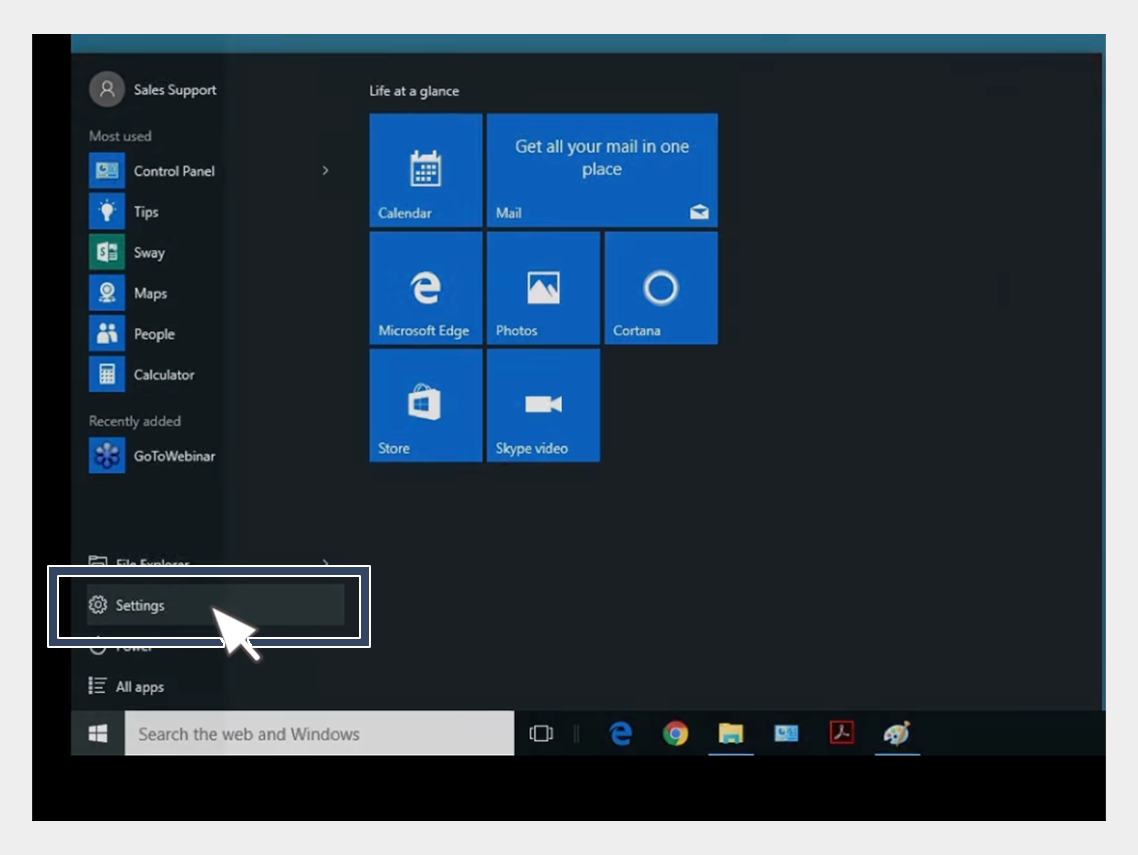

USB-driver installation


3. In the left pane of Computer Management, select Device Manager.
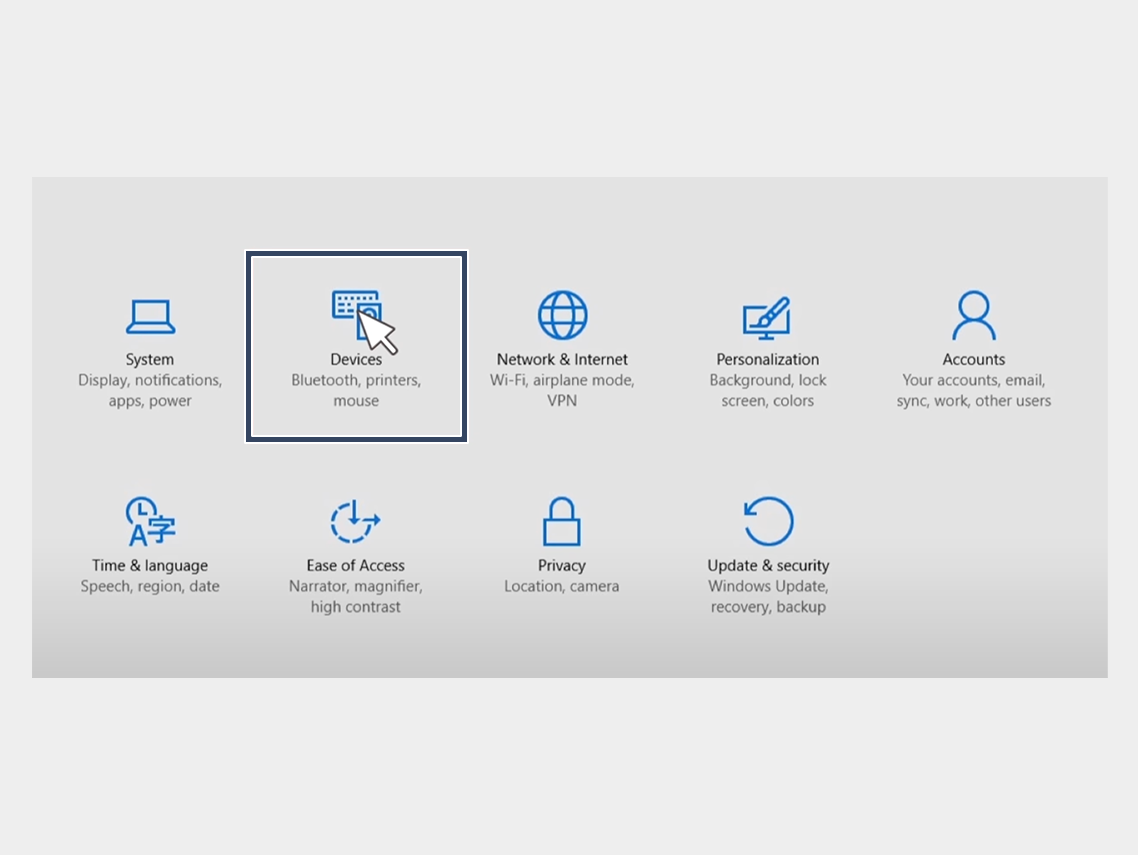

USB-driver installation


4. In the right pane of Device Manager, find and expand Portable Devices or Other Devices, depending on what you see.


5. Right-click on the name of the device you connected, then select Update Driver.
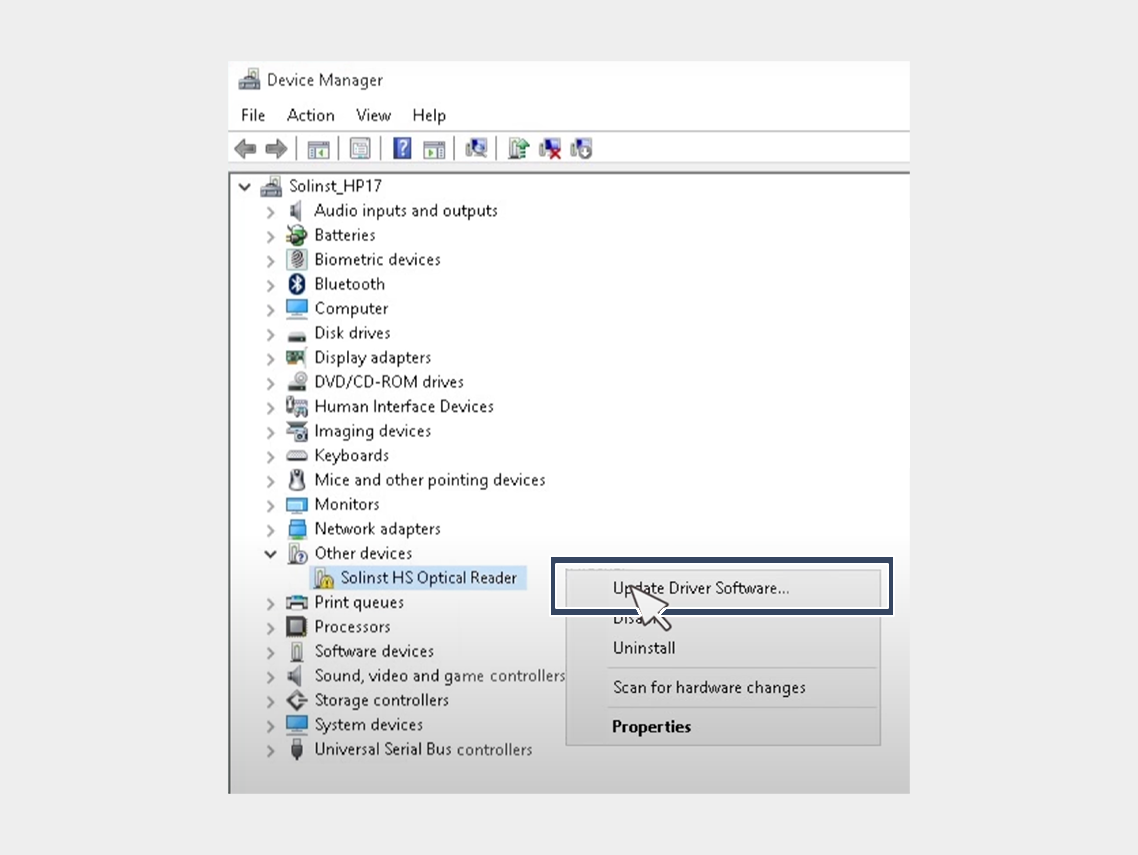

USB-driver installation


6. In the Hardware Update Wizard, choose Browse for driver software on my computer and click Next.
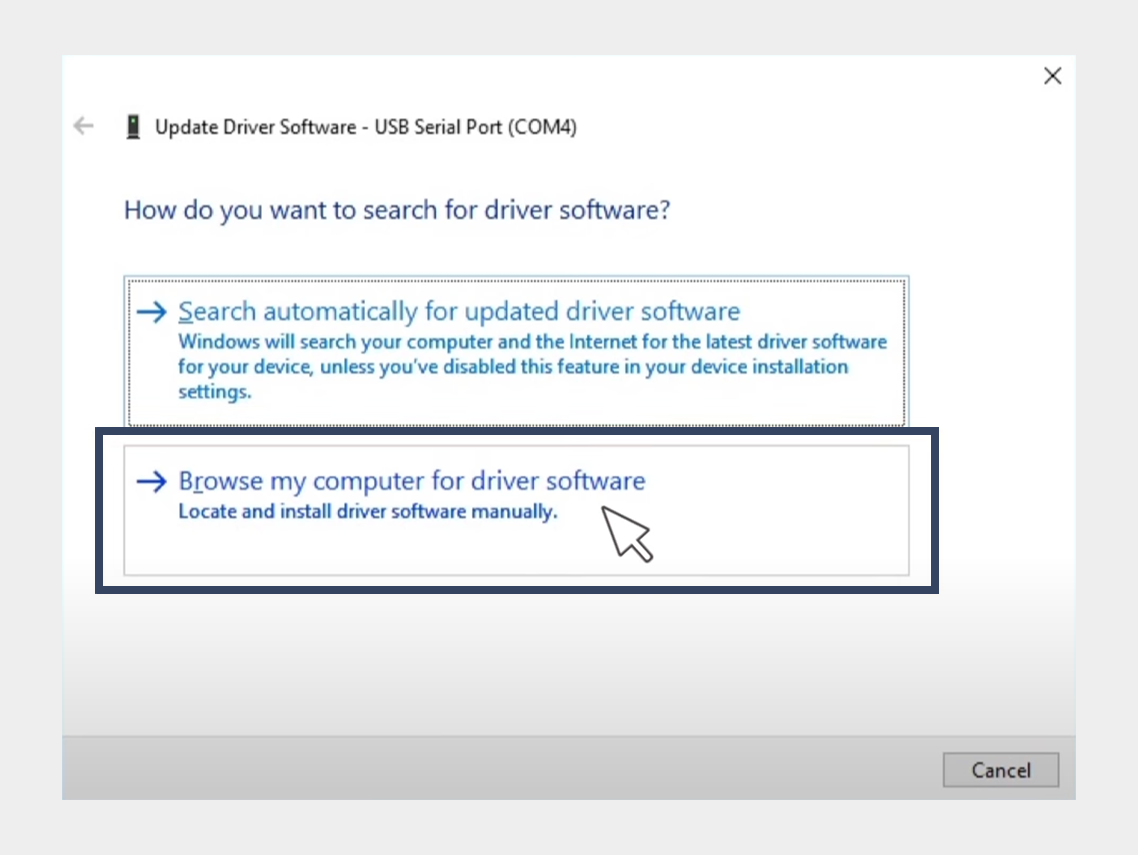

USB-driver installation


7. Click Browse, then locate the folder containing the USB driver. For example, the Google USB driver is located in android_sdk driver.
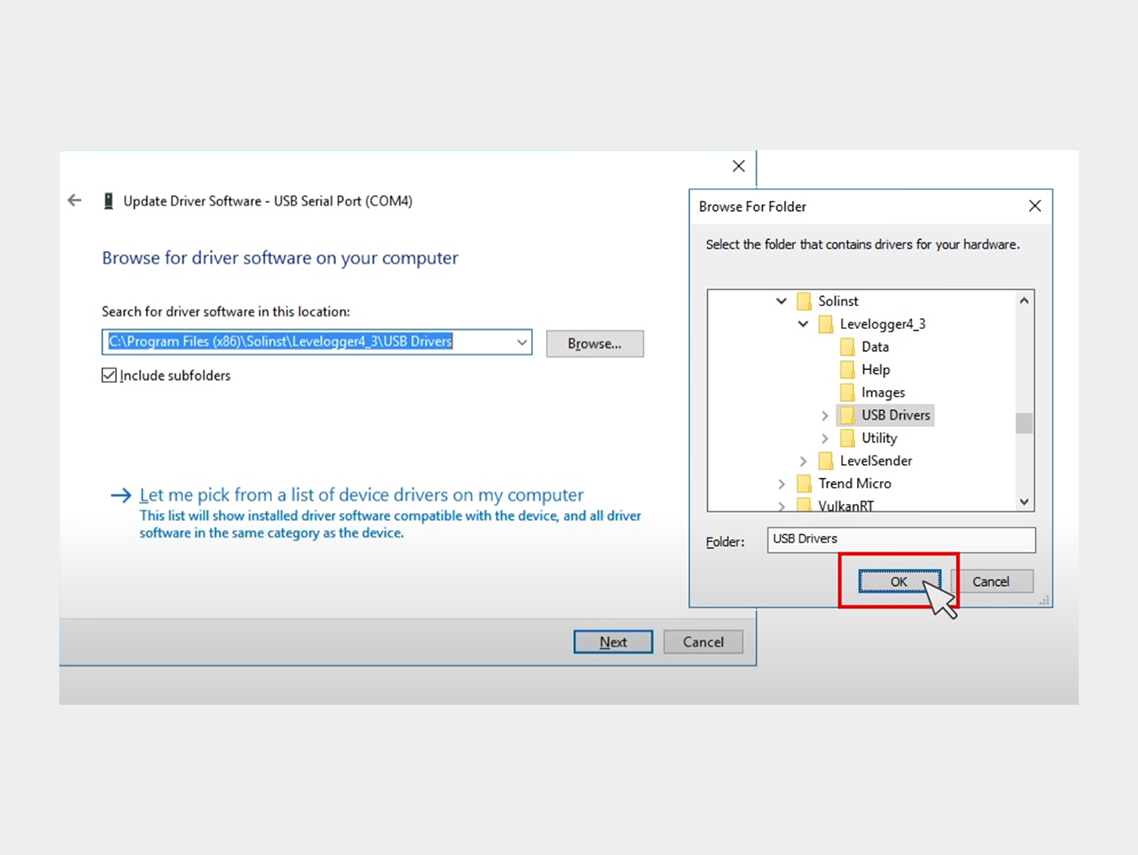

USB-driver installation


8. Click Next to install the driver.


Step 5: Click on "Install Software."
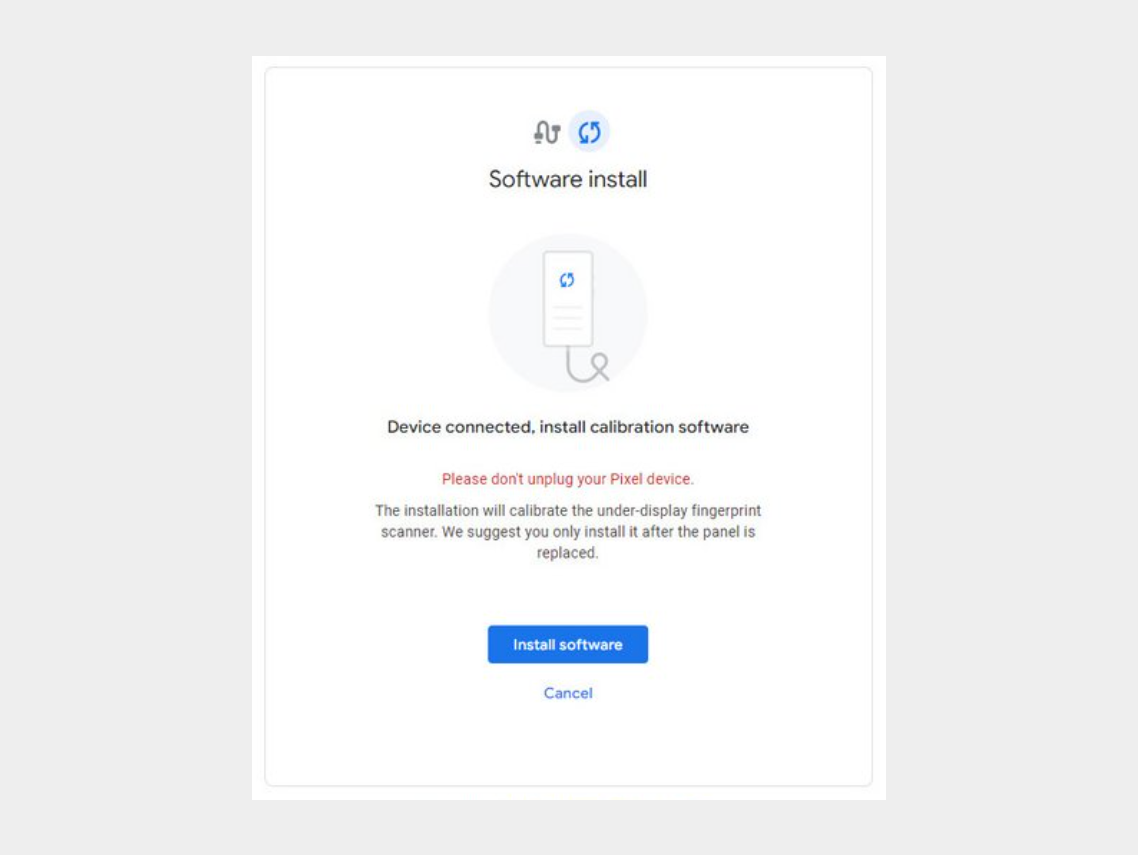


Step 6: Wait for the software to download.
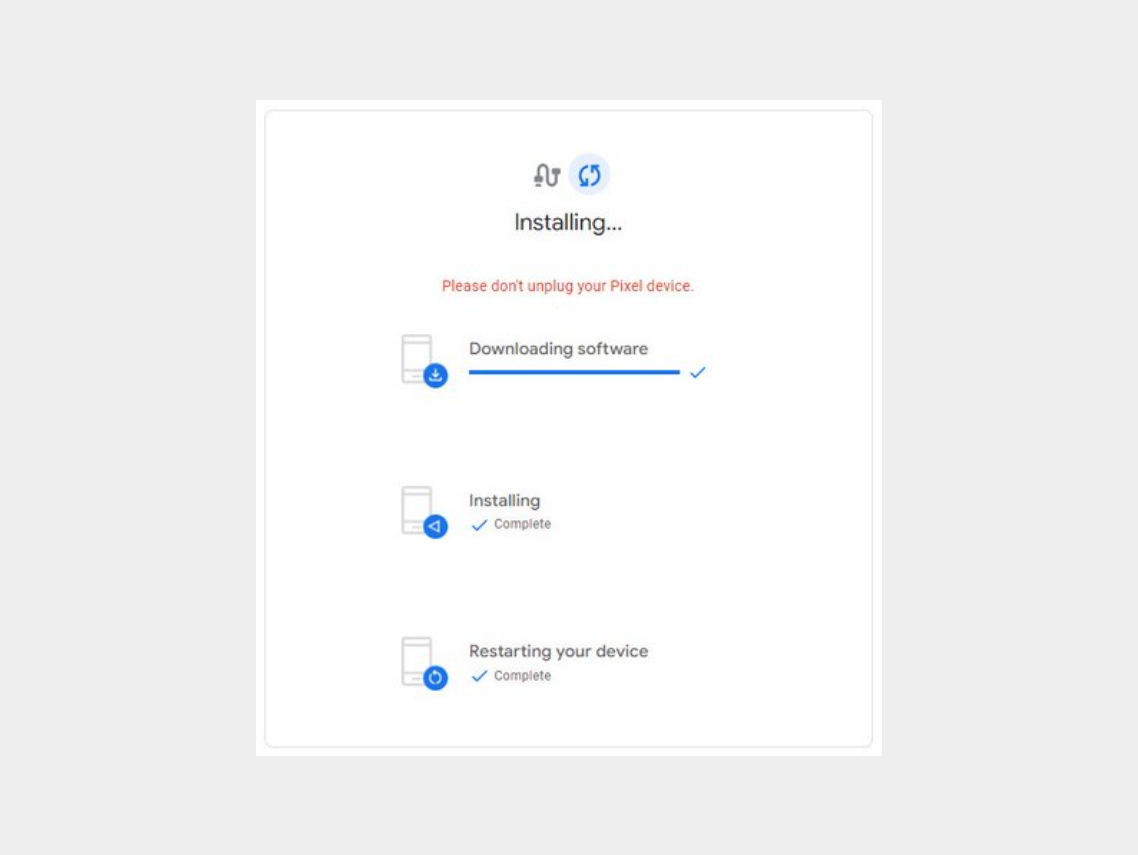

-


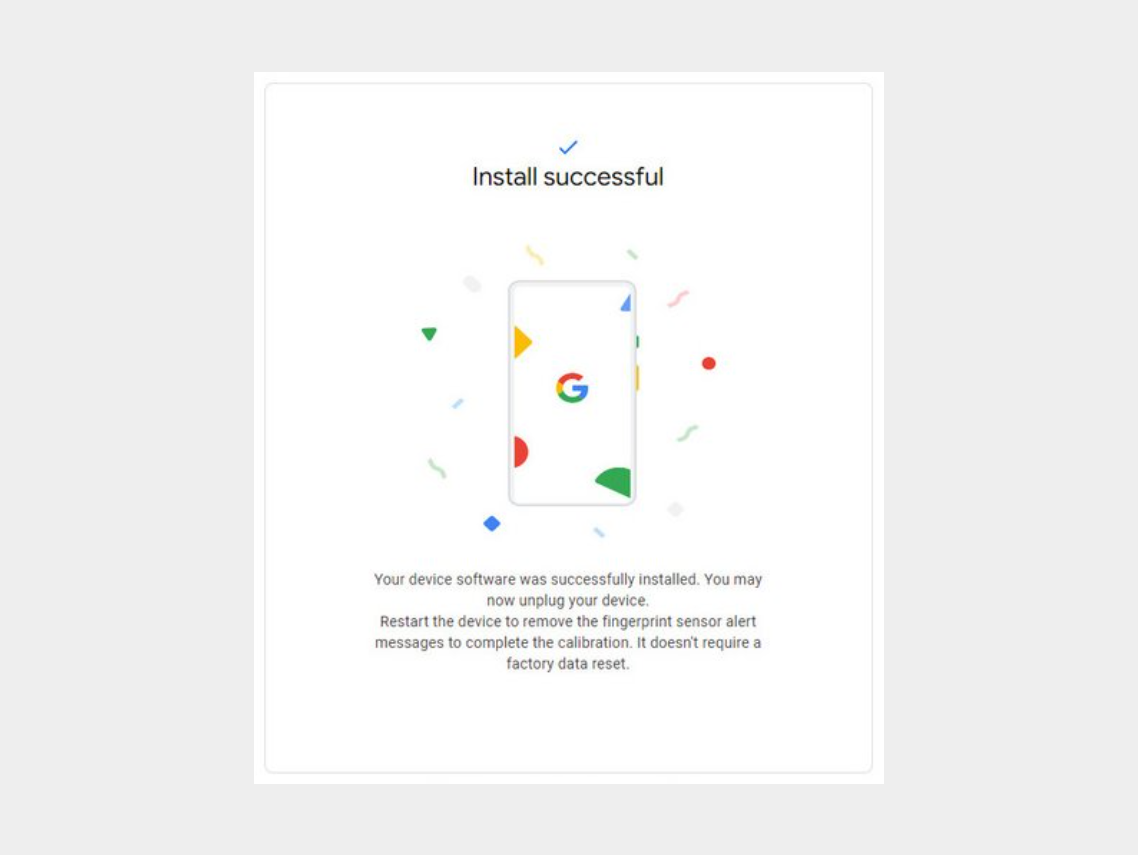
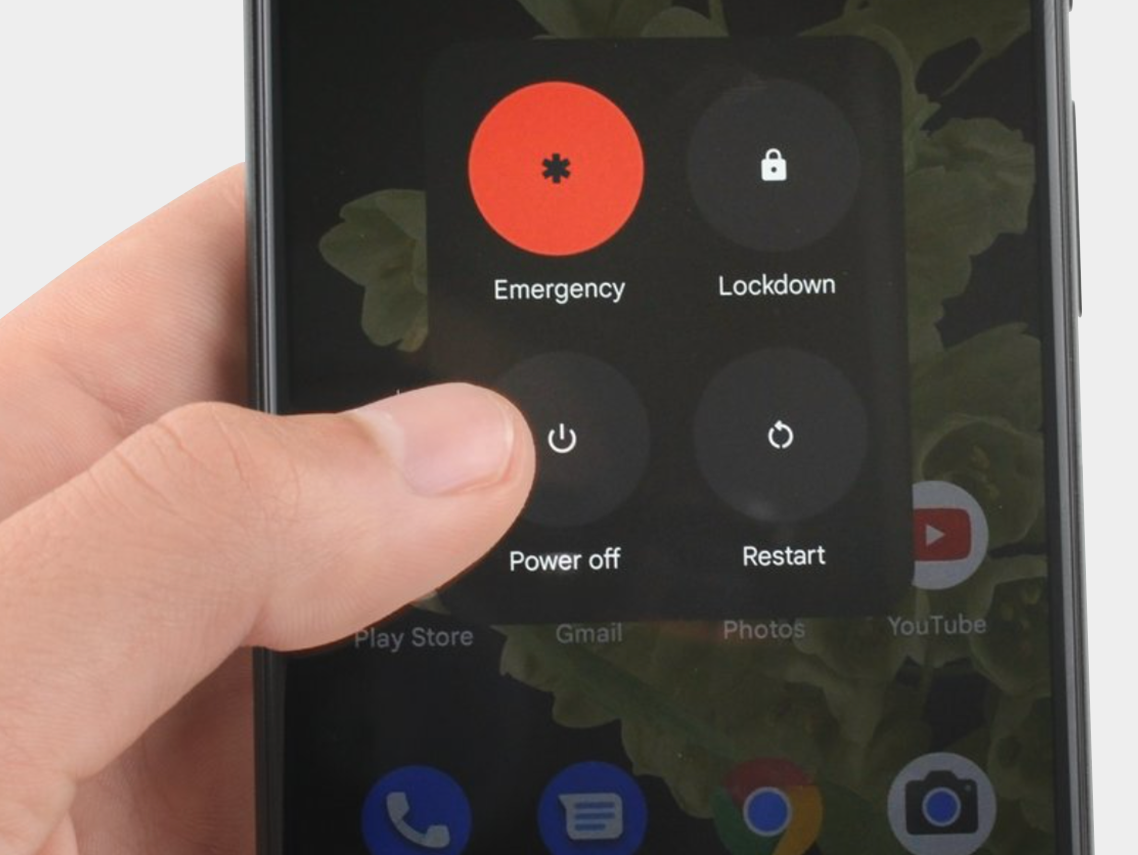
Step 7: Disconnect the phone from the computer and reboot it.


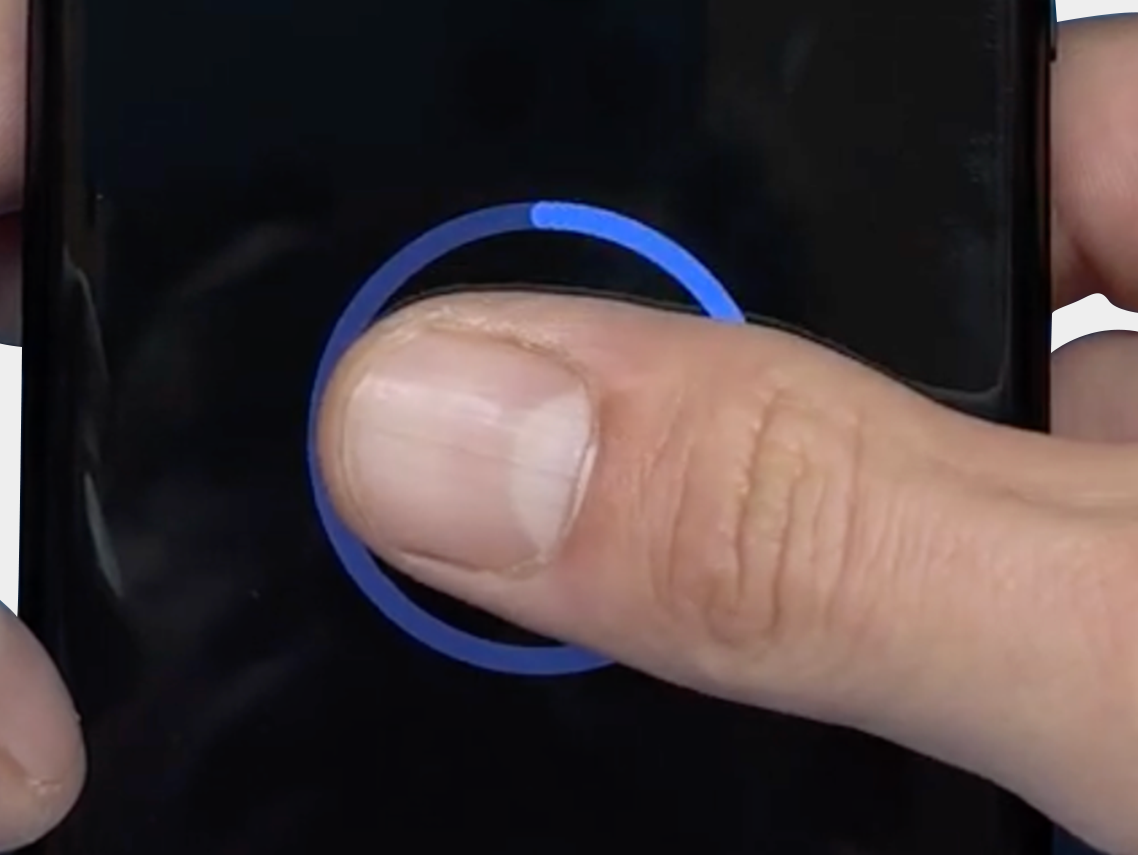
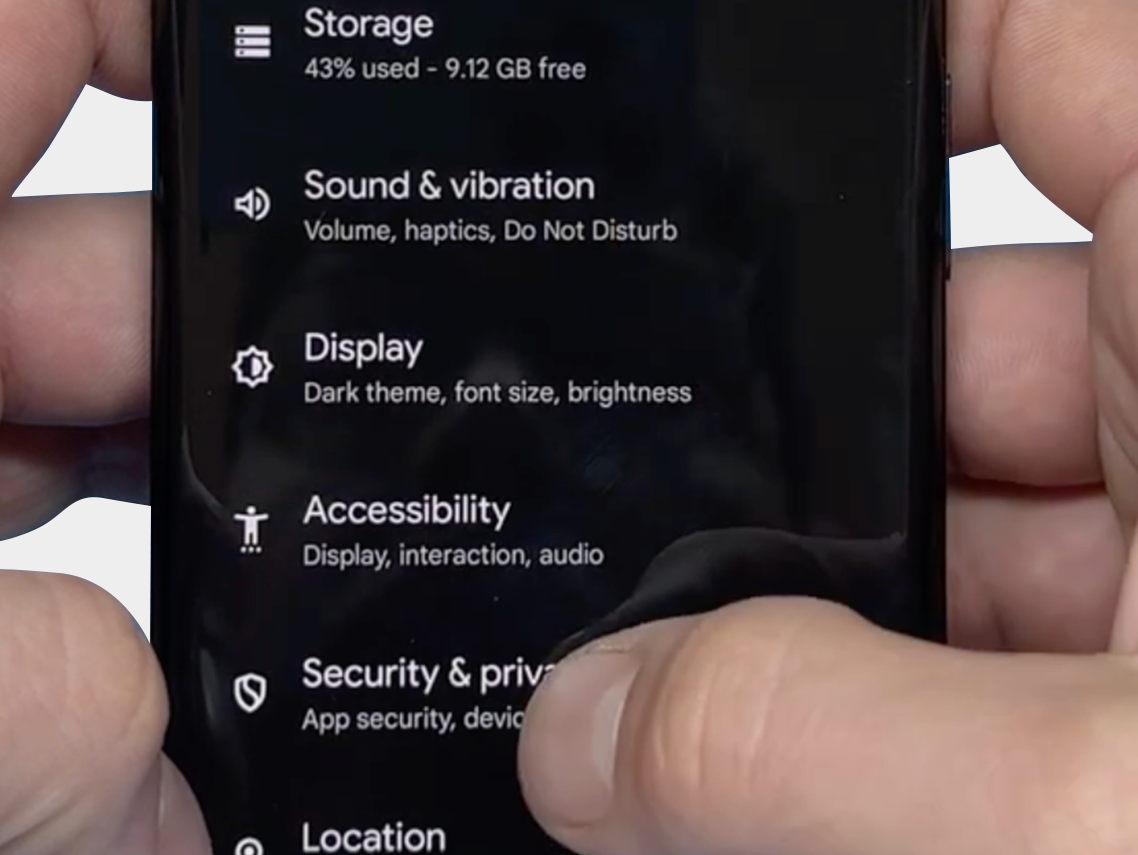
The final step: Verify that you can reset the fingerprint and that it now works via: "Security & Privacy" -> "Unlock Device" -> "FingerPrint Unlock" -> "Agree Terms"
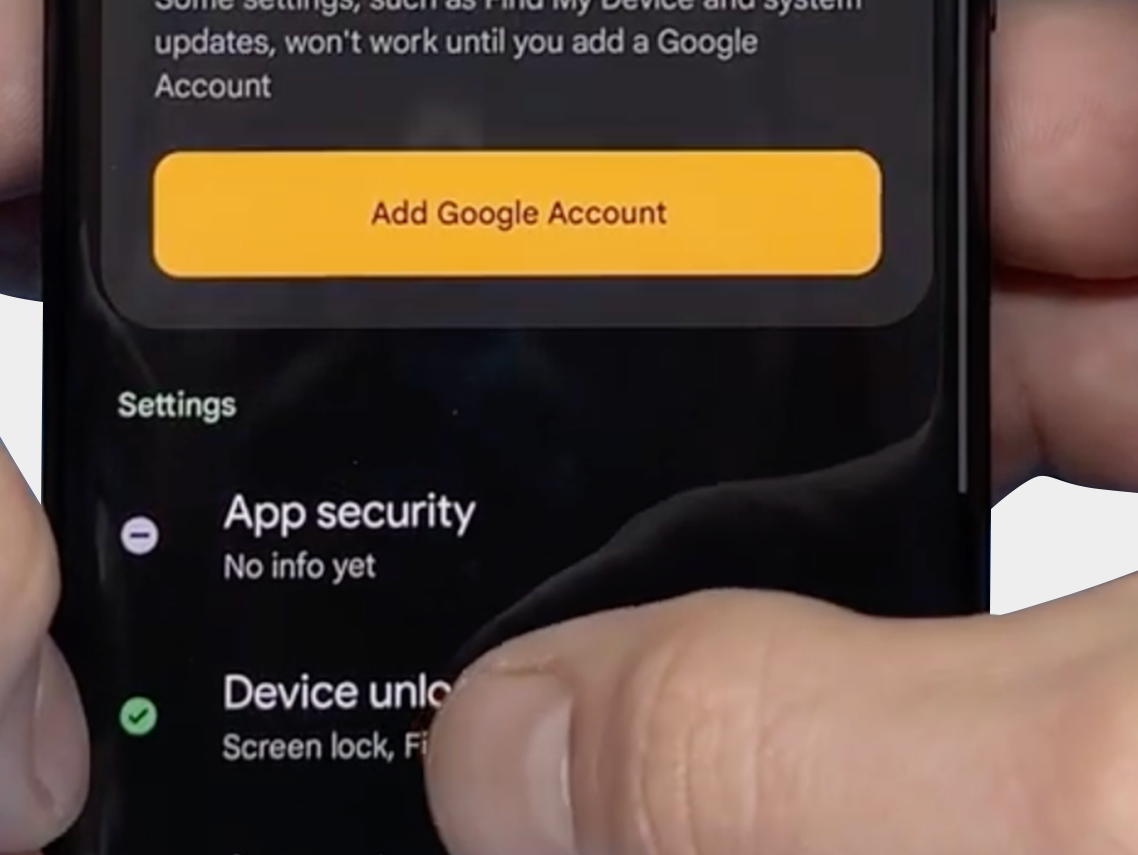
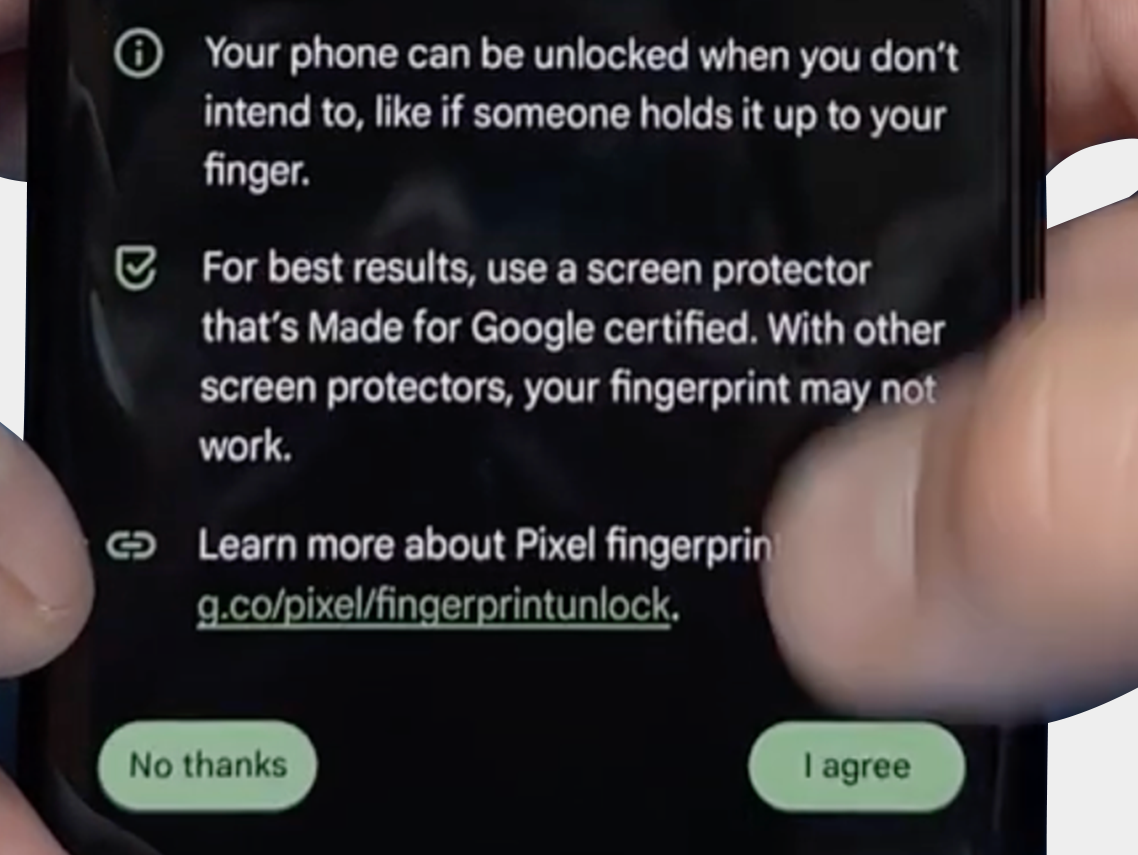
-
-
-


We hope the above tips and information have helped resolve the problem. However, should you still need assistance or have any questions, please do not hesitate to contact us. Our team is ready to further support you.

FDX LITE

FDX LITE

Pentru a oferi clienților noștri o opțiune accesibilă, introducem FDX Lite. Aceste ecrane au o rezoluție HD și oferă cea mai bună calitate în cadrul acestui segment de preț. Deși efectuăm controale stricte ale calității, nu avem nicio influență asupra procesului de producție. Ecranele FDX Lite vin cu o garanție din fabrică, însă deteriorarea interiorului ecranului nu este acoperită de garanție.
Features FDX LITE
Pixel resolution High Definition (HD)
Refresh rate Fast response
Includes Camera holder, earpiece mesh and proximity bracket
Temperature Low and controlled
360° Polarized Supported
Oil resistant coating Supported
Anti-glare Supported
Front Glass Anti-dust and fingerprint oil
Inspection Tested before shipment
Warranty Covered
service-pack
Service Pack
Aceste piese sunt originale și fabricate într-un mediu certificat de către producătorul original al dispozitivului.
pulled
Pulled
Aceste piese sunt 100% autentice și sunt supuse unor teste și inspecții riguroase după ce au fost îndepărtate de pe un dispozitiv original second-hand.
refurbished
Refurbished
Aceste piese au fost îndepărtate de pe un telefon original de ocazie, dar sticla frontală a fost înlocuită cu o sticlă echivalentă cu cea originală, în timp ce toate celelalte materiale au rămas autentice.
oem-equivalent
OEM-Equivalent
Aceste piese sunt asamblate profesional de către o terță parte folosind componente și materiale echivalente cu cele ale producătorului original.
fdx-ultra
FDX ULTRA
Soft OLED este o soluție LTPS-OLED de înaltă calitate, care oferă un raport calitate-preț excelent. Datorită designului său COP flexibil, ecranul este subțire, ușor și mai puțin predispus la spargere, oferind în același timp imagini luminoase și vibrante, apropiate de calitatea OEM. Răspunsul tactil este rapid și precis, iar fiecare lot este testat cu atenție pentru culoare, stabilitate și performanță. Acest lucru permite tehnicienilor de reparații profesioniști să se bazeze pe o calitate constantă, o compatibilitate ridicată și un ecran fiabil care arată premium fără a avea un preț ridicat.
fdx-pro
FDX PRO
Hard OLED este o soluție OLED accesibilă, care combină o calitate a imaginii luminoasă și clară cu un poziționare solidă în preț. Panoul COF rigid oferă o construcție solidă, care funcționează bine în utilizarea zilnică. Culorile sunt vibrante, luminozitatea este puternică, iar răspunsul tactil rămâne precis. Fiecare lot este verificat pentru stabilitate, uniformitate și sensibilitate, asigurându-se că tehnicienii se pot baza pe o calitate constantă. Hard OLED este ideal pentru clienții care doresc un preț competitiv fără a sacrifica performanța fiabilă și claritatea vizuală.
fdx-elite
FDX ELITE
FDX Elite este produsul nostru premium, unde lucrăm îndeaproape cu producătorul pentru a optimiza calitatea. Facem îmbunătățiri pe baza feedback-ului clienților și a propriei noastre expertize. Datorită influenței noastre directe asupra procesului de producție, avem încredere deplină în calitate. Acesta este motivul pentru care oferim o garanție extinsă pentru aceste ecrane: chiar și deteriorarea interiorului ecranului (care de obicei nu este acoperită de garanție) este acoperită. Dorim să oferim clienților o experiență fără griji. Această calitate are o rezoluție FHD+ și va fi cea mai scumpă opțiune datorită valorii adăugate și garanției extinse.
fdx-prime
FDX PRIME
FDX Prime reprezintă standardul de calitate in-cell, achiziționat direct de la producător, la fel ca alți furnizori de pe piață. Alegerea producătorului depinde de calitatea lotului de producție, iar produsele îndeplinesc cele mai înalte standarde de calitate in-cell de pe piață. Ecranele FDX Prime au o rezoluție FHD și vin cu o garanție de fabrică obișnuită. Acest lucru înseamnă că daunele la interiorul ecranului nu sunt acoperite.

Intrați în contact

Suntem disponibili de luni până vineri de la 09:00 - 17:00 (CET)