Multicolor divider line
FDX LITE

FDX LITE

Η FDX Lite είναι μια οθόνη entry-level σε κυψέλη με ανάλυση HD, κατάλληλη για βασικές επισκευές σε χαμηλότερο επίπεδο τιμής. Αυτές οι οθόνες ελέγχονται επίσης αυστηρά για να διασφαλίζουν σταθερή λειτουργία και αξιόπιστη απόδοση, καθιστώντας την FDX Lite μια πρακτική και επαληθευμένη επιλογή για εφαρμογές με προσανατολισμό στην τιμή εντός του τμήματος των κυψελών.
Features FDX LITE
Pixel resolution High Definition (HD)
Refresh rate Fast response
Includes Camera holder, earpiece mesh and proximity bracket
Temperature Low and controlled
360° Polarized Supported
Oil resistant coating Supported
Anti-glare Supported
Front Glass Anti-dust and fingerprint oil
Inspection Tested before shipment
Warranty Covered
Service Pack
Service Pack τα εξαρτήματα είναι αυθεντικά και έχουν κατασκευαστεί σε πιστοποιημένο περιβάλλον από τον αρχικό κατασκευαστή της συσκευής.
Pulled
Pulled τα εξαρτήματα είναι 100% αυθεντικά και προέρχονται από γνήσιες μεταχειρισμένες συσκευές. Υποβάλλονται σε αυστηρές δοκιμές και ελέγχους για να διασφαλιστεί η υψηλότερη ποιότητα.
Refurbished
Refurbished μέρη έχουν αφαιρεθεί από ένα αυθεντικό μεταχειρισμένο τηλέφωνο, αλλά το μπροστινό γυαλί έχει αντικατασταθεί με ένα γυαλί ισοδύναμο με το αυθεντικό, ενώ όλα τα άλλα υλικά παραμένουν αυθεντικά.
OEM-Equivalent
OEM-Equivalent τα εξαρτήματα συναρμολογούνται επαγγελματικά από τρίτο μέρος με εξαρτήματα και υλικά ισοδύναμα με εκείνα του αρχικού κατασκευαστή. Έχουν δοκιμαστεί ως προς τη βασική λειτουργικότητα και προσφέρουν μια αξιόπιστη εναλλακτική για μια οικονομική επισκευή.
FDX ULTRA
FDX Ultra είναι μια οθόνη Soft OLED LTPS με φωτεινά, ζωντανά χρώματα και ομαλή, ακριβή αφή. Χάρη στον εύκαμπτο σχεδιασμό της COP, η οθόνη είναι λεπτή, ελαφριά και εξαιρετικά ανθεκτική σε σπασίματα. Κάθε παρτίδα δοκιμάζεται αυστηρά για το χρώμα, τη σταθερότητα και την απόδοση, ώστε οι επαγγελματίες να μπορούν να βασίζονται σε αξιόπιστη και σταθερή ποιότητα.
FDX PRO
Η FDX Pro είναι μια οθόνη Hard OLED με ευκρινή ποιότητα εικόνας, ζωντανά χρώματα και γρήγορη, ακριβή αφή. Χάρη στο σχεδιασμό COF, προσφέρει αξιόπιστη απόδοση στην καθημερινή χρήση. Κάθε παρτίδα ελέγχεται για σταθερότητα και ομοιομορφία, ώστε οι τεχνικοί να μπορούν να βασίζονται σε σταθερή ποιότητα σε ανταγωνιστική τιμή.
FDX ELITE
ΗFDX Elite είναι μια οθόνη in-cell υψηλής ποιότητας, που αναπτύχθηκε σε συνεργασία με τον κατασκευαστή για βέλτιστη ποιότητα. Την βελτιώνουμε συνεχώς μέσω των σχολίων των πελατών και της εμπειρίας μας. Αυτή η οθόνη είναι η πιο ακριβή επιλογή μας, αλλά με την αντίστοιχη ποιότητα και εξυπηρέτηση για μια ξέγνοιαστη εμπειρία πελάτη.
FDX PRIME
FDX Prime είναι μια αξιόπιστη τυποποιημένη λύση εντός κυψέλης, που προέρχεται απευθείας από προσεκτικά επιλεγμένους κατασκευαστές. Οι οθόνες πληρούν τα υψηλά πρότυπα ποιότητας εντός κυψέλης και υποβάλλονται σε αυστηρές δοκιμές για να διασφαλίζουν σταθερή απόδοση, αξιοπιστία και μακροπρόθεσμο χρόνο λειτουργίας. Το FDX Prime είναι κατάλληλο για καθημερινή επαγγελματική χρήση στο πλαίσιο του τμήματος in-cell.
Tips & Tricks

What to do with Vanished Fingerprint on your Google Pixel after Screen Replacement?

12-03-2024 Χρόνος ανάγνωσης: 2 min

What to do with Vanished Fingerprint on your Google Pixel after Screen Replacement?

A common problem that occurs with Google Pixel smartphones is the failure of the fingerprint scanner after replacing the screen. In this blog, we share effective solutions to address this problem so that your customer can continue to use their phone effortlessly.


Start by Checking the Flex Cable

Make sure the fingerprint scanner flex cable is correctly connected to the motherboard and that it is not damaged. This is important to check because it could be causing the problem. If this is not the case, you have an idea where the possible problem could lie. If the cable does connect properly to the motherboard, it is likely that the fingerprint scanner needs to be recalibrated. Below are the steps to do this:


The Step-by-Step Calibration of the Fingerprint Scanner:

(Note: These steps only apply to the Google Pixel 6 and newer models.)


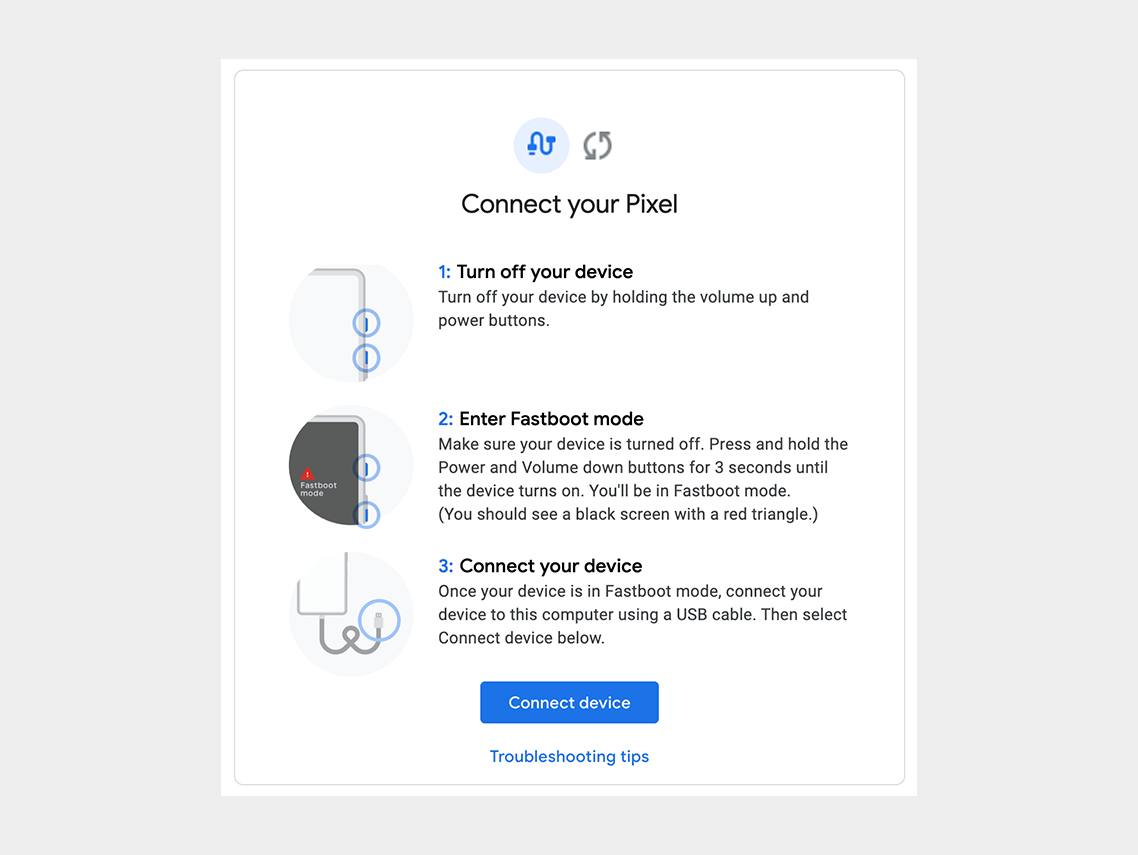
Step 1: Turn off the cell phone.

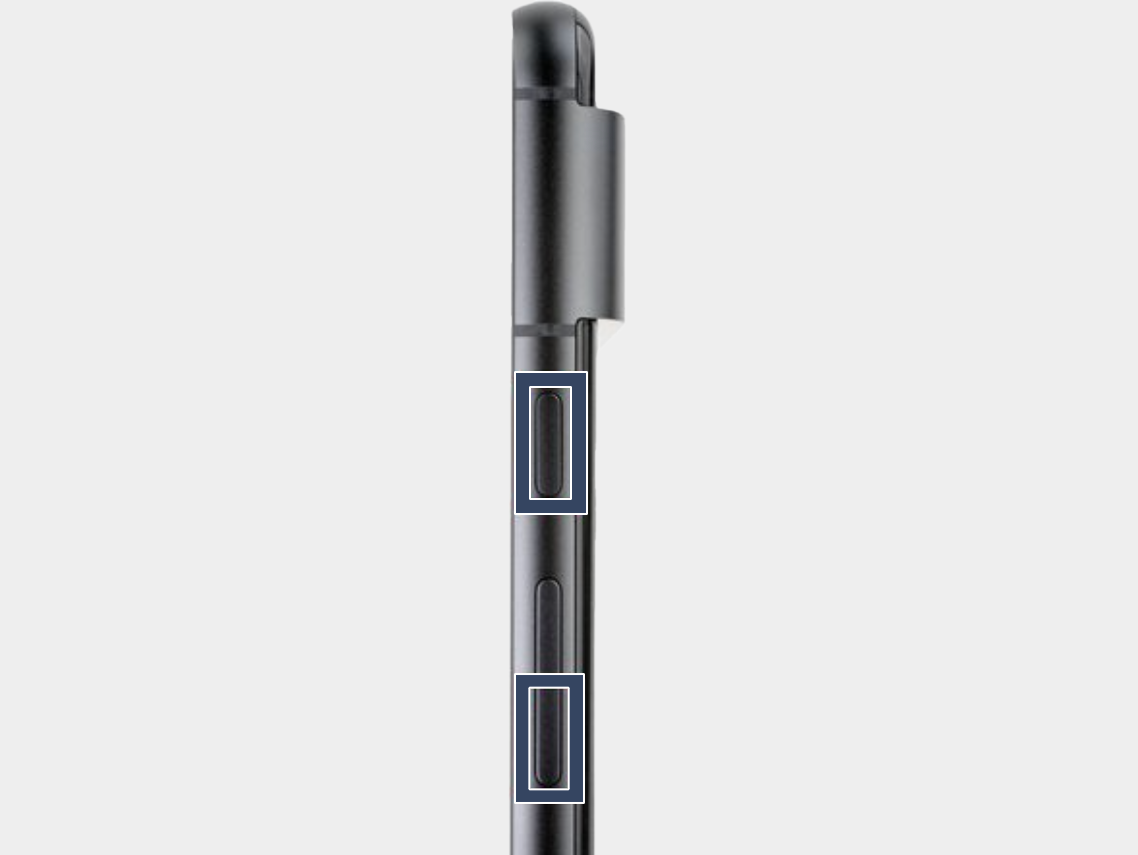
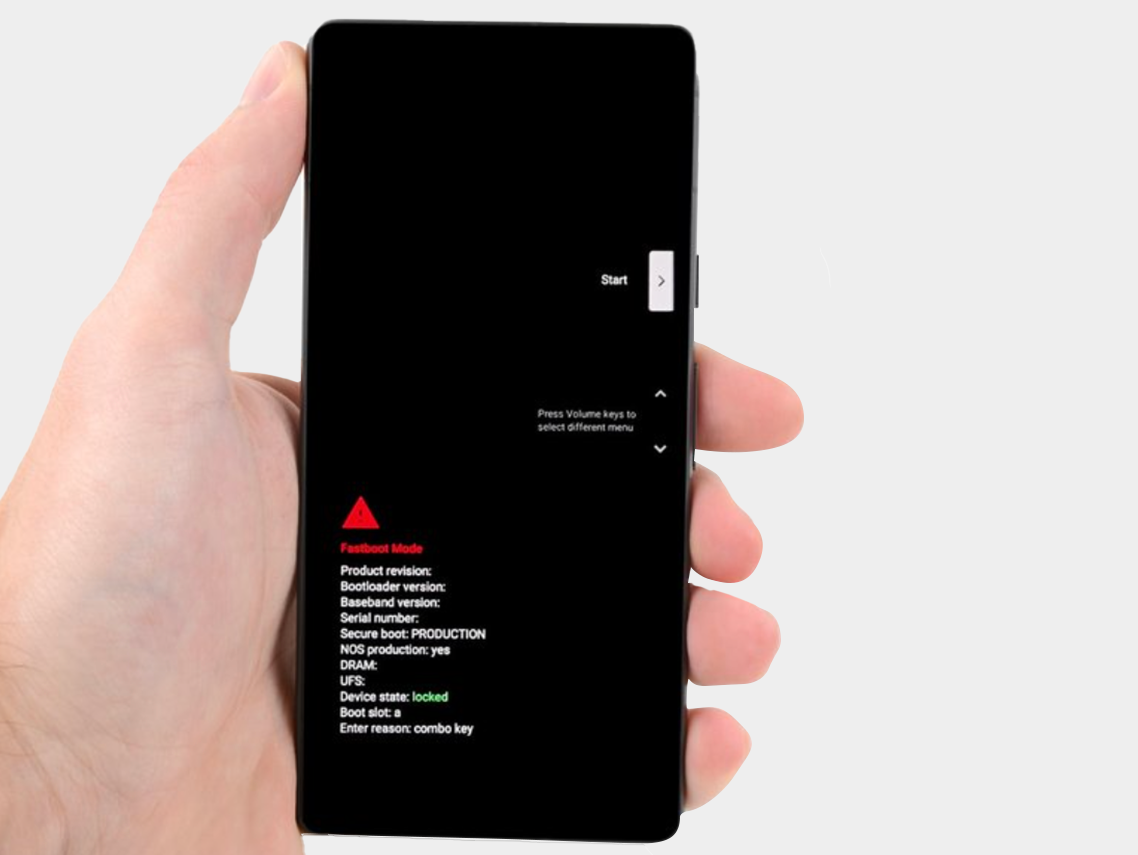
Step 2: Press the power button and volume down button for three seconds to enter the quick boot mode.
-


Step 3: Connect the phone to the computer.

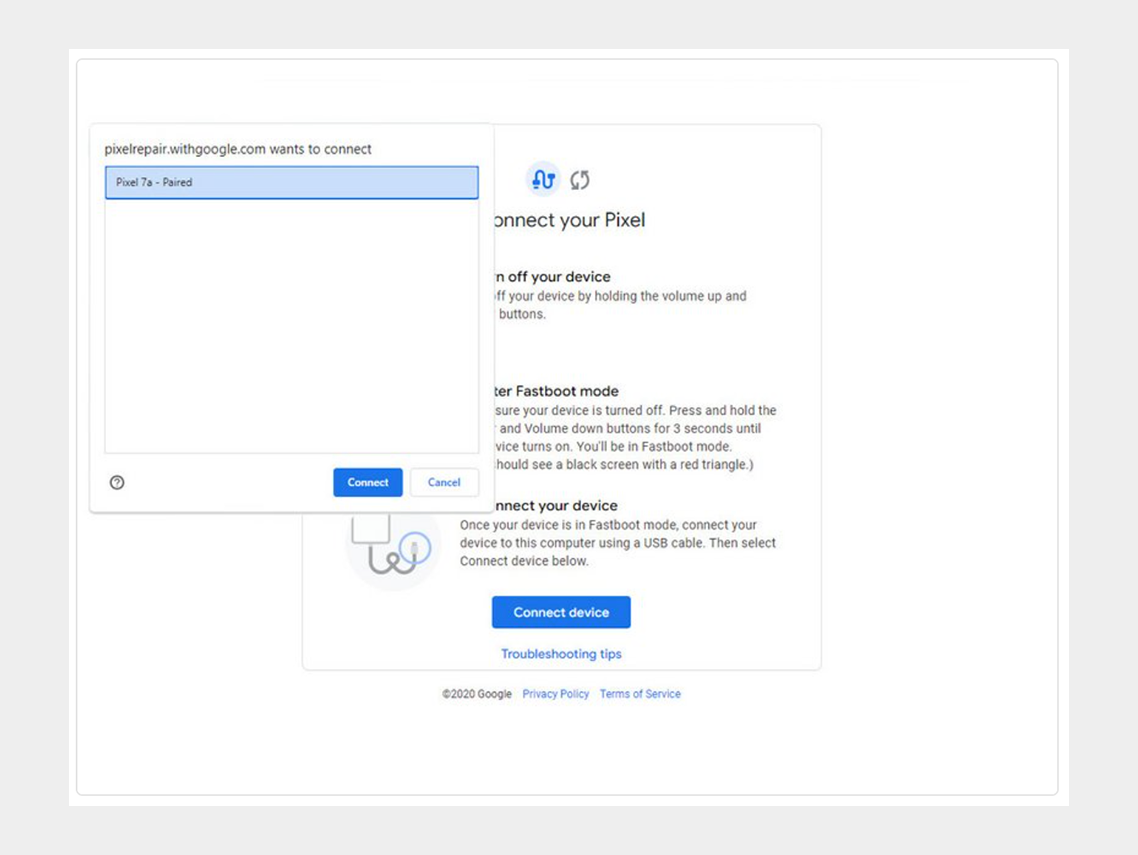
Step 4: Go to the calibration software and click on "Connect Device". Select the appropriate device.
-


If the device is not recognized, check the following:


  • Make sure Chrome has access to use USB devices. Go to Settings > Privacy and security > Site settings > Permissions > Additional permissions > USB devices.
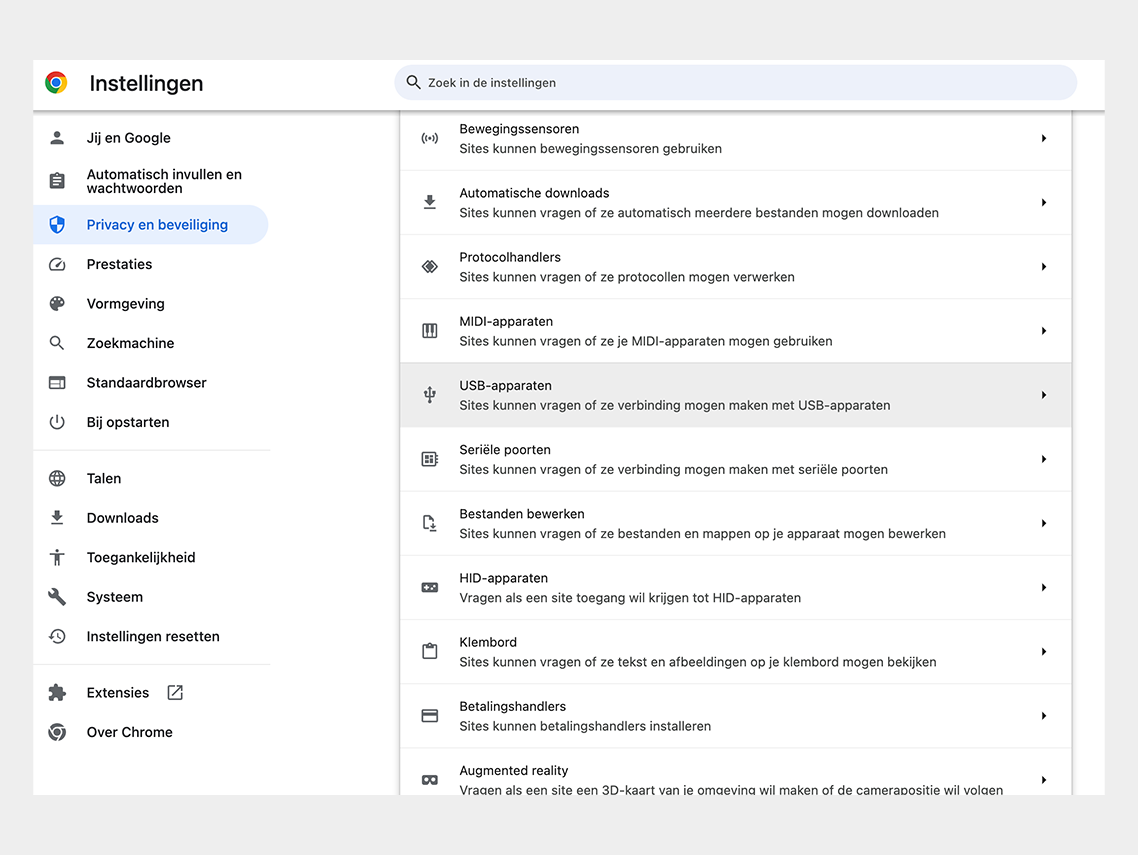

Google Chrome permission


  • Disconnect and reconnect the USB cable. Then try to connect again.
  • Try a different USB cable.
  • For Windows users: Make sure you have downloaded and installed the Google USB driver. Here is the link for the driver.  Follow the steps below:
  • 1. Connect the Android device to your computer's USB port.
  • 2. Open Computer Manager from Windows Explorer.
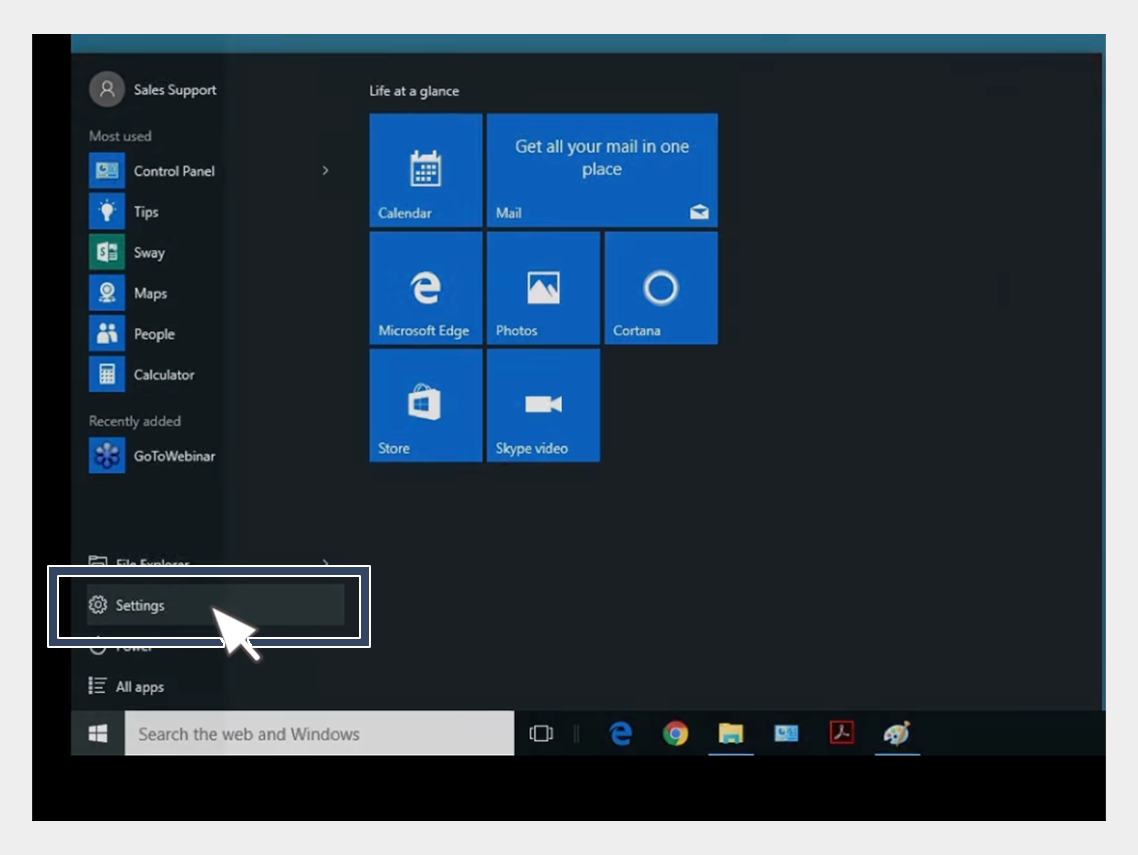

USB-driver installation


3. In the left pane of Computer Management, select Device Manager.
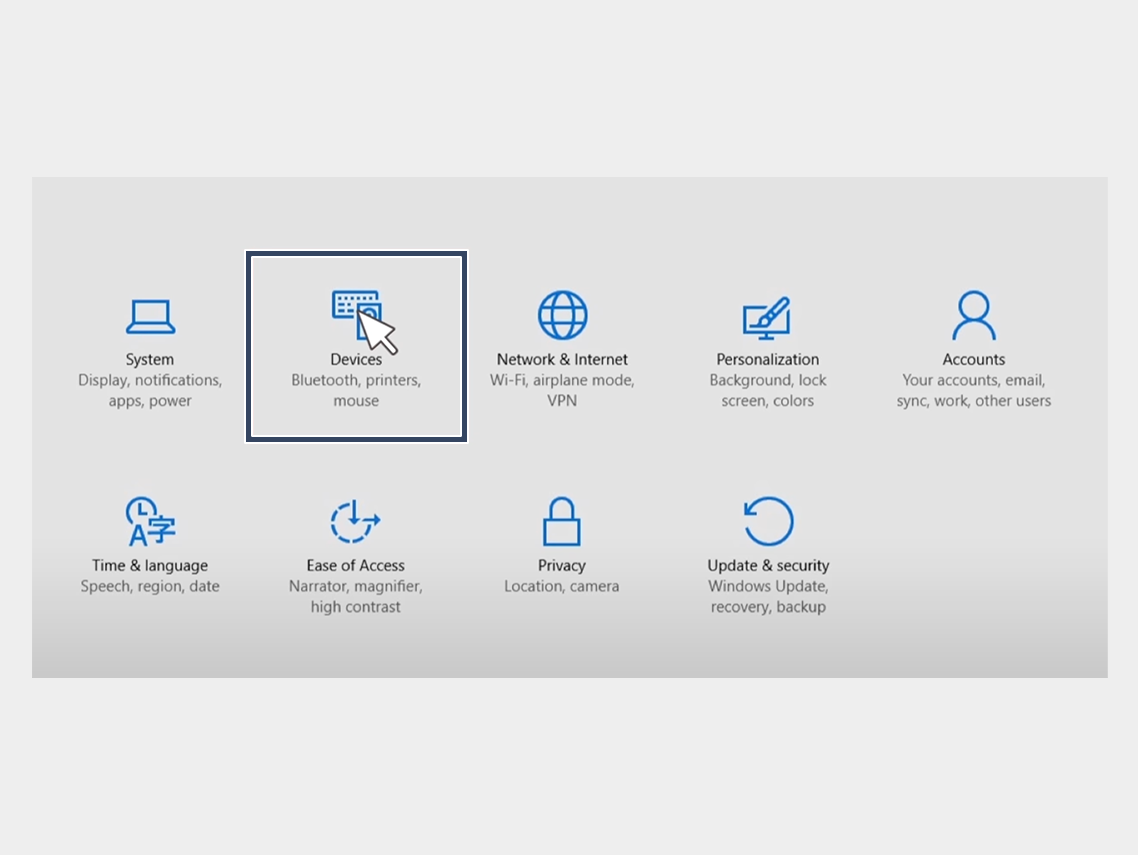

USB-driver installation


4. In the right pane of Device Manager, find and expand Portable Devices or Other Devices, depending on what you see.


5. Right-click on the name of the device you connected, then select Update Driver.
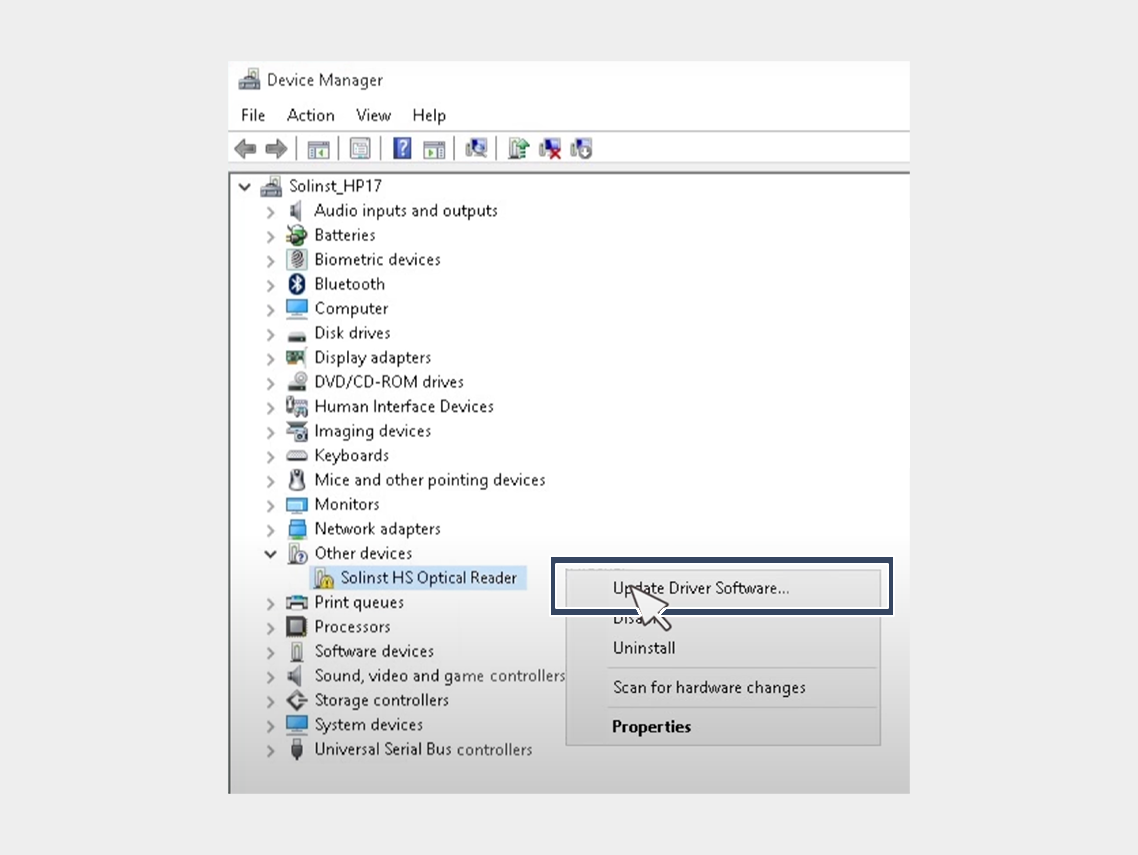

USB-driver installation


6. In the Hardware Update Wizard, choose Browse for driver software on my computer and click Next.
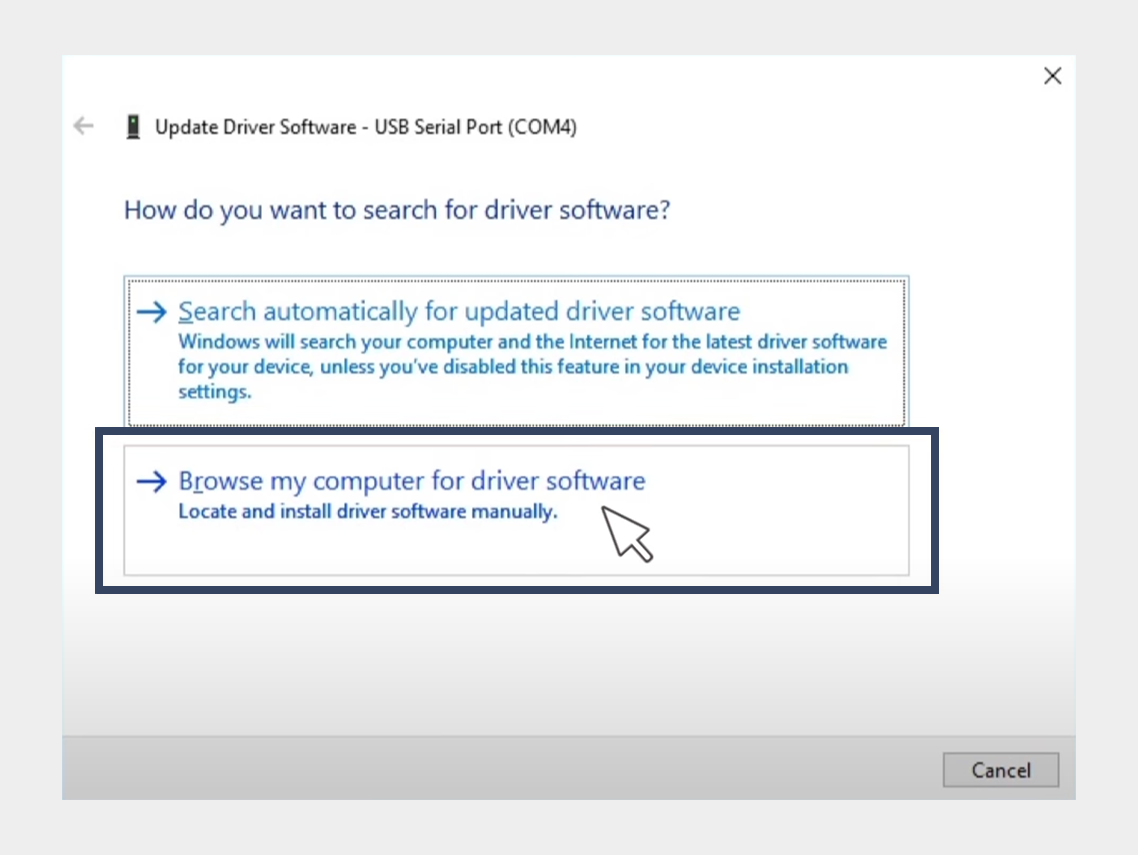

USB-driver installation


7. Click Browse, then locate the folder containing the USB driver. For example, the Google USB driver is located in android_sdk driver.
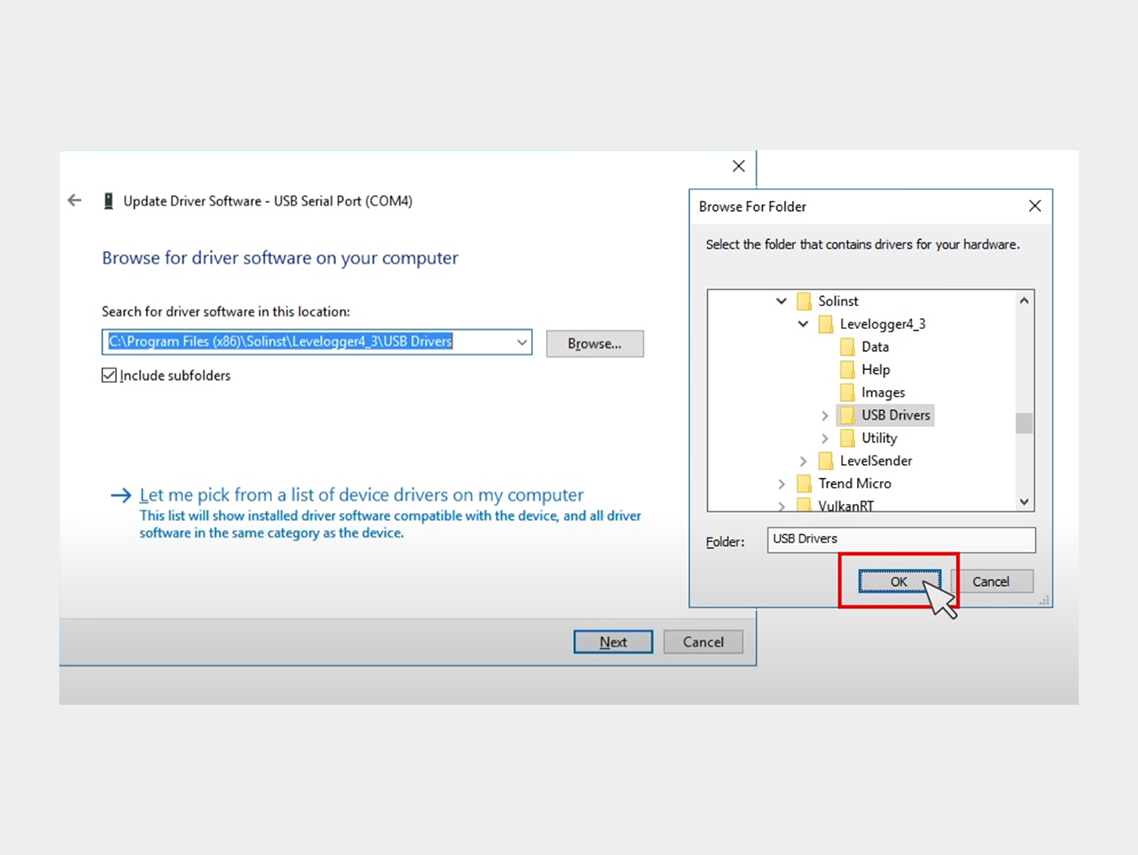

USB-driver installation


8. Click Next to install the driver.


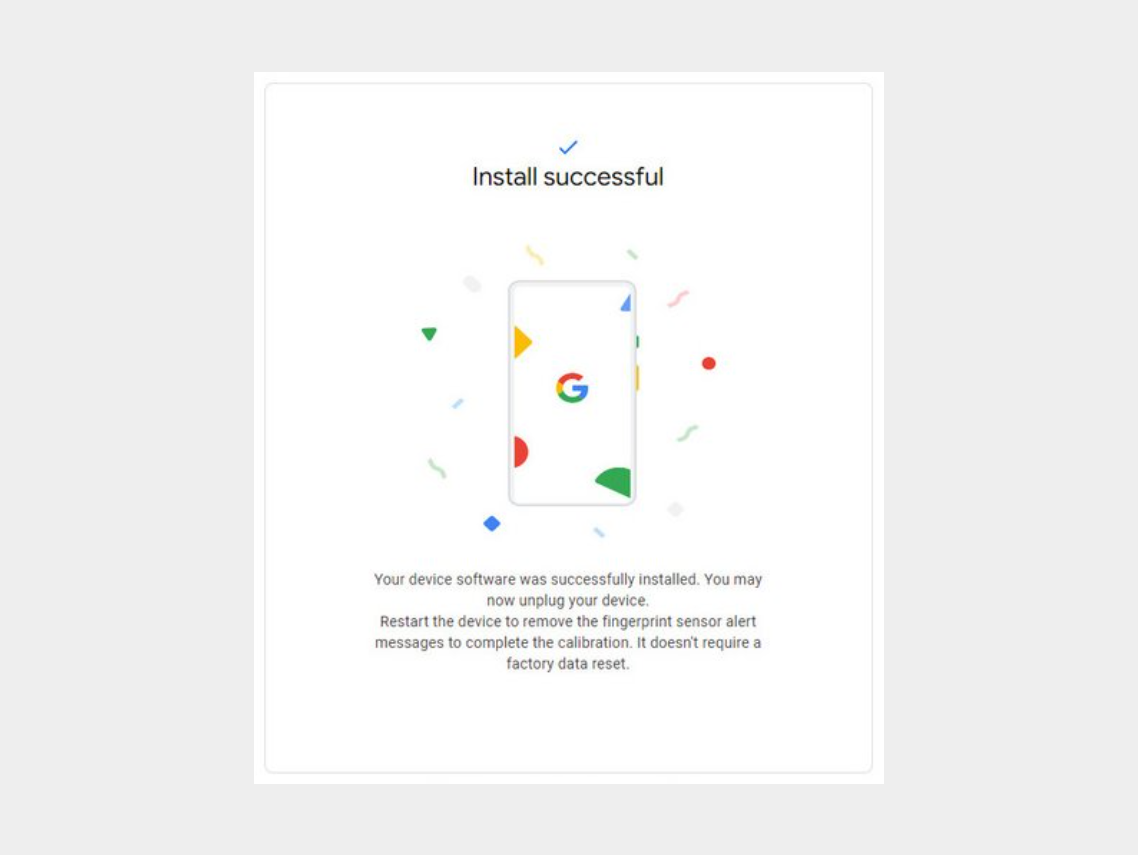
Step 5: Click on "Install Software."
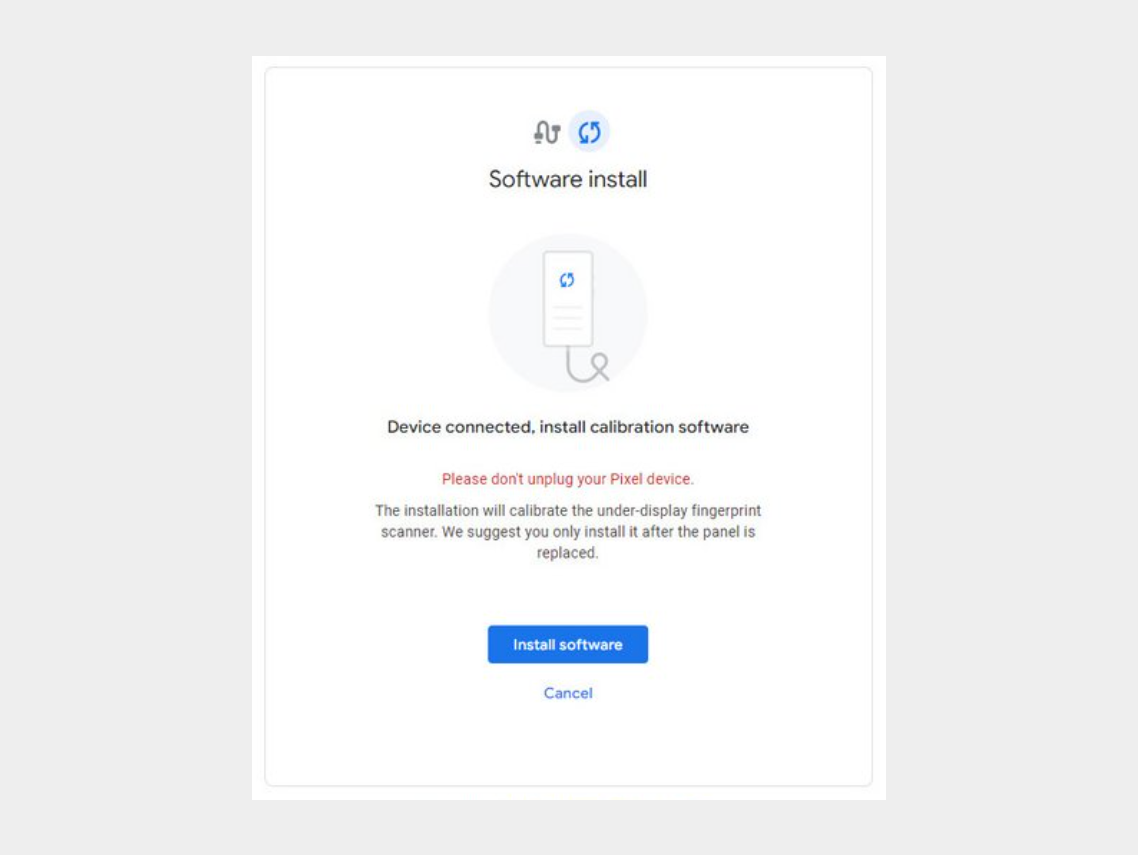


Step 6: Wait for the software to download.
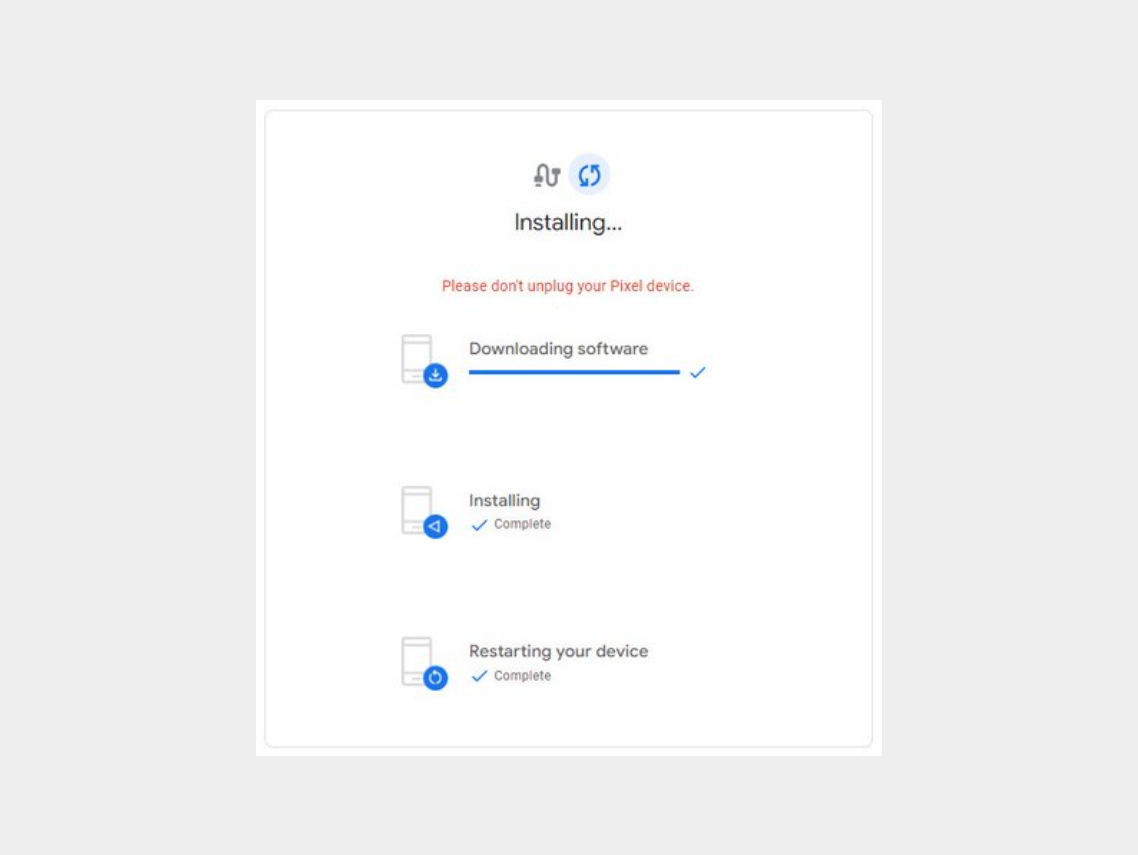

-


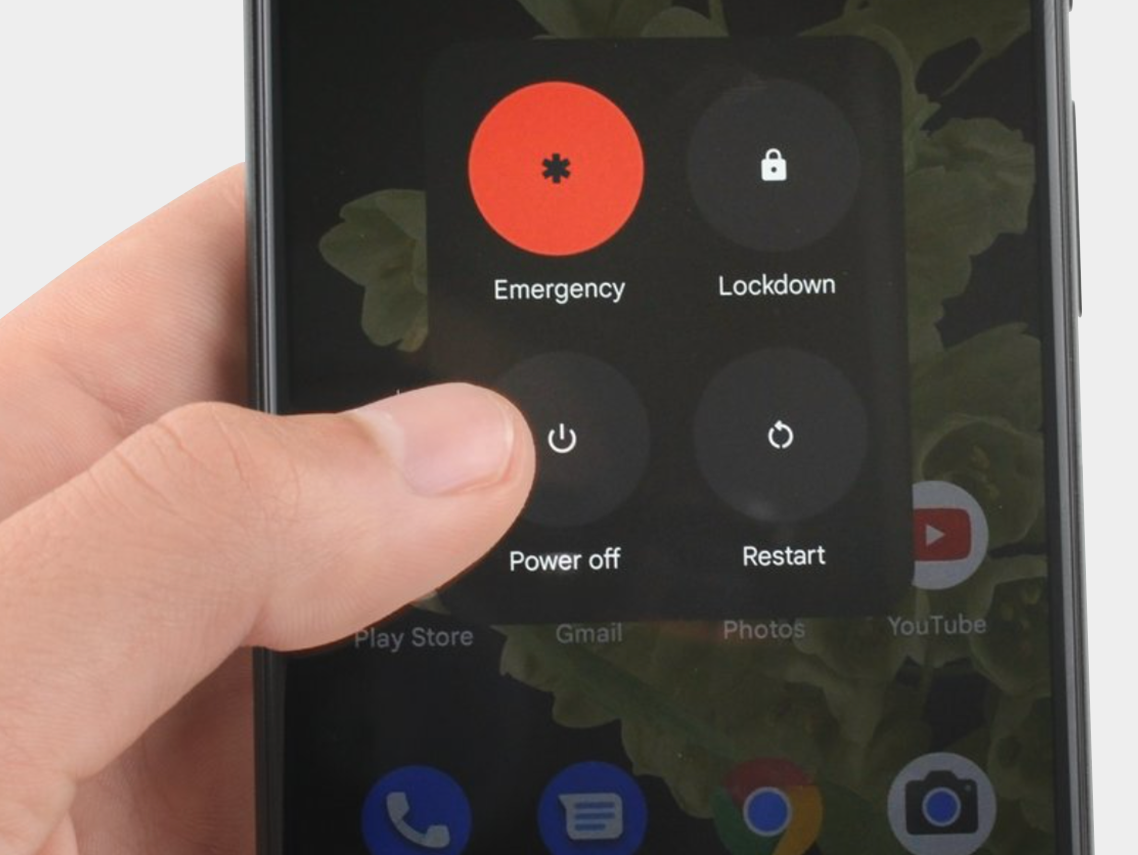
Step 7: Disconnect the phone from the computer and reboot it.


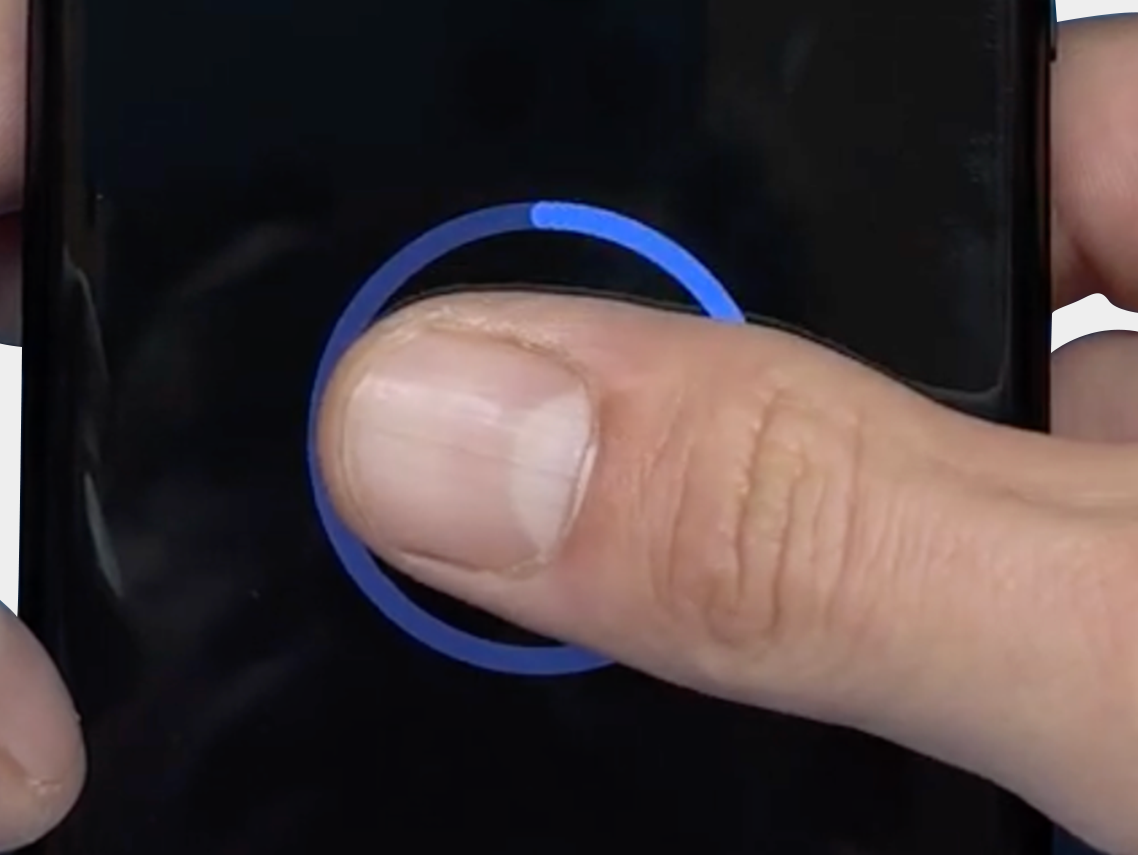
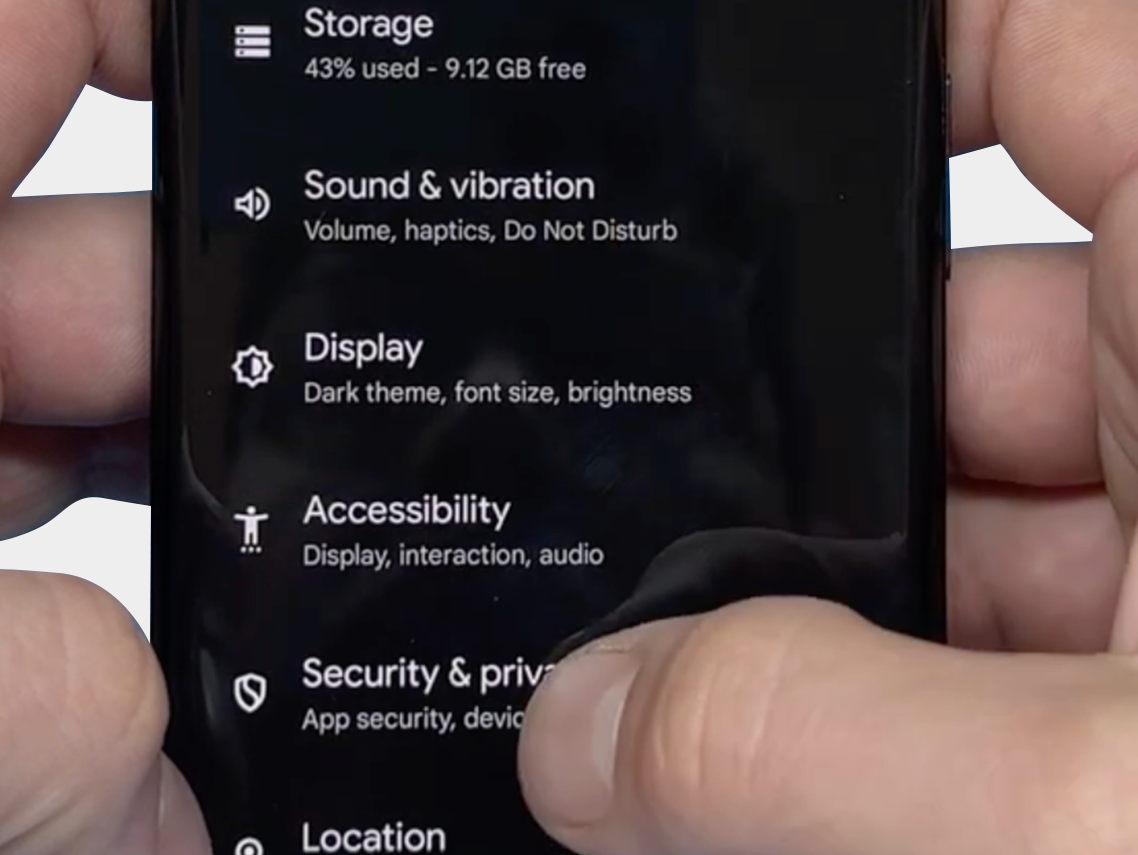
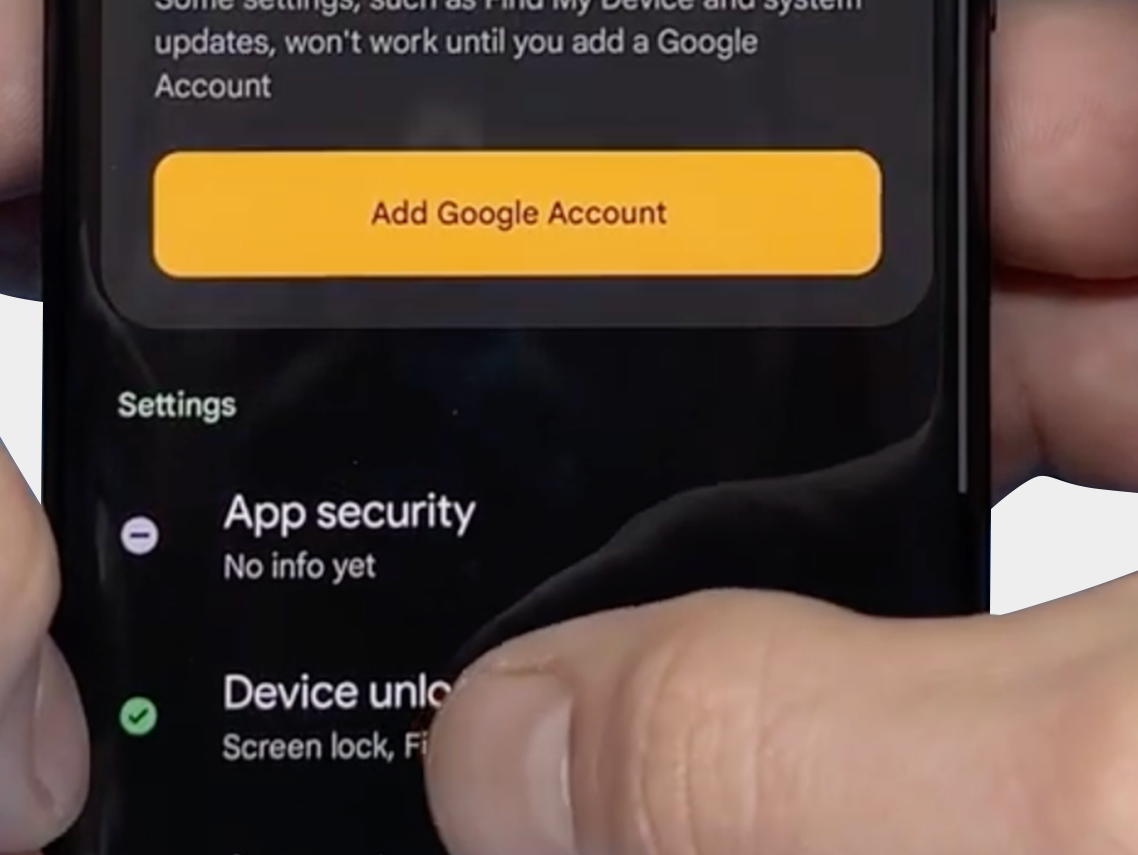
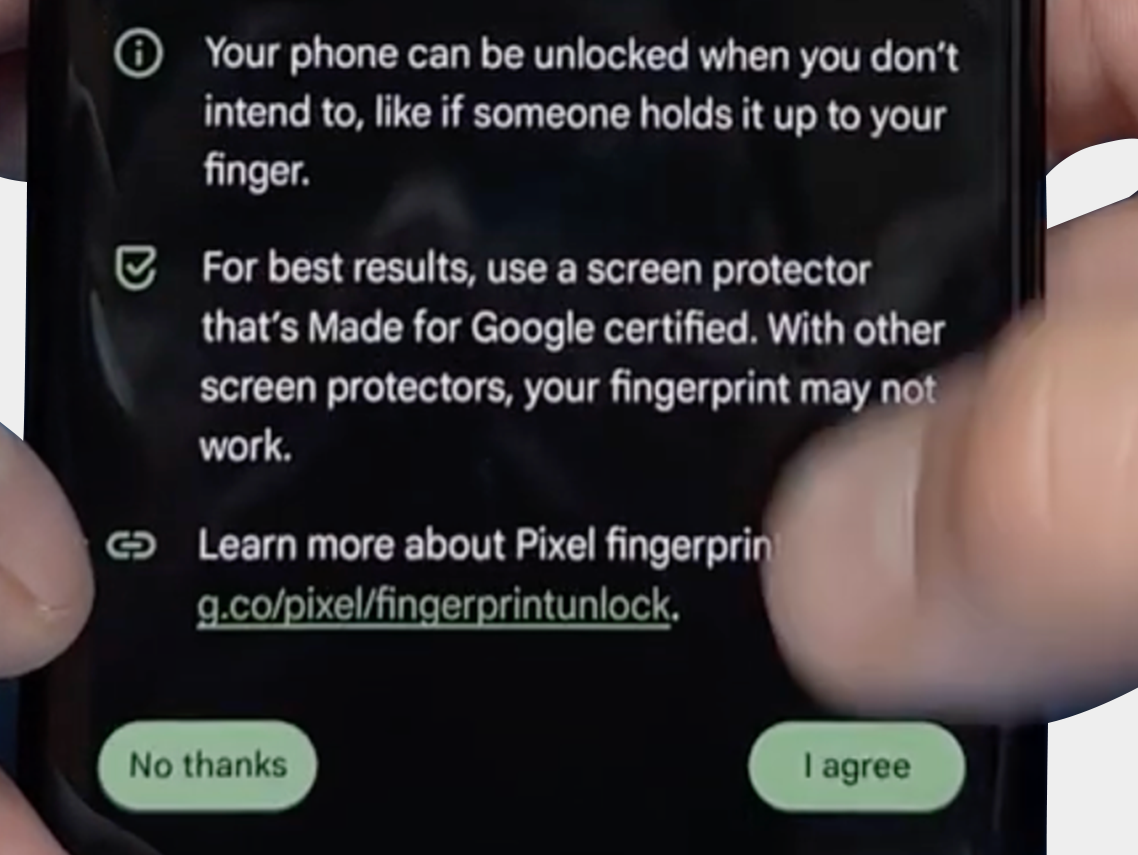
The final step: Verify that you can reset the fingerprint and that it now works via: "Security & Privacy" -> "Unlock Device" -> "FingerPrint Unlock" -> "Agree Terms"
-
-
-


We hope the above tips and information have helped resolve the problem. However, should you still need assistance or have any questions, please do not hesitate to contact us. Our team is ready to further support you.

Contact support
Country flag

Επικοινωνήστε μαζί μας

Είμαστε διαθέσιμοι από Δευτέρα έως Παρασκευή από 09:00 - 17:00 (CET)

Checkmark Παραγγείλτε πριν από τις 19:30 μ.μ., αποστέλλεται την ίδια μέρα
Checkmark Κορυφαία ποιότητα
Checkmark 15.000+ προϊόντα, απευθείας από το απόθεμα