Language icon PL

Części

12-03-2024

What to do with Vanished Fingerprint on your Google Pixel after Screen Replacement?

What to do with Vanished Fingerprint on your Google Pixel after Screen Replacement?

A common problem that occurs with Google Pixel smartphones is the failure of the fingerprint scanner after replacing the screen. In this blog, we share effective solutions to address this problem so that your customer can continue to use their phone effortlessly.


Start by Checking the Flex Cable

Make sure the fingerprint scanner flex cable is correctly connected to the motherboard and that it is not damaged. This is important to check because it could be causing the problem. If this is not the case, you have an idea where the possible problem could lie. If the cable does connect properly to the motherboard, it is likely that the fingerprint scanner needs to be recalibrated. Below are the steps to do this:


The Step-by-Step Calibration of the Fingerprint Scanner:

(Note: These steps only apply to the Google Pixel 6 and newer models.)


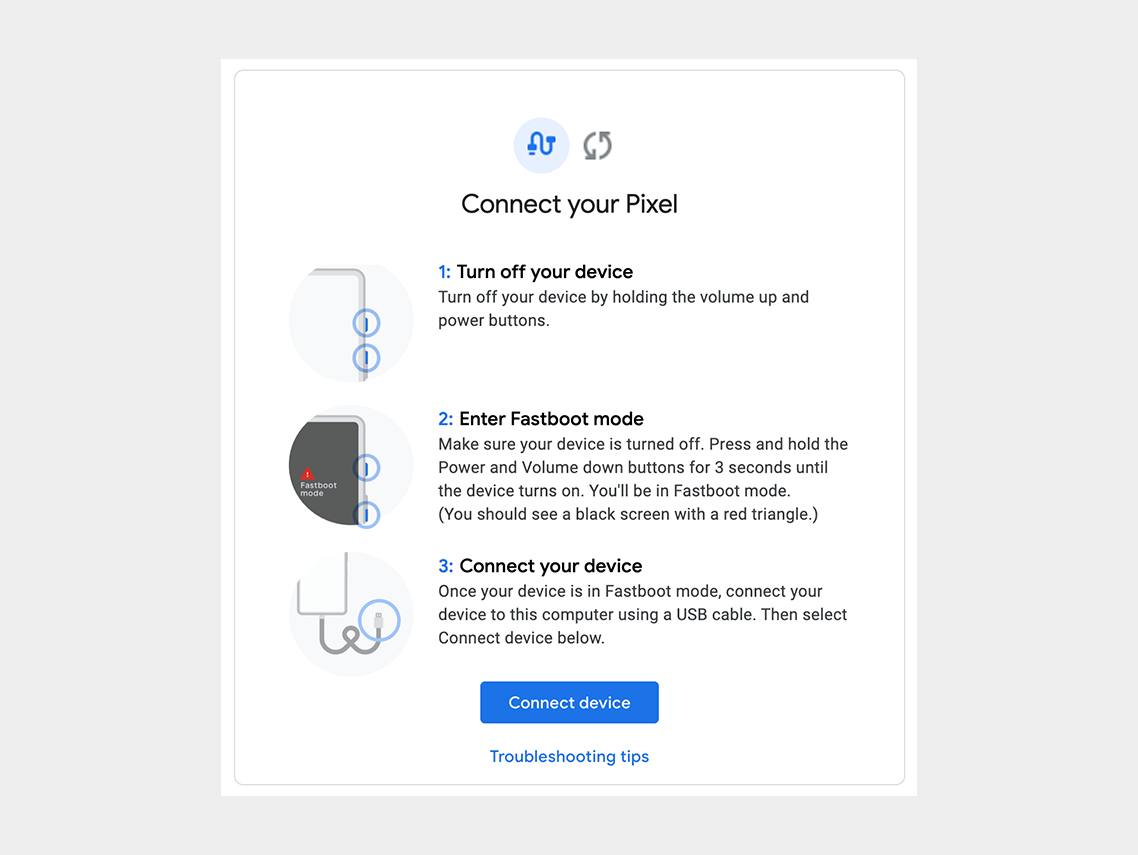
Step 1: Turn off the cell phone.

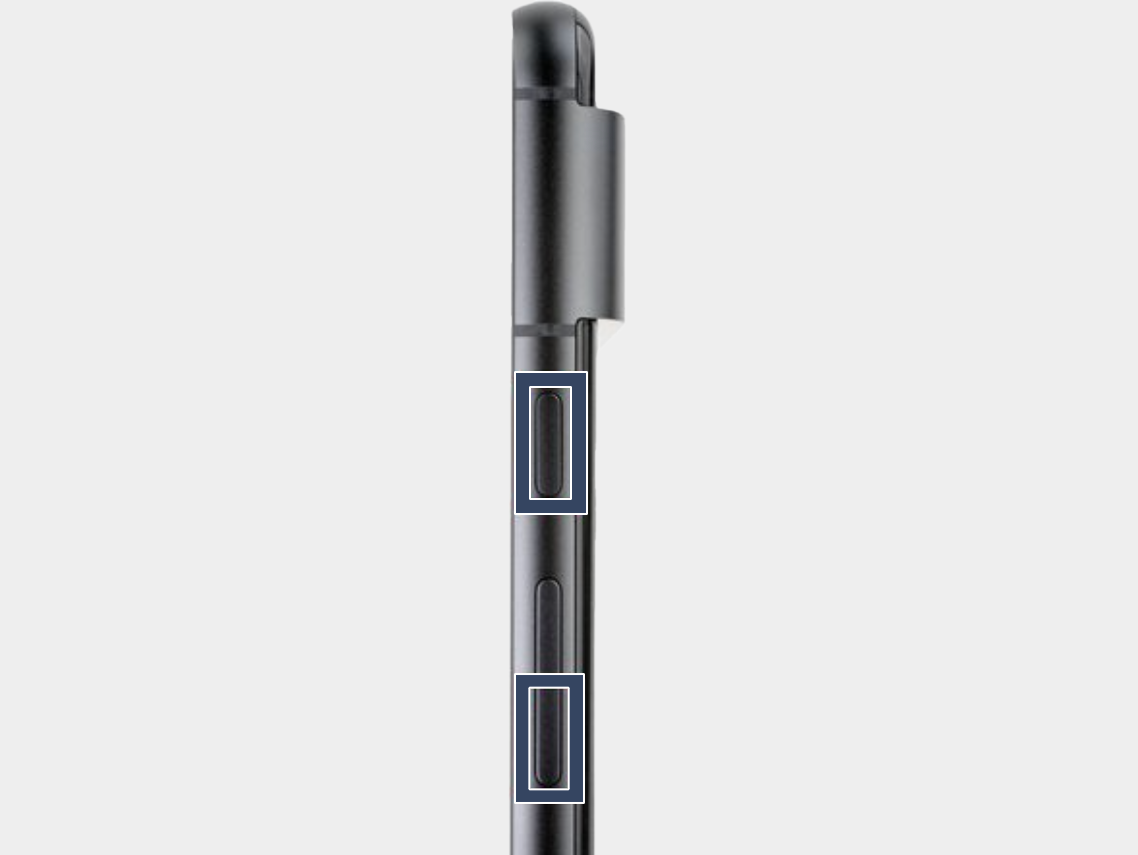
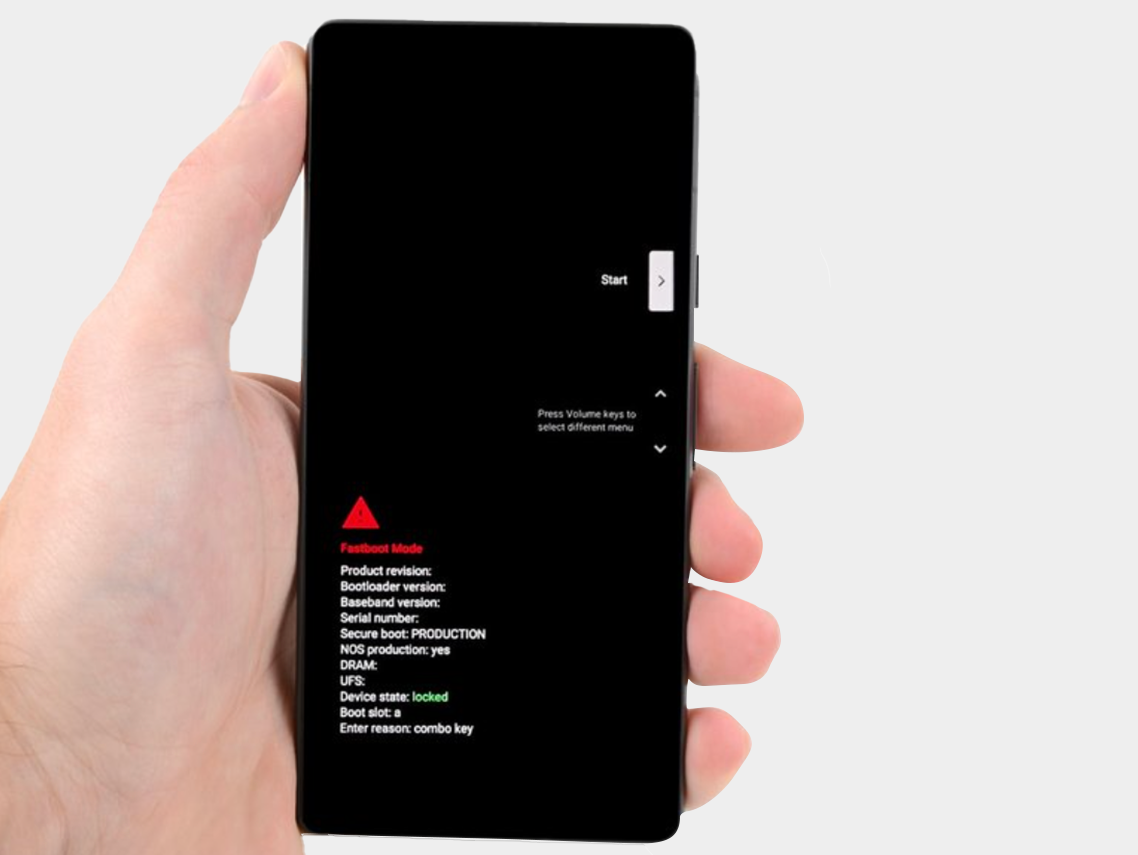
Step 2: Press the power button and volume down button for three seconds to enter the quick boot mode.
-


Step 3: Connect the phone to the computer.

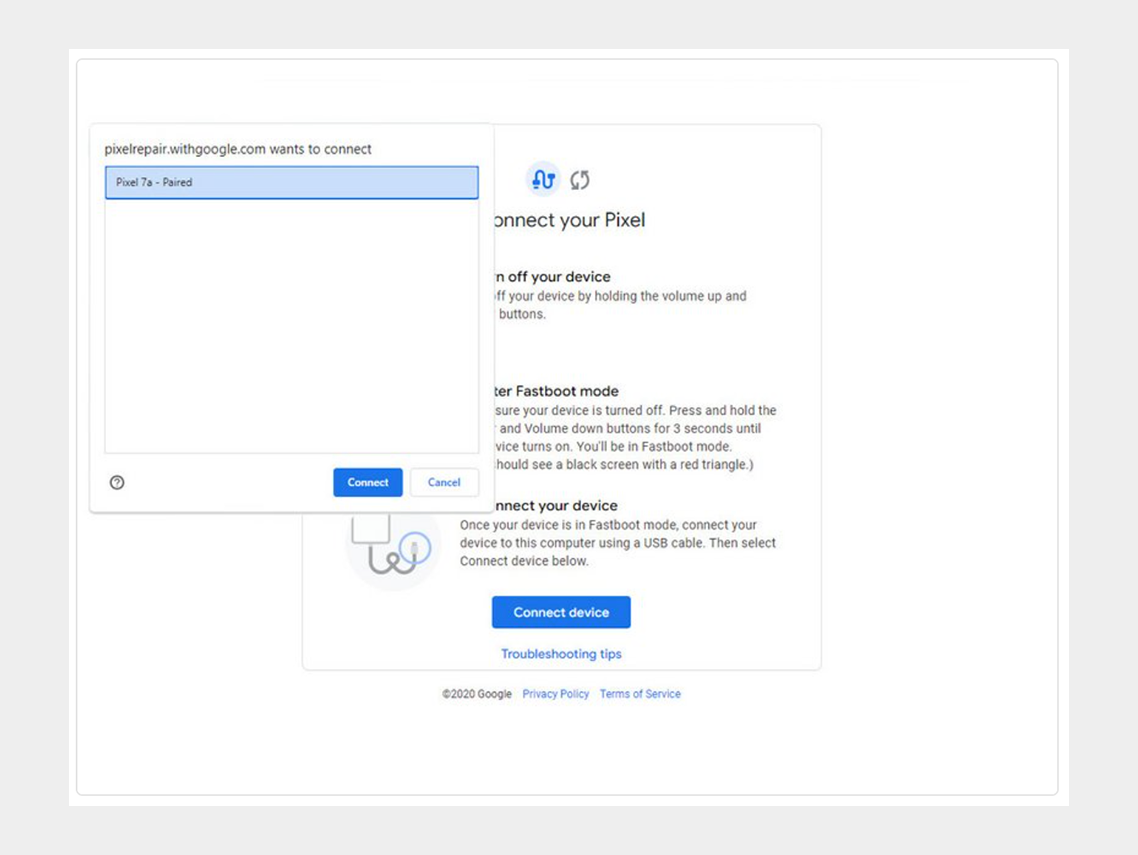
Step 4: Go to the calibration software and click on "Connect Device". Select the appropriate device.
-


If the device is not recognized, check the following:


  • Make sure Chrome has access to use USB devices. Go to Settings > Privacy and security > Site settings > Permissions > Additional permissions > USB devices.
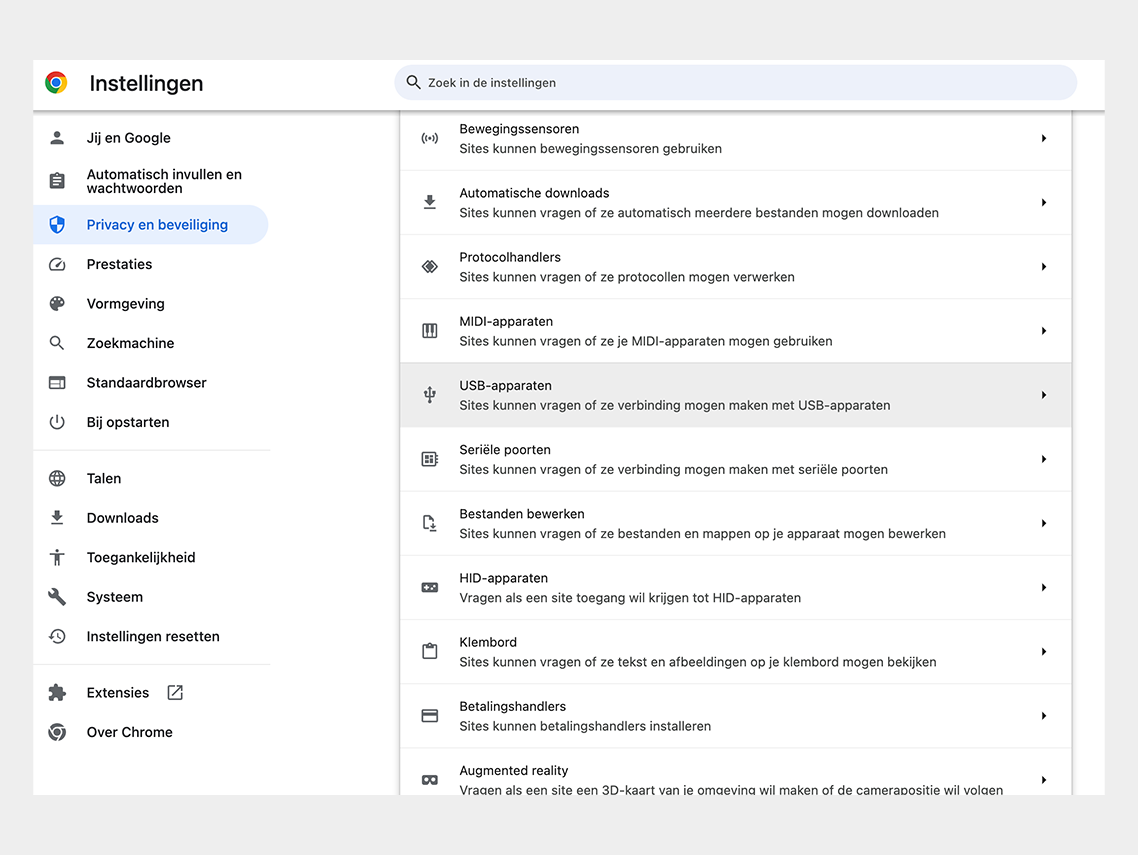

Google Chrome permission


  • Disconnect and reconnect the USB cable. Then try to connect again.
  • Try a different USB cable.
  • For Windows users: Make sure you have downloaded and installed the Google USB driver. Here is the link for the driver.  Follow the steps below:
  • 1. Connect the Android device to your computer's USB port.
  • 2. Open Computer Manager from Windows Explorer.
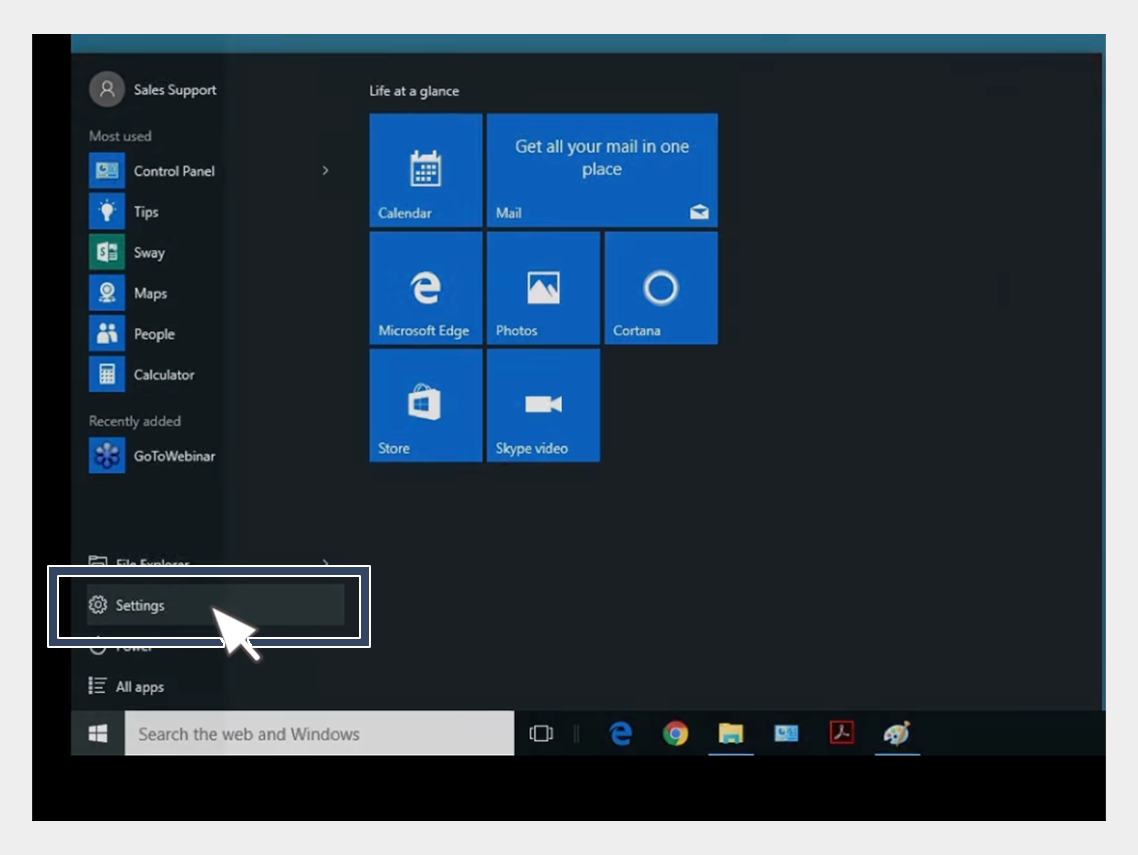

USB-driver installation


3. In the left pane of Computer Management, select Device Manager.
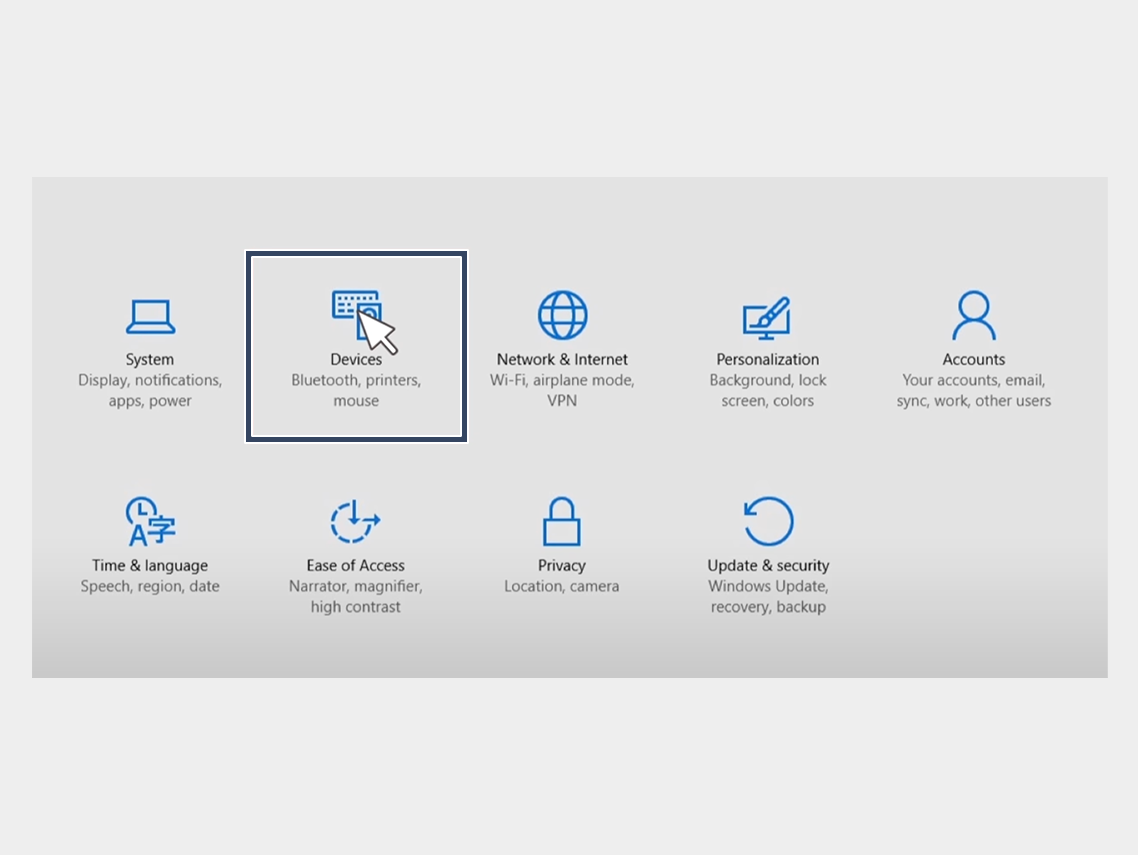

USB-driver installation


4. In the right pane of Device Manager, find and expand Portable Devices or Other Devices, depending on what you see.


5. Right-click on the name of the device you connected, then select Update Driver.
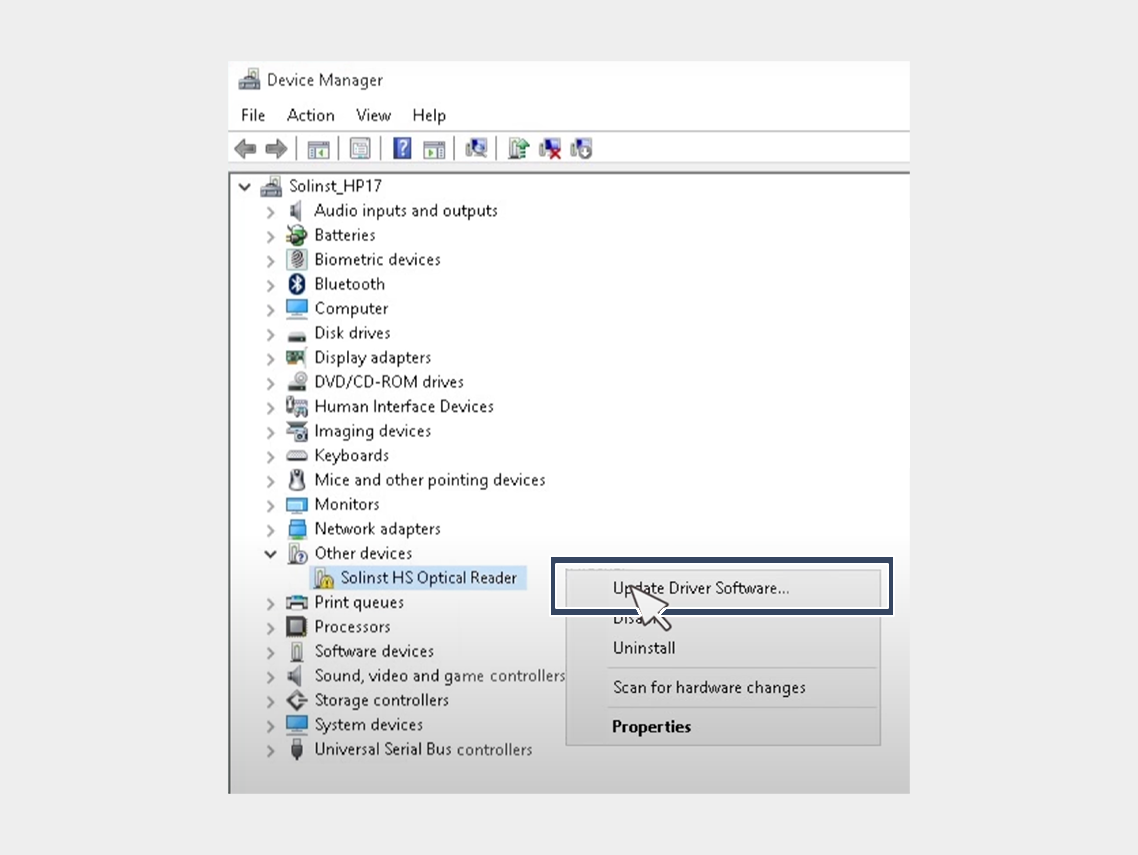

USB-driver installation


6. In the Hardware Update Wizard, choose Browse for driver software on my computer and click Next.
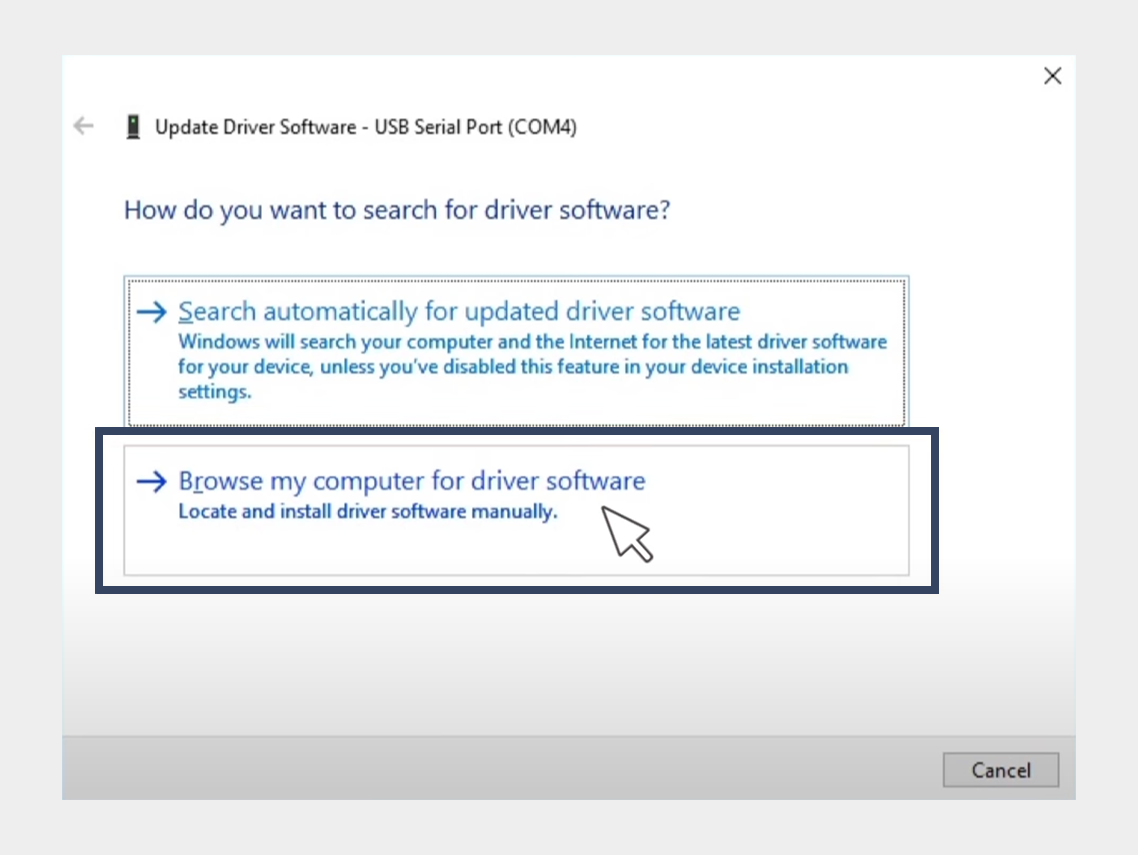

USB-driver installation


7. Click Browse, then locate the folder containing the USB driver. For example, the Google USB driver is located in android_sdk driver.
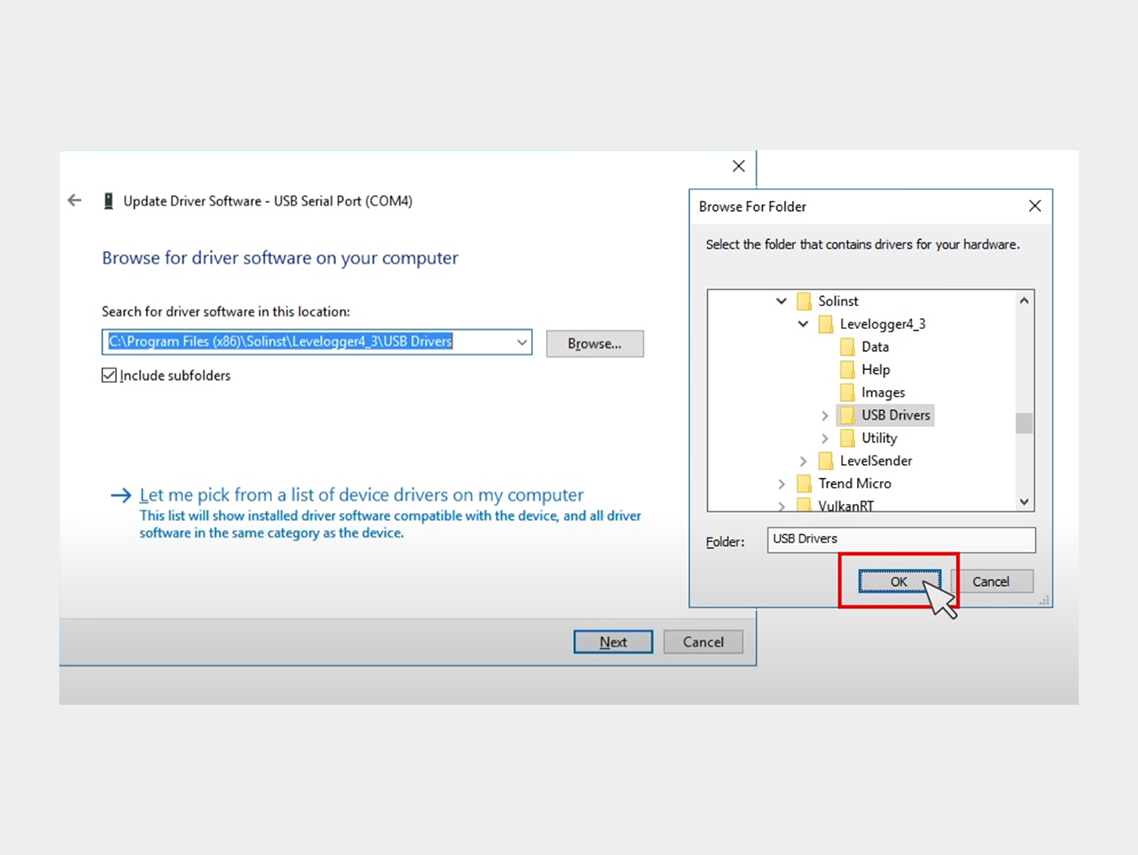

USB-driver installation


8. Click Next to install the driver.


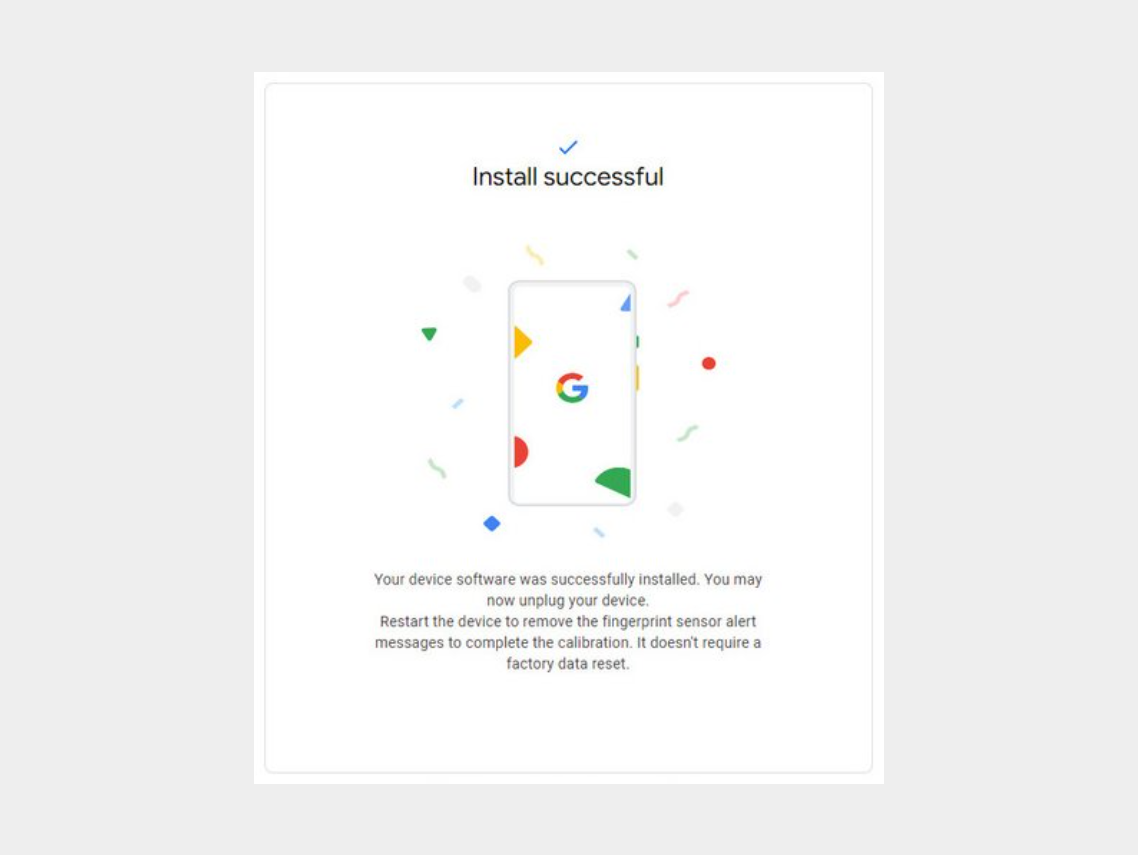
Step 5: Click on "Install Software."
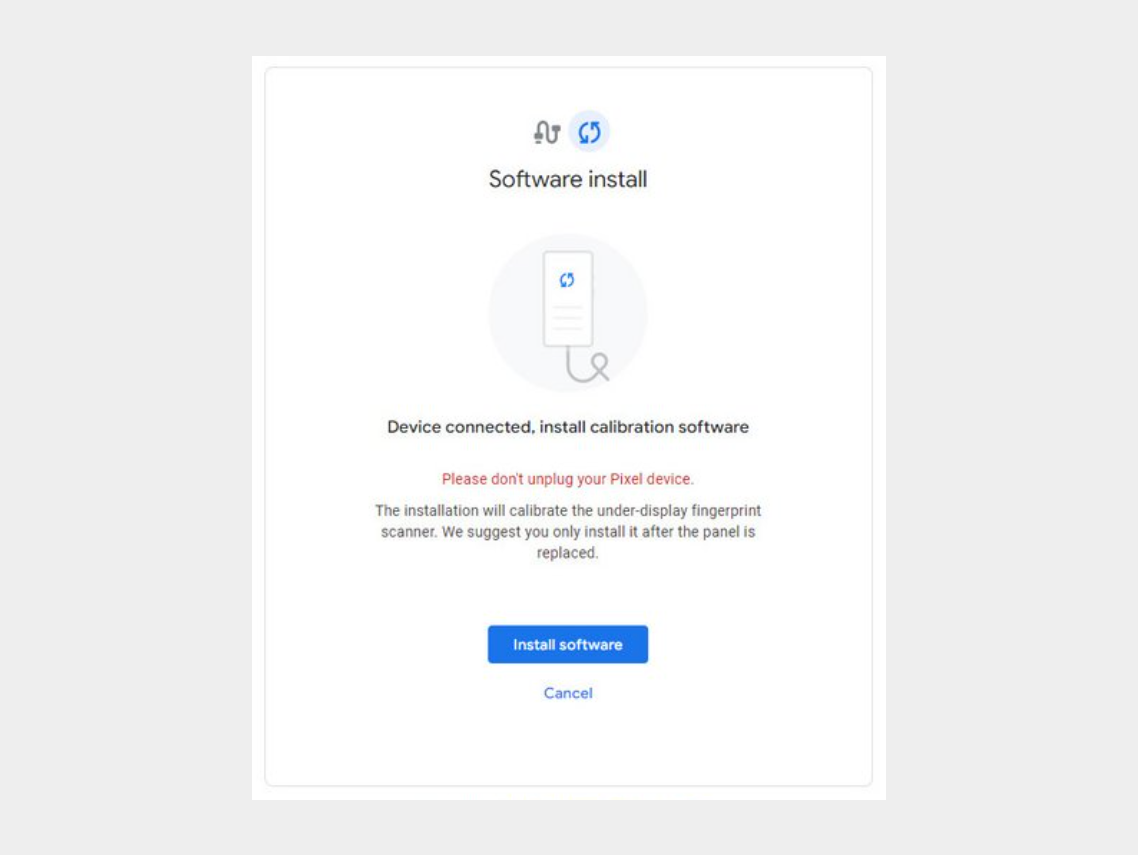


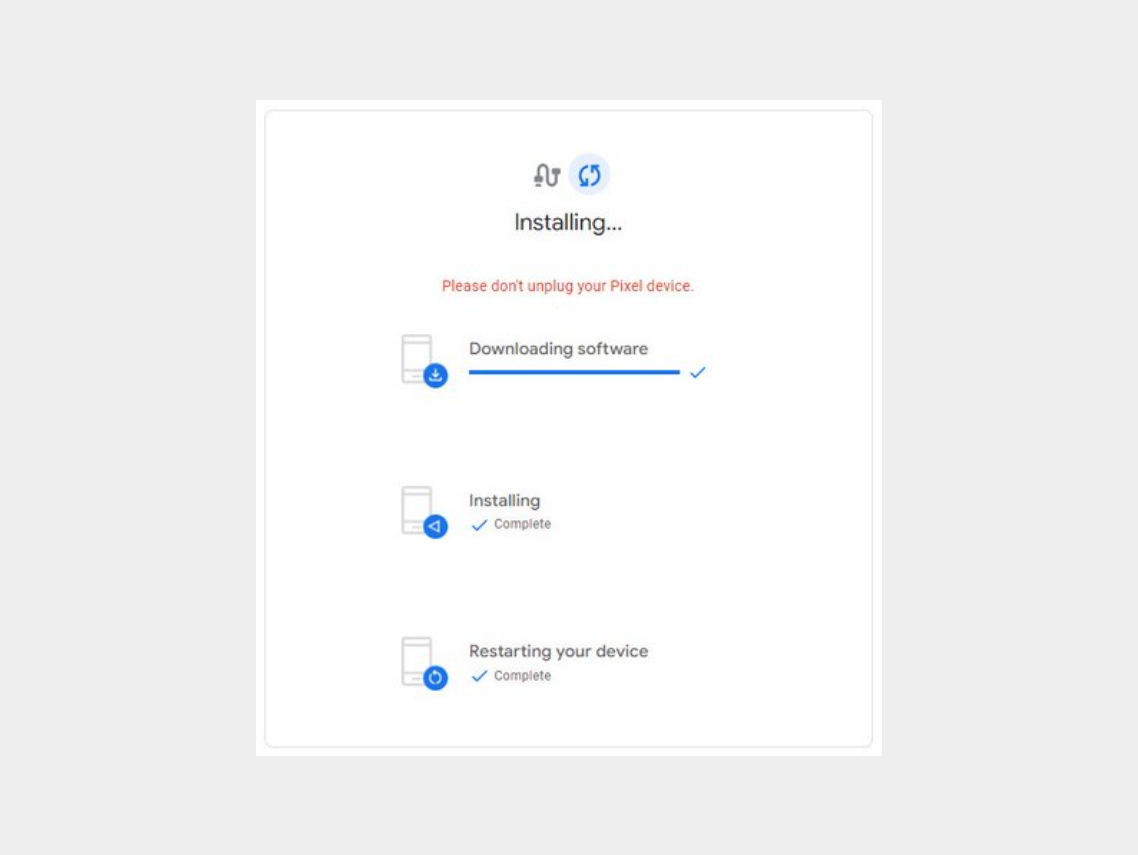
Step 6: Wait for the software to download.

-


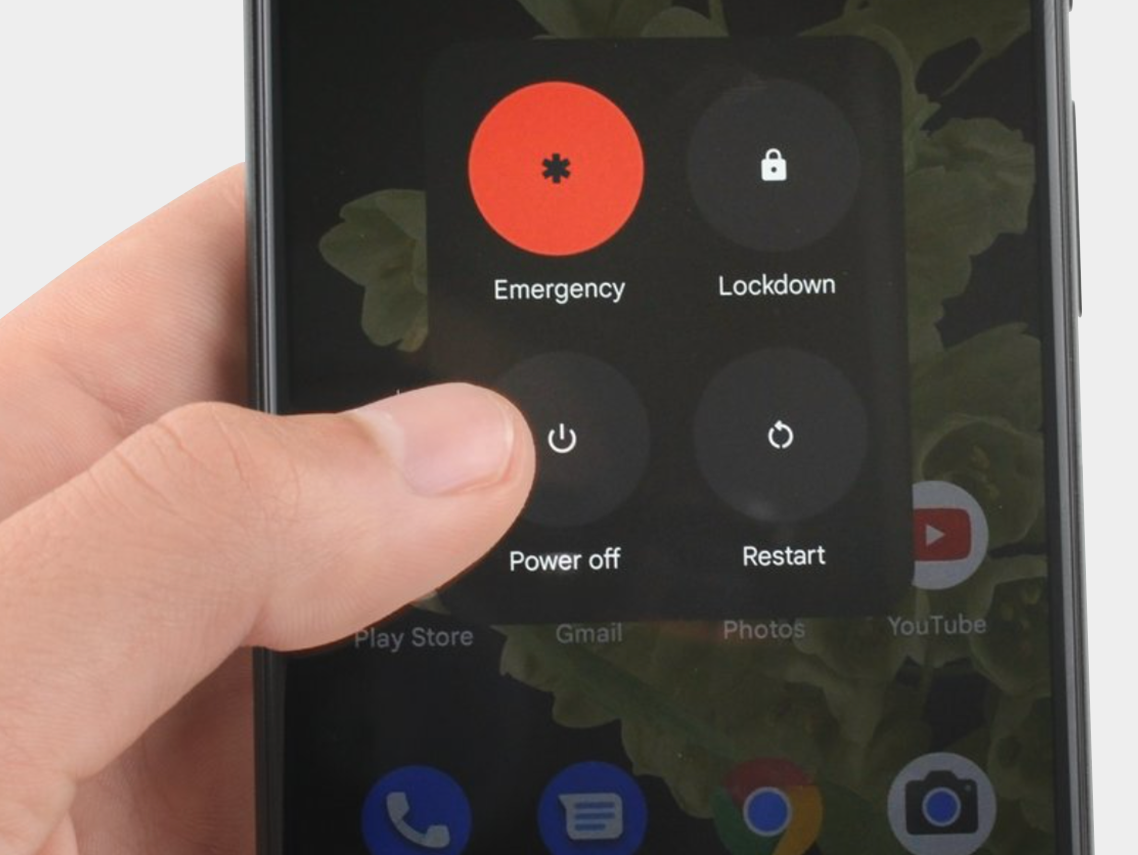
Step 7: Disconnect the phone from the computer and reboot it.


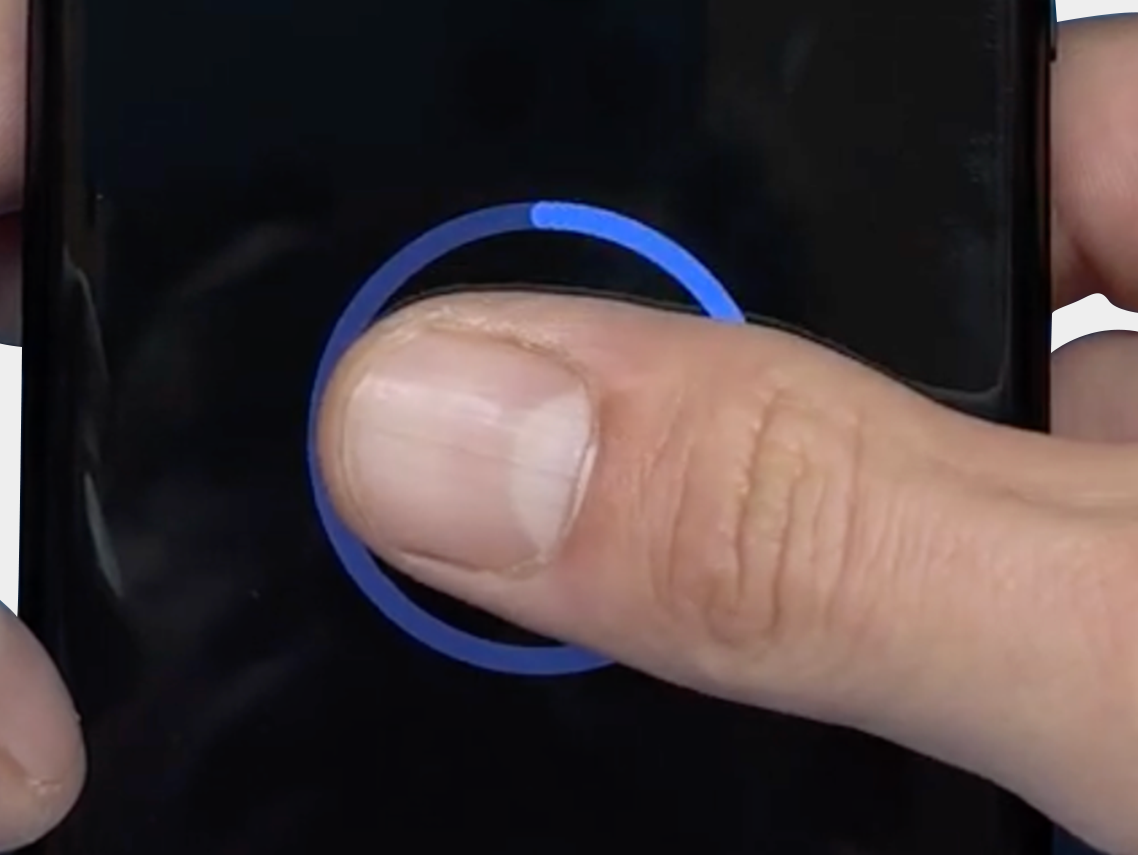
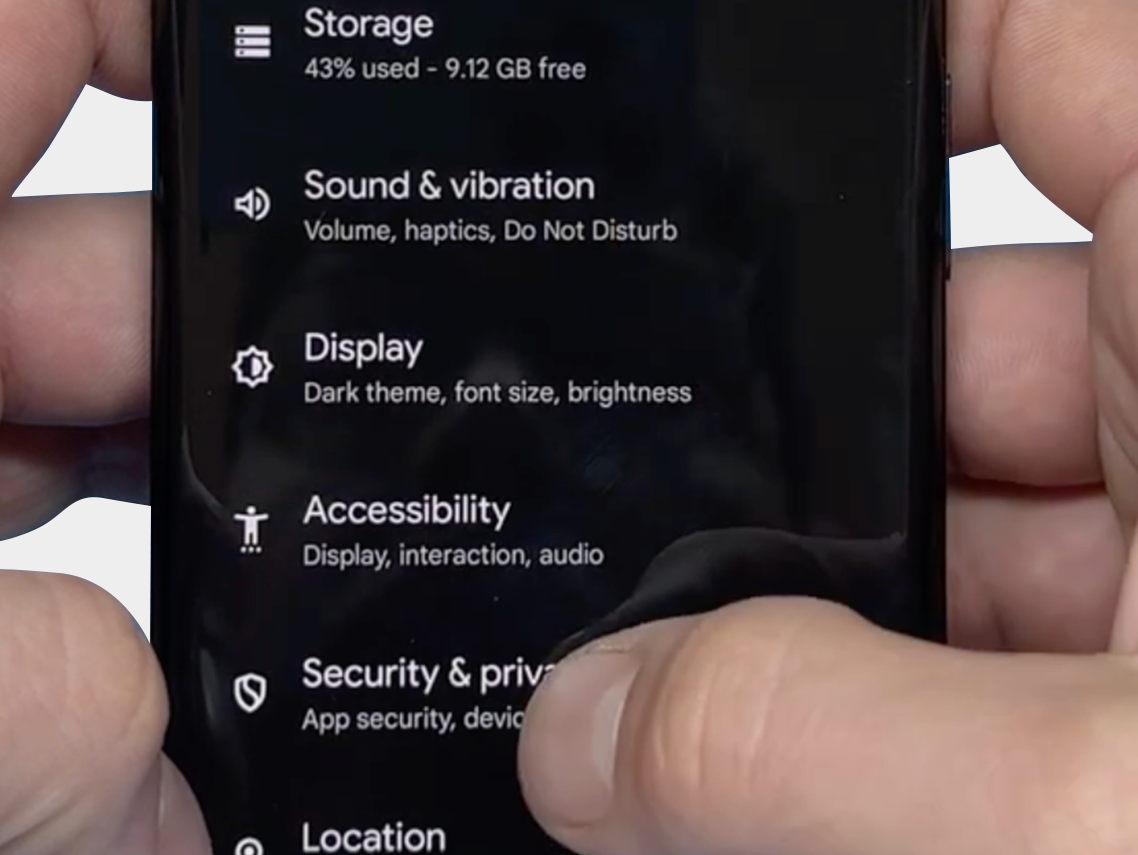
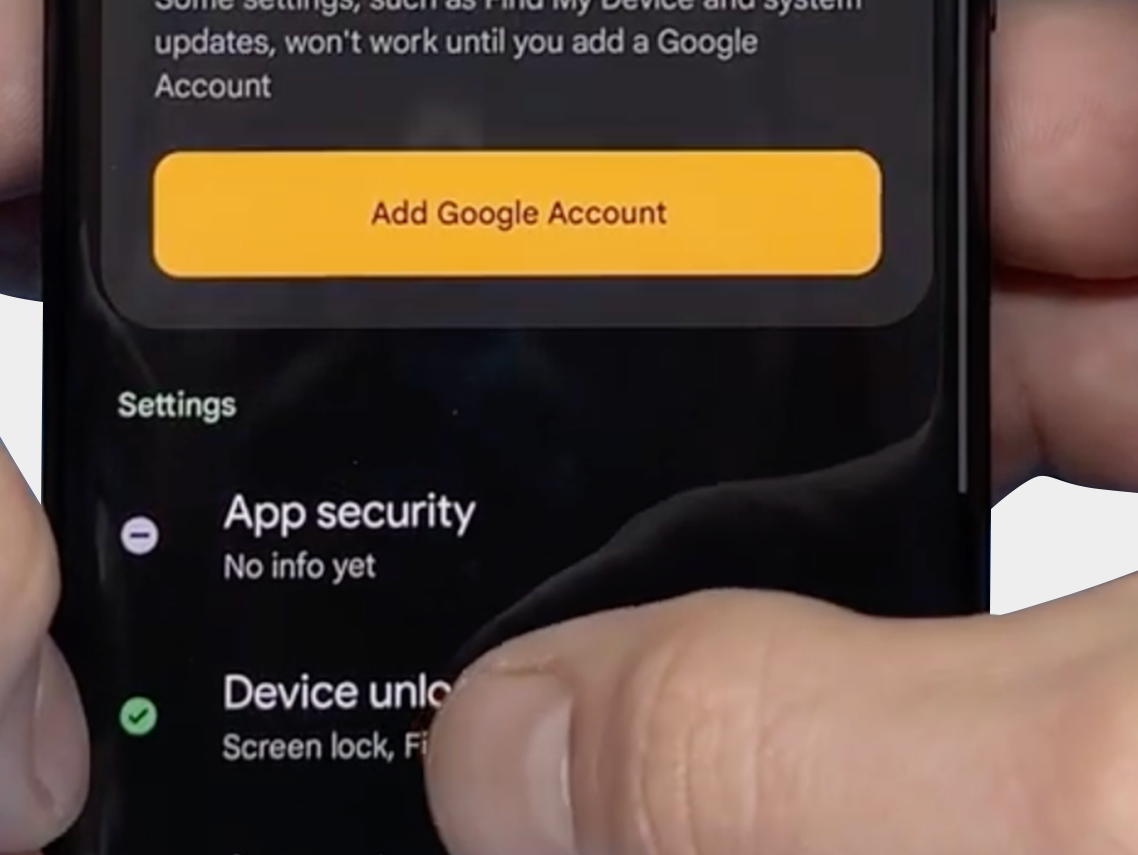
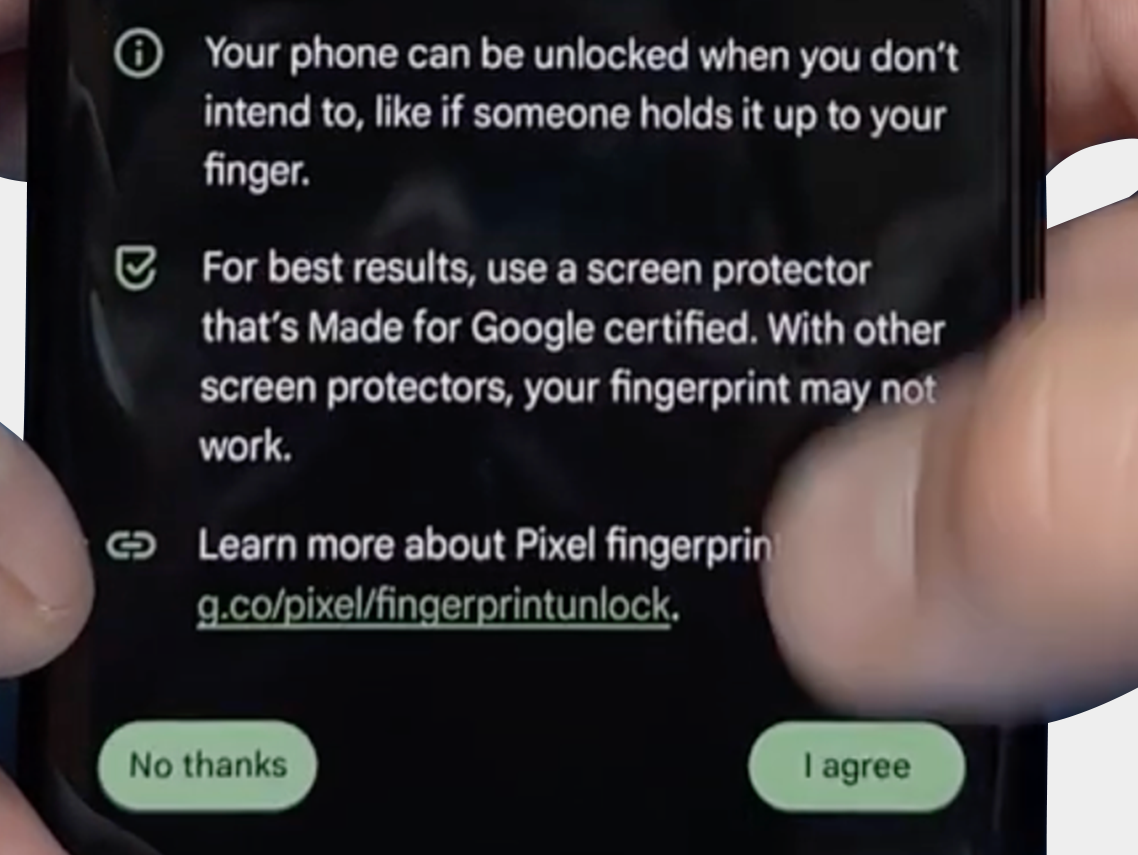
The final step: Verify that you can reset the fingerprint and that it now works via: "Security & Privacy" -> "Unlock Device" -> "FingerPrint Unlock" -> "Agree Terms"
-
-
-


We hope the above tips and information have helped resolve the problem. However, should you still need assistance or have any questions, please do not hesitate to contact us. Our team is ready to further support you.

FDX LITE

FDX LITE

Aby zaoferować naszym klientom przystępną opcję, wprowadzamy FDX Lite. Te ekrany mają rozdzielczość HD i oferują najlepszą jakość w tym segmencie cenowym. Choć oczywiście przeprowadzamy rygorystyczne kontrole jakości, nie mamy wpływu na proces produkcji. Ekrany FDX Lite objęte są gwarancją fabryczną, jednak uszkodzenia wewnętrzne ekranu nie są objęte gwarancją.
Features FDX LITE
Pixel resolution High Definition (HD)
Refresh rate Fast response
Includes Camera holder, earpiece mesh and proximity bracket
Temperature Low and controlled
360° Polarized Supported
Oil resistant coating Supported
Anti-glare Supported
Front Glass Anti-dust and fingerprint oil
Inspection Tested before shipment
Warranty Covered
service-pack
Service Pack
Części te są oryginalne i wyprodukowane w certyfikowanym środowisku przez oryginalnego producenta urządzenia.
pulled
Pulled
Części te są w 100% autentyczne i przechodzą rygorystyczne testy i kontrolę po wyjęciu z oryginalnego, używanego urządzenia.
refurbished
Refurbished
Części te zostały usunięte z oryginalnego używanego telefonu, ale przednia szyba została zastąpiona szkłem odpowiadającym oryginałowi, podczas gdy wszystkie inne materiały pozostały autentyczne.
oem-equivalent
OEM-Equivalent
Części te są profesjonalnie montowane przez stronę trzecią przy użyciu komponentów i materiałów równoważnych oryginalnemu producentowi.
fdx-ultra
FDX ULTRA
Soft OLED to wysokiej jakości rozwiązanie LTPS-OLED oferujące doskonały stosunek jakości do ceny. Dzięki elastycznej konstrukcji COP wyświetlacz jest cienki, lekki i mniej podatny na uszkodzenia, a jednocześnie zapewnia jasny i żywy obraz zbliżony do jakości OEM. Reakcja na dotyk jest szybka i precyzyjna, a każda partia jest starannie testowana pod kątem kolorów, stabilności i wydajności. Dzięki temu profesjonalni technicy naprawczy mogą polegać na stałej jakości, wysokiej kompatybilności i niezawodnym wyświetlaczu, który prezentuje się doskonale, bez konieczności wydawania wysokiej ceny.
fdx-pro
FDX PRO
Hard OLED to przystępne cenowo rozwiązanie OLED, które łączy w sobie jasną, ostrą jakość obrazu z atrakcyjną ceną. Sztywny panel COF zapewnia solidną konstrukcję, która doskonale sprawdza się w codziennym użytkowaniu. Kolory są żywe, jasność wysoka, a reakcja na dotyk pozostaje precyzyjna. Każda partia jest sprawdzana pod kątem stabilności, jednorodności i czułości, co gwarantuje technikom niezmienną jakość. Hard OLED to idealne rozwiązanie dla klientów, którzy cenią sobie konkurencyjną cenę bez rezygnowania z niezawodnej wydajności i przejrzystości obrazu.
fdx-elite
FDX ELITE
FDX Elite to nasz produkt premium, w którym ściśle współpracujemy z producentem, aby zoptymalizować jakość. Wprowadzamy ulepszenia na podstawie opinii klientów i naszej własnej wiedzy. Dzięki naszej bezpośredniej kontroli nad procesem produkcji, mamy pełne zaufanie do jakości. Dlatego oferujemy rozszerzoną gwarancję na te ekrany: nawet uszkodzenia wewnętrzne ekranu (które normalnie nie są objęte gwarancją) są objęte. Chcemy zaoferować klientom bezproblemowe doświadczenie. Ta jakość ma rozdzielczość FHD+ i będzie najdroższą opcją z powodu dodanej wartości i rozszerzonej gwarancji.
fdx-prime
FDX PRIME
FDX Prime reprezentuje standard jakości in-cell, który jest kupowany bezpośrednio od producenta, podobnie jak u innych dostawców na rynku. Wybór producenta zależy od jakości partii produkcyjnej, a produkty spełniają najwyższe standardy jakości in-cell na rynku. Ekrany FDX Prime mają rozdzielczość FHD i są objęte standardową gwarancją fabryczną. Oznacza to, że uszkodzenia wewnętrzne ekranu nie są objęte gwarancją.

Skontaktuj się z nami

Jesteśmy dostępni od poniedziałku do piątku w godz 09:00 - 17:00 (CET)