Language icon PT

Variedade

12-03-2024

What to do with Vanished Fingerprint on your Google Pixel after Screen Replacement?

What to do with Vanished Fingerprint on your Google Pixel after Screen Replacement?

A common problem that occurs with Google Pixel smartphones is the failure of the fingerprint scanner after replacing the screen. In this blog, we share effective solutions to address this problem so that your customer can continue to use their phone effortlessly.


Start by Checking the Flex Cable

Make sure the fingerprint scanner flex cable is correctly connected to the motherboard and that it is not damaged. This is important to check because it could be causing the problem. If this is not the case, you have an idea where the possible problem could lie. If the cable does connect properly to the motherboard, it is likely that the fingerprint scanner needs to be recalibrated. Below are the steps to do this:


The Step-by-Step Calibration of the Fingerprint Scanner:

(Note: These steps only apply to the Google Pixel 6 and newer models.)


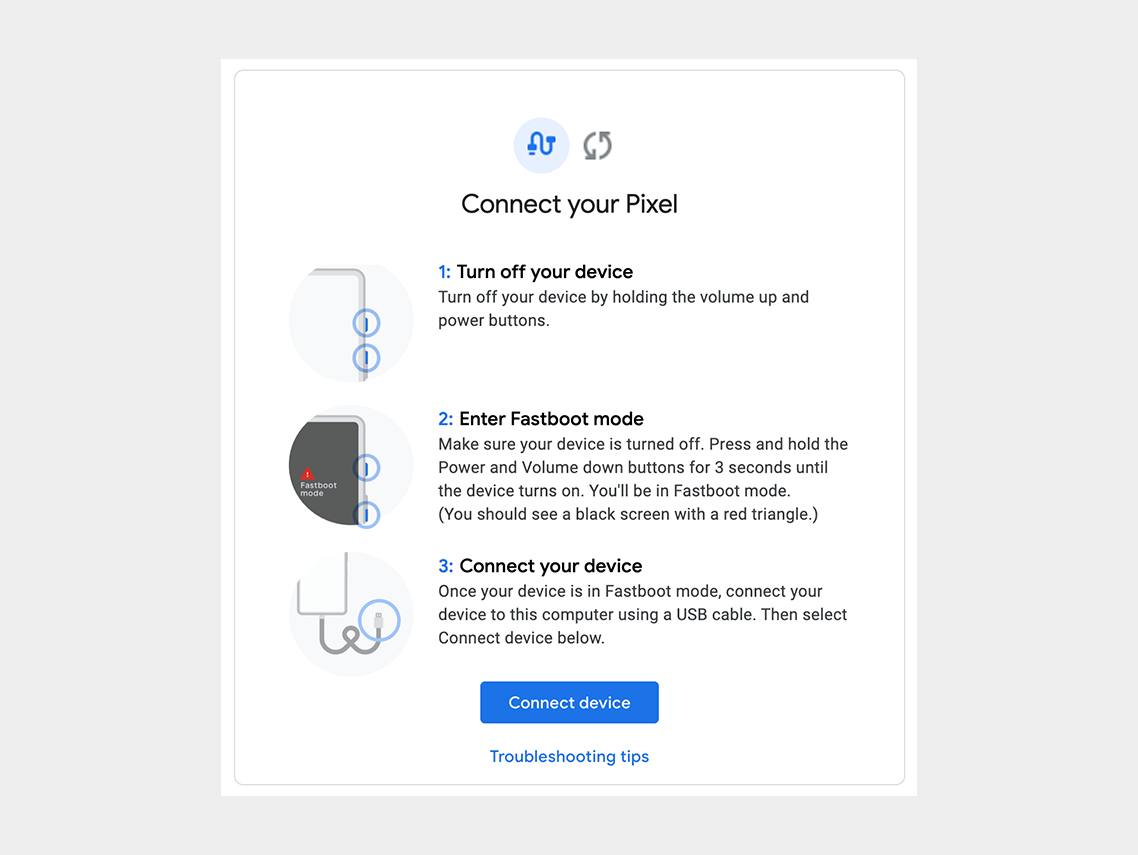
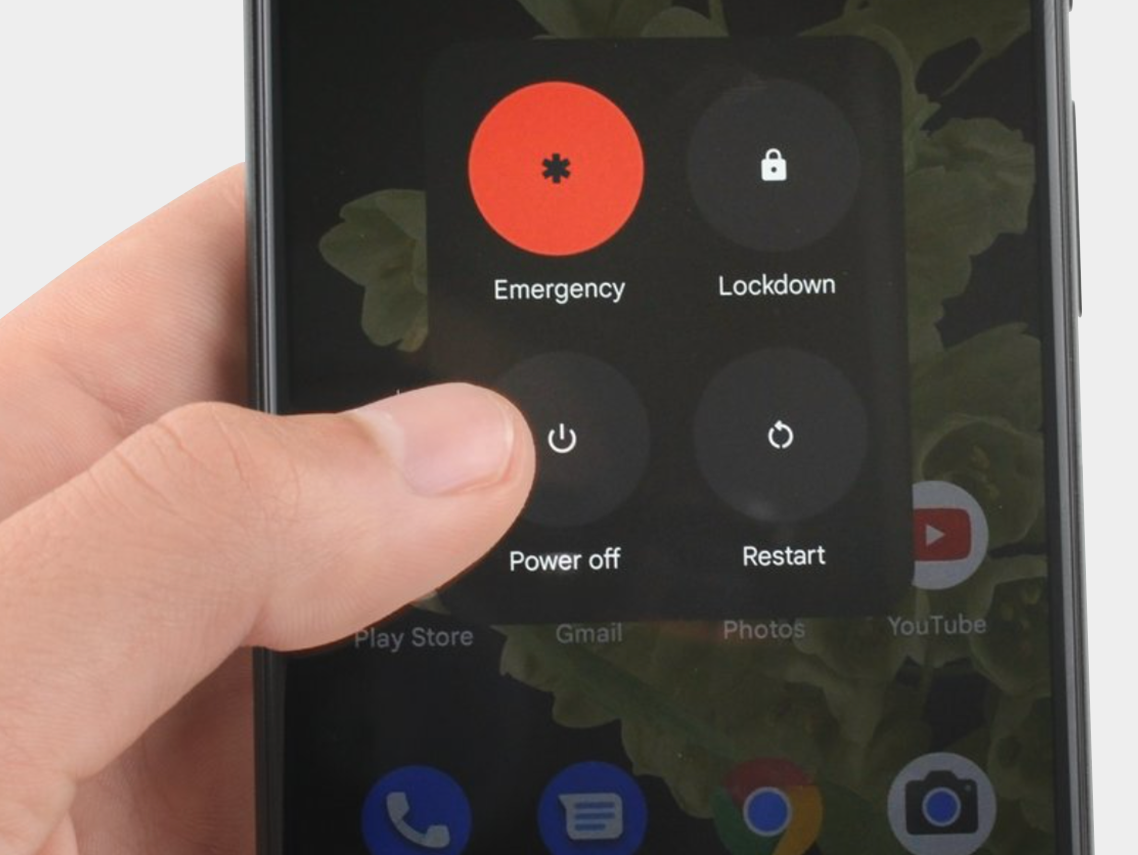
Step 1: Turn off the cell phone.

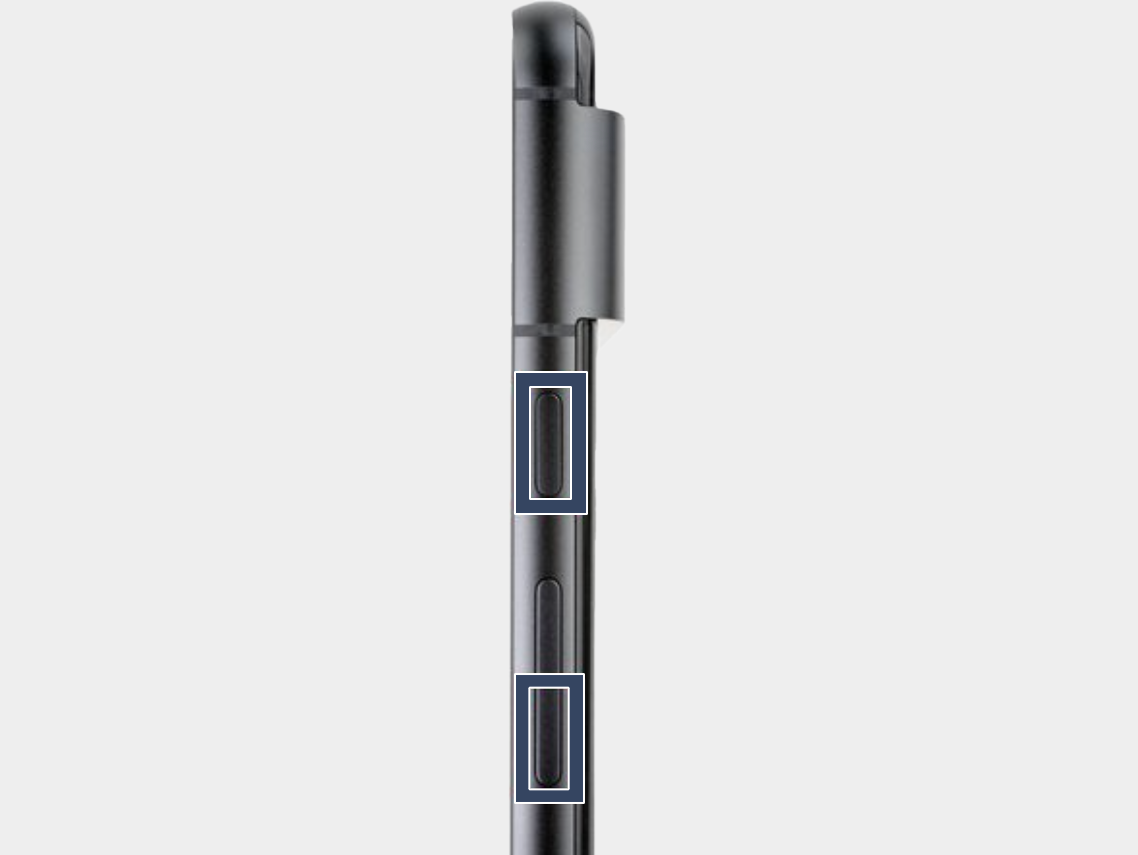
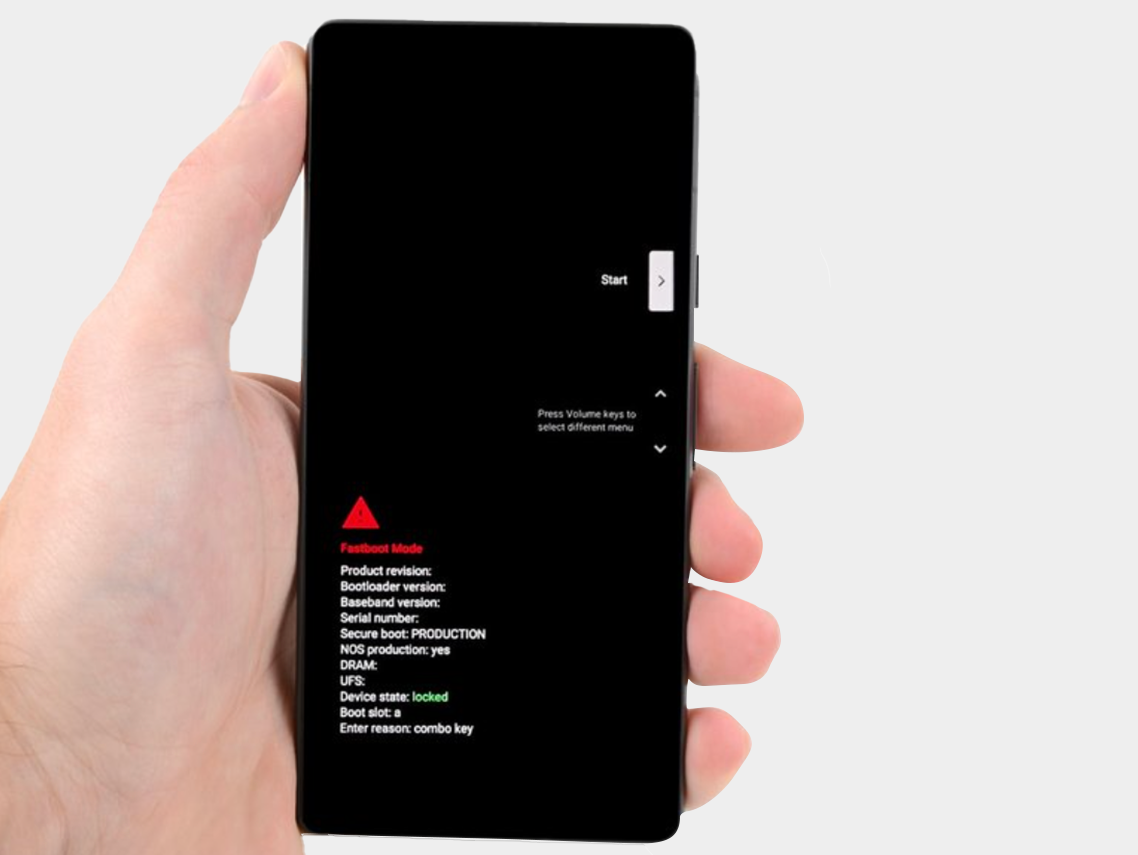
Step 2: Press the power button and volume down button for three seconds to enter the quick boot mode.
-


Step 3: Connect the phone to the computer.

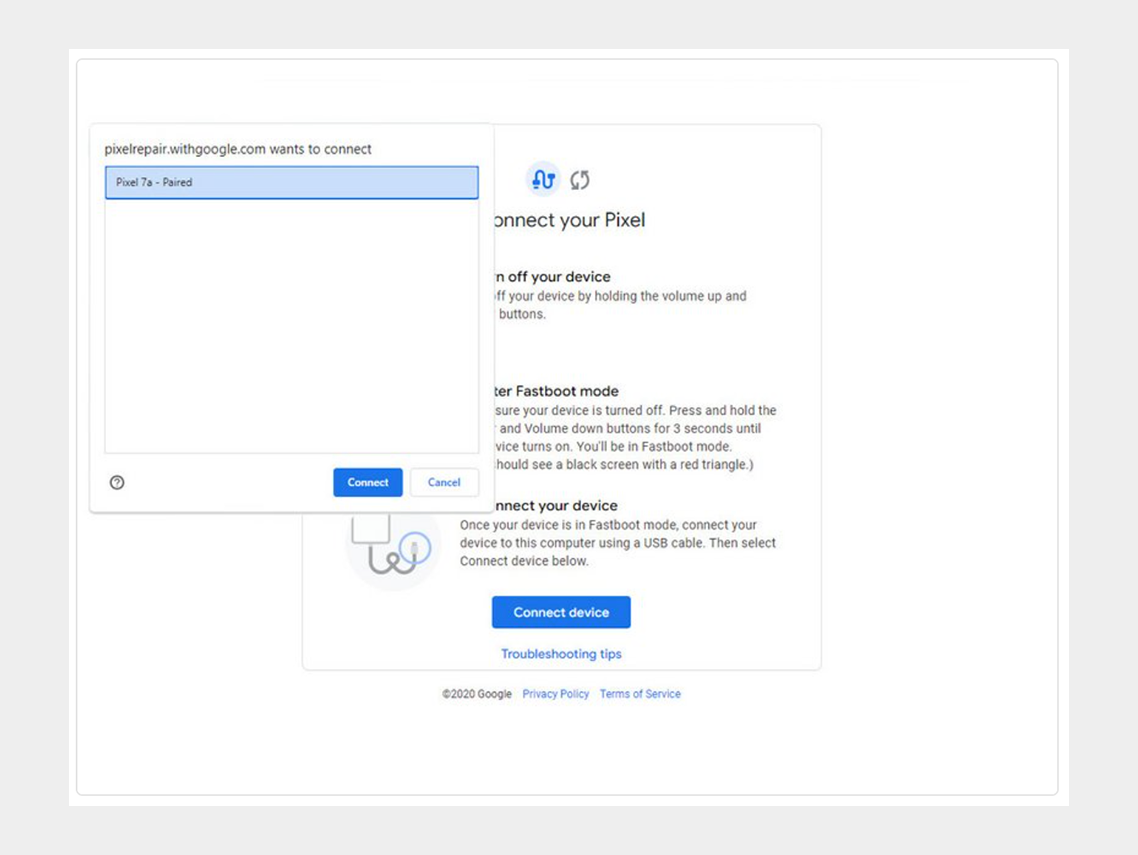
Step 4: Go to the calibration software and click on "Connect Device". Select the appropriate device.
-


If the device is not recognized, check the following:


  • Make sure Chrome has access to use USB devices. Go to Settings > Privacy and security > Site settings > Permissions > Additional permissions > USB devices.
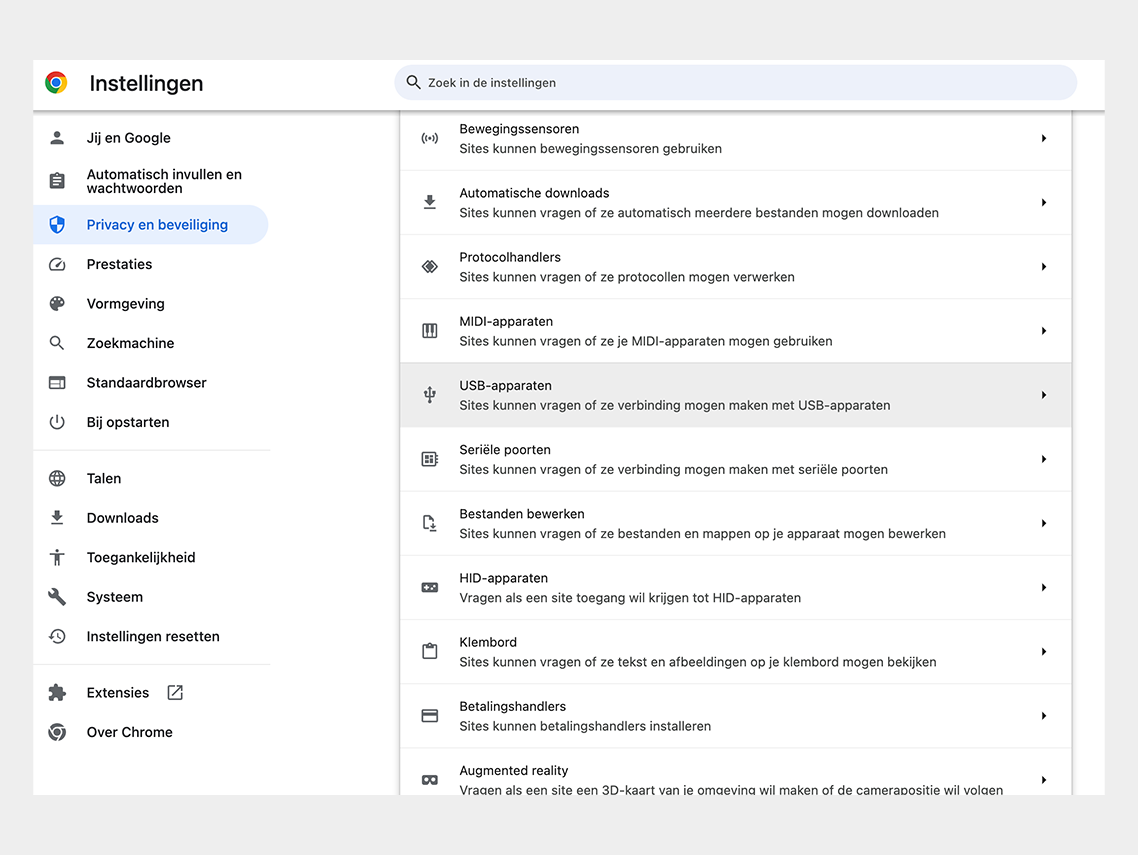

Google Chrome permission


  • Disconnect and reconnect the USB cable. Then try to connect again.
  • Try a different USB cable.
  • For Windows users: Make sure you have downloaded and installed the Google USB driver. Here is the link for the driver.  Follow the steps below:
  • 1. Connect the Android device to your computer's USB port.
  • 2. Open Computer Manager from Windows Explorer.
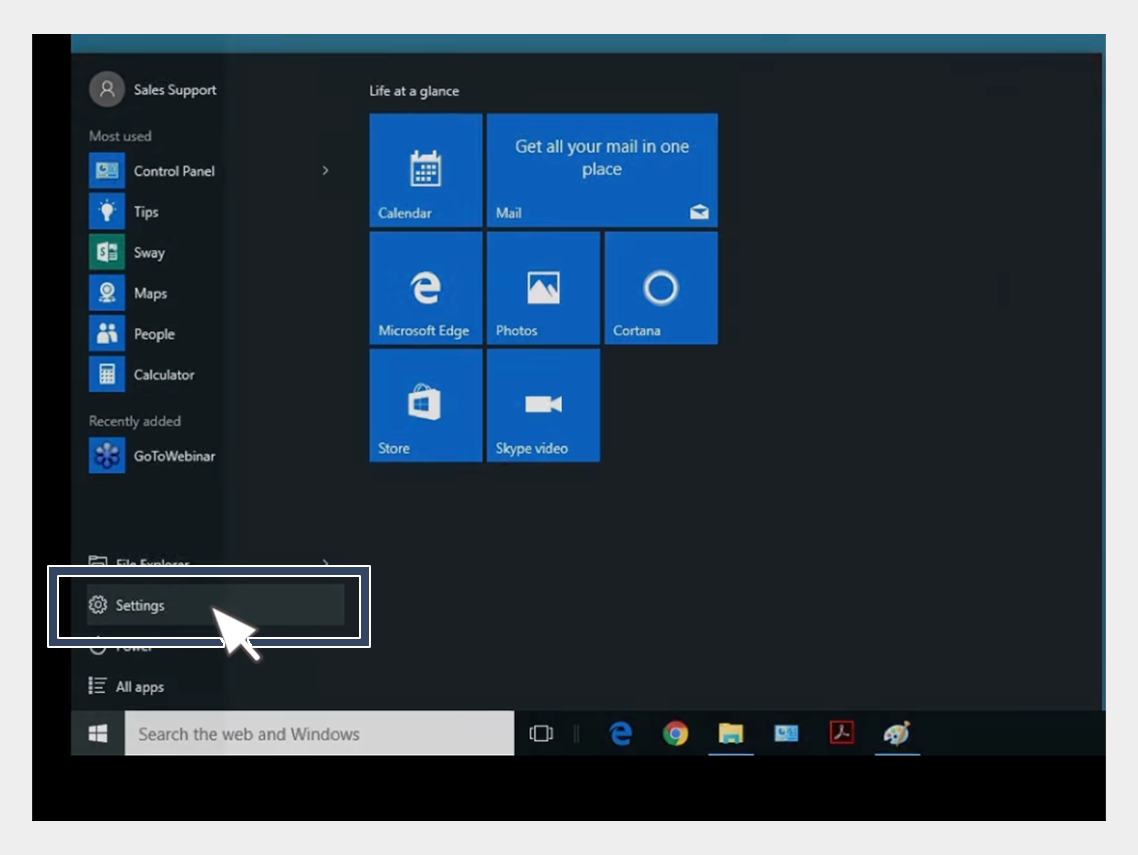

USB-driver installation


3. In the left pane of Computer Management, select Device Manager.
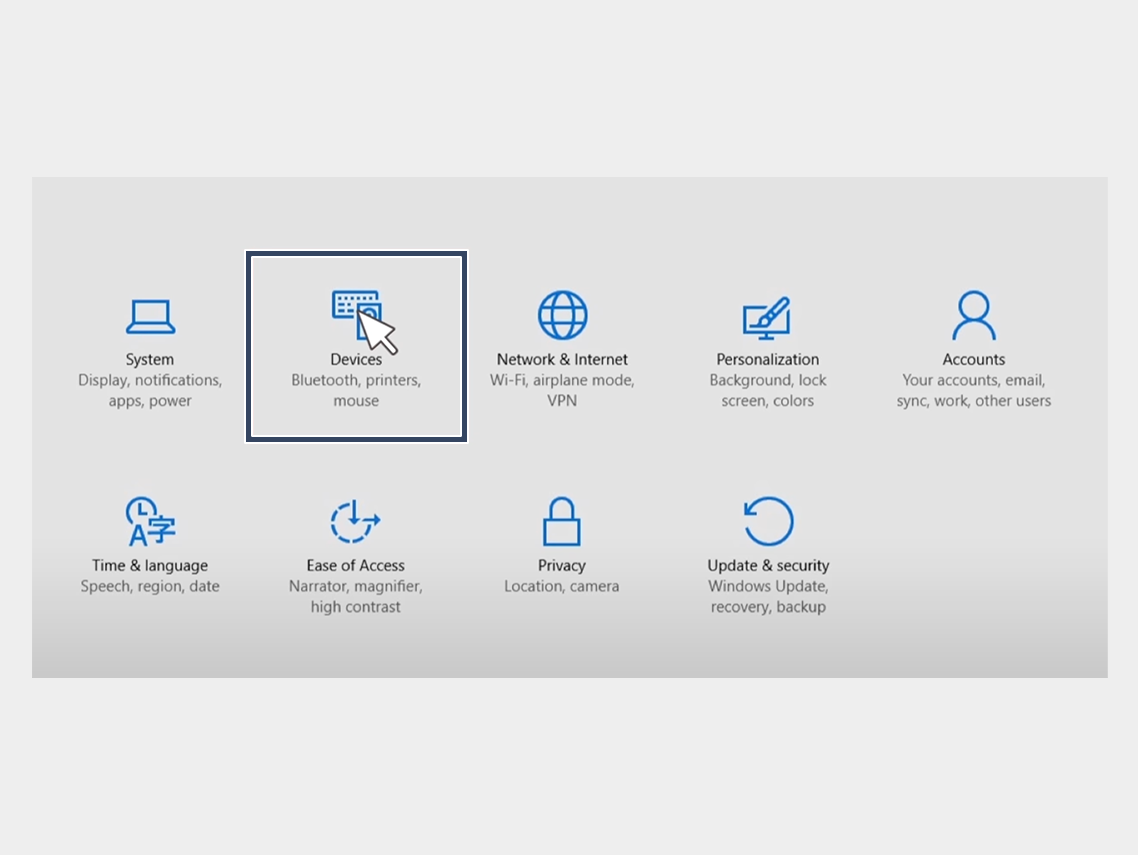

USB-driver installation


4. In the right pane of Device Manager, find and expand Portable Devices or Other Devices, depending on what you see.


5. Right-click on the name of the device you connected, then select Update Driver.
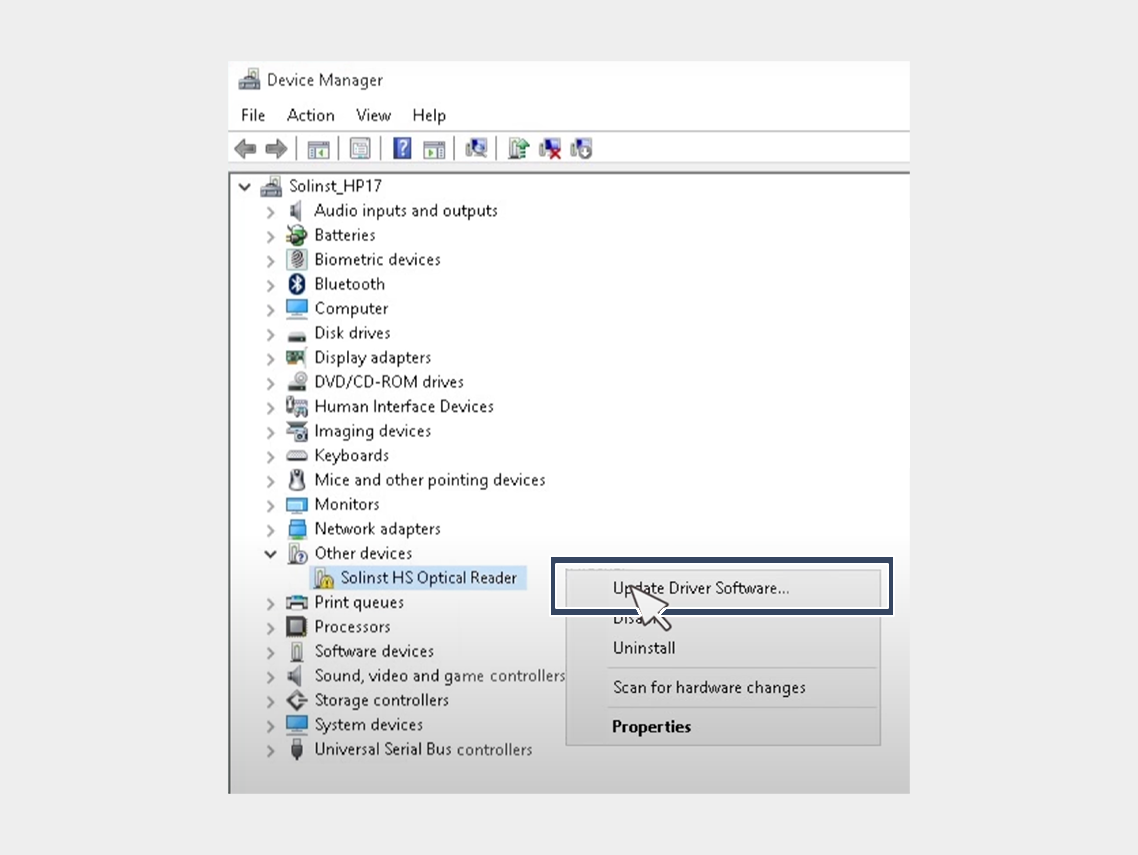

USB-driver installation


6. In the Hardware Update Wizard, choose Browse for driver software on my computer and click Next.
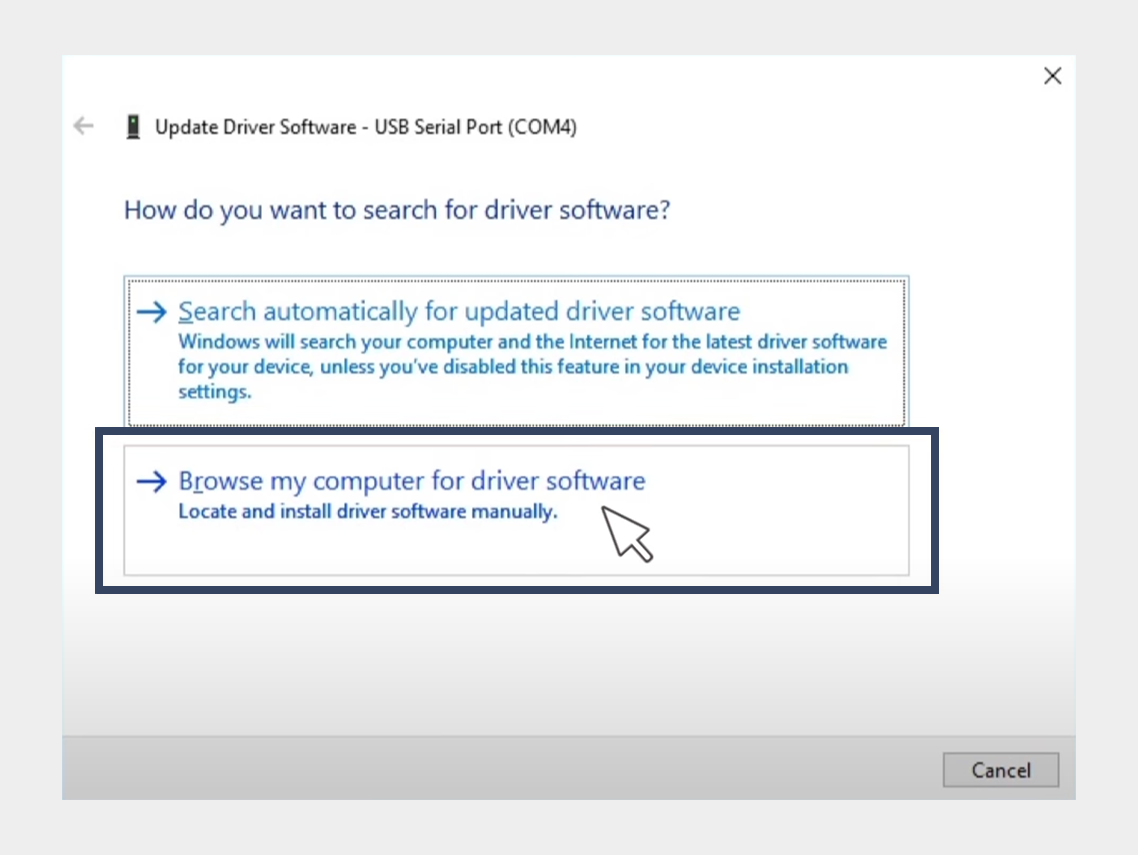

USB-driver installation


7. Click Browse, then locate the folder containing the USB driver. For example, the Google USB driver is located in android_sdk driver.
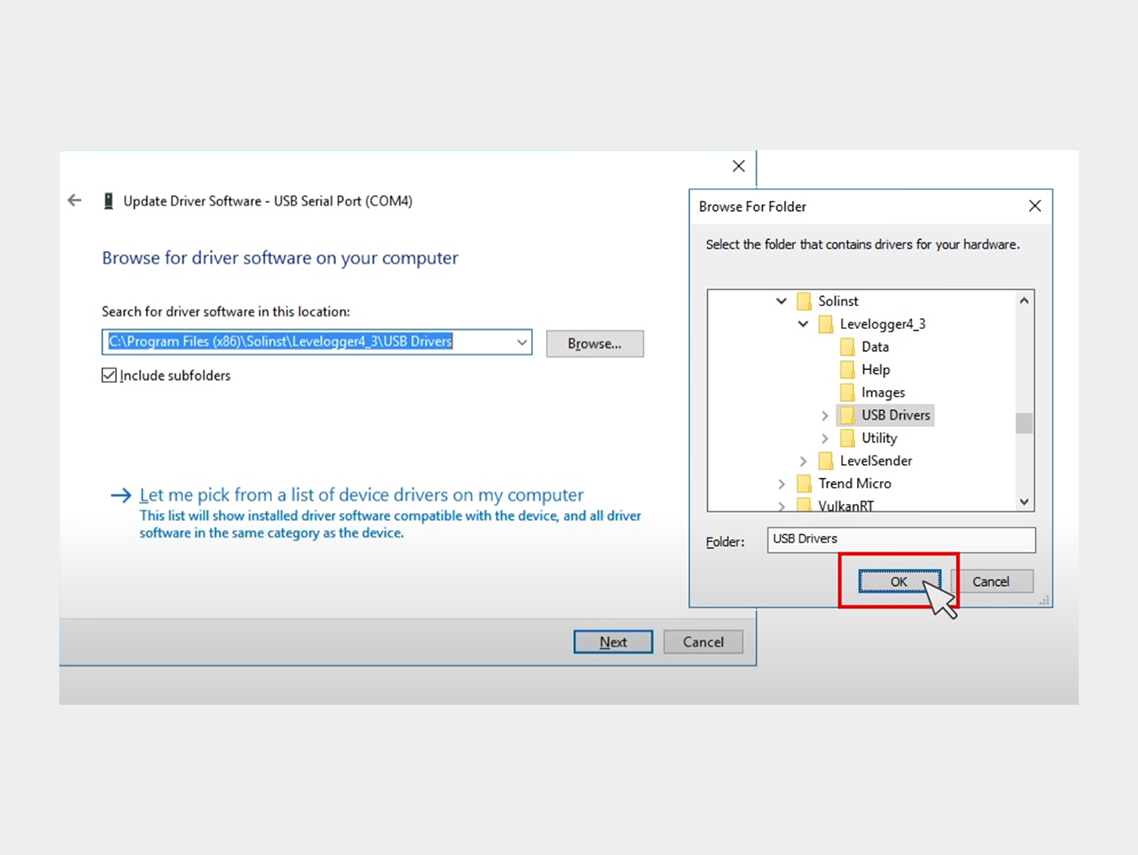

USB-driver installation


8. Click Next to install the driver.


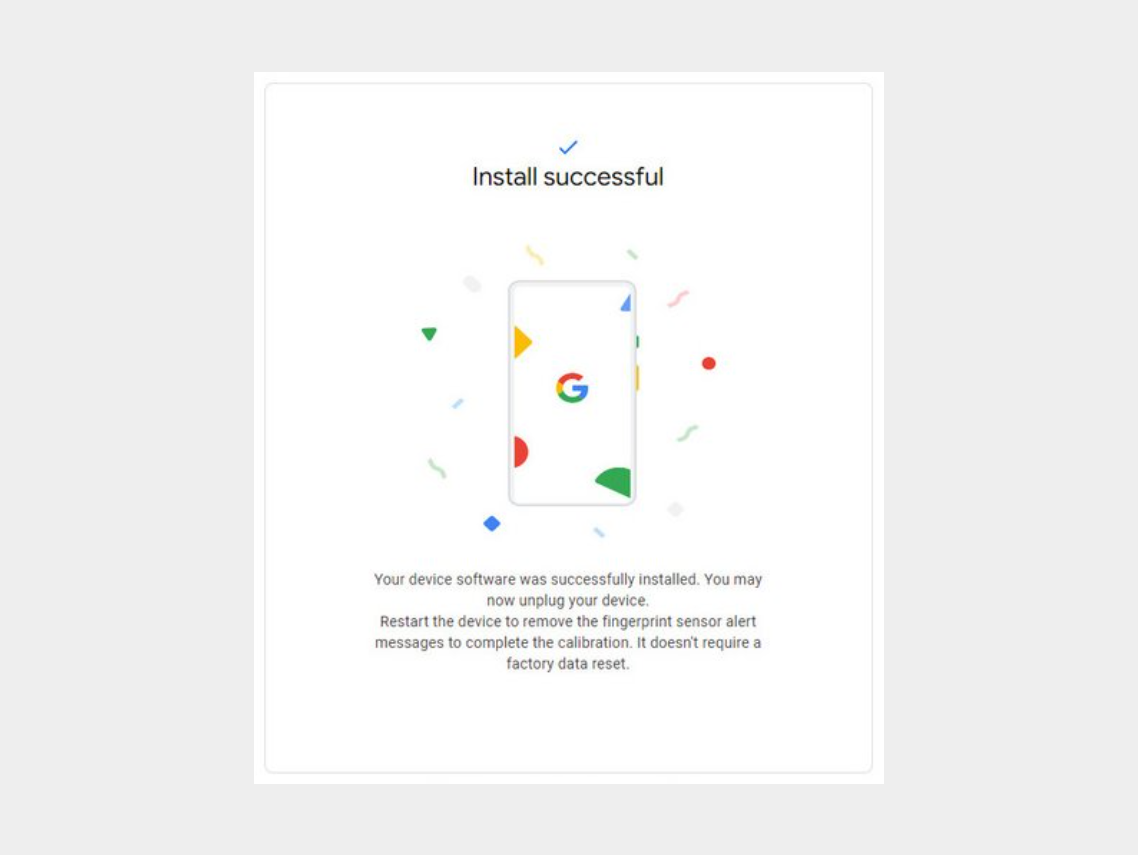
Step 5: Click on "Install Software."
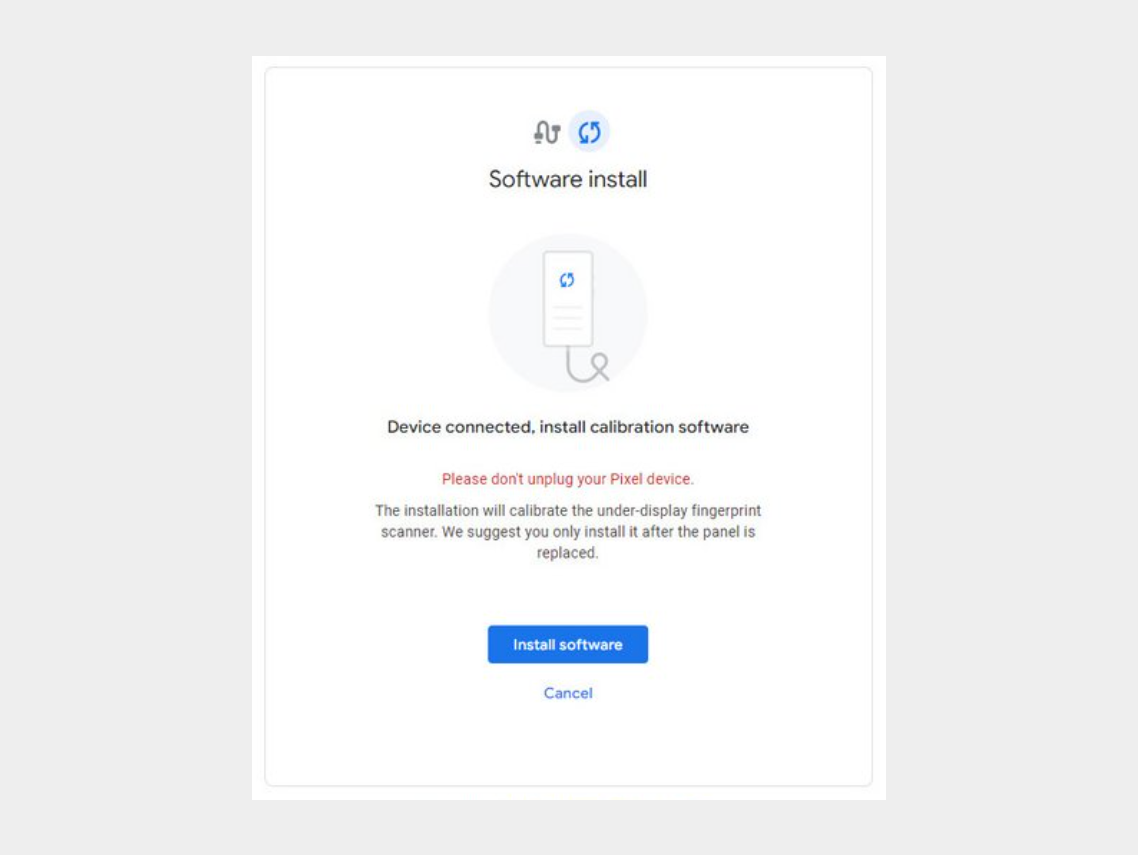


Step 6: Wait for the software to download.
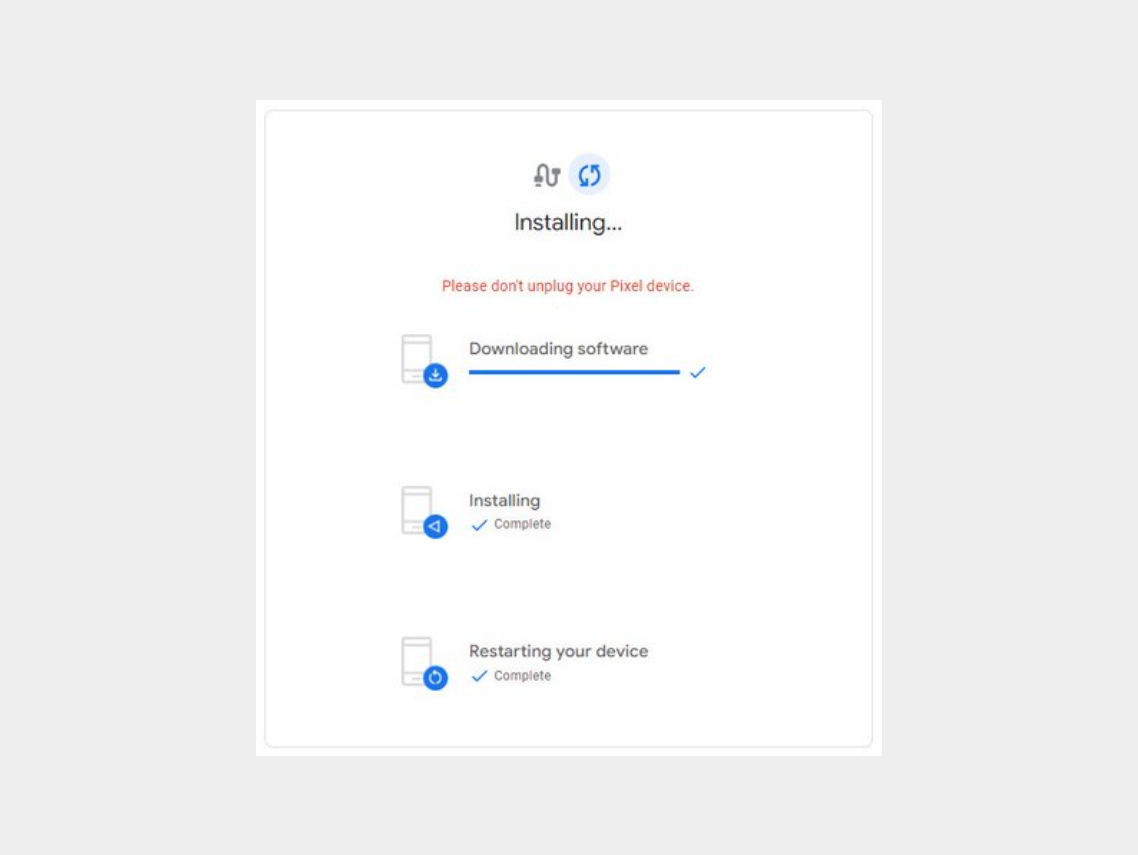

-


Step 7: Disconnect the phone from the computer and reboot it.


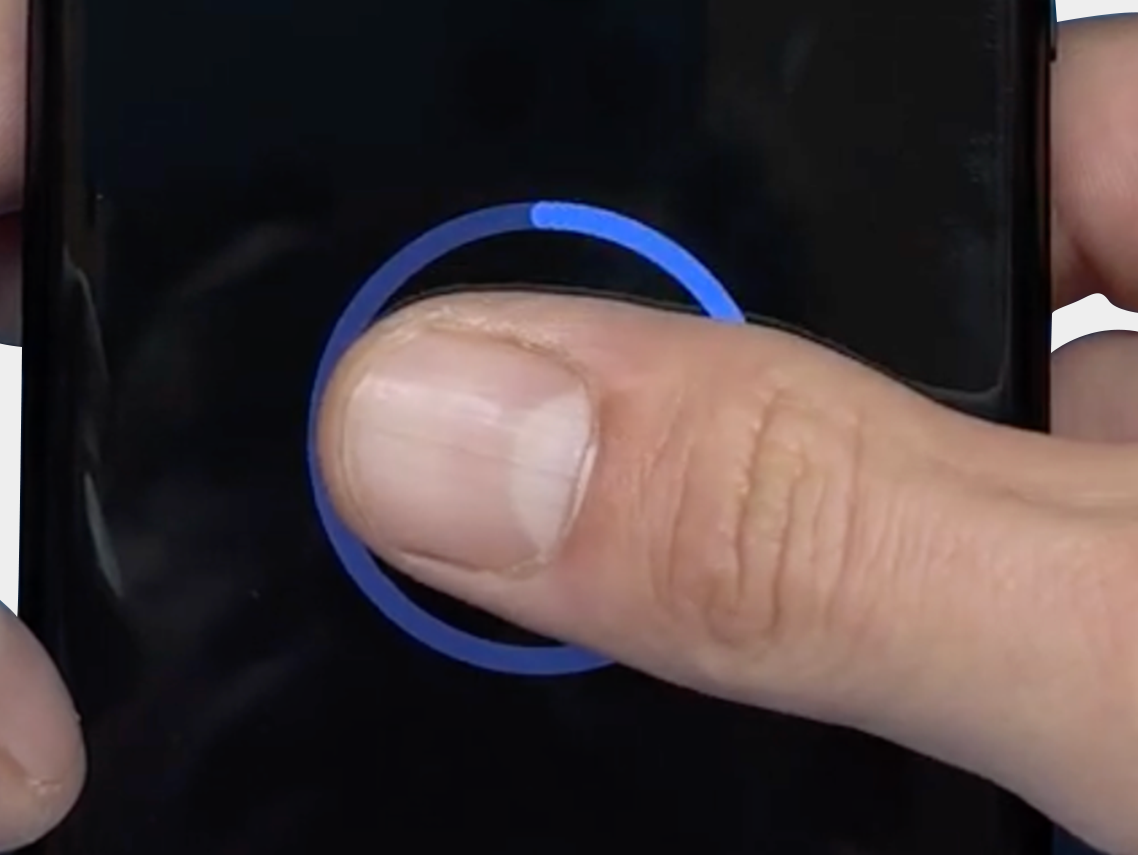
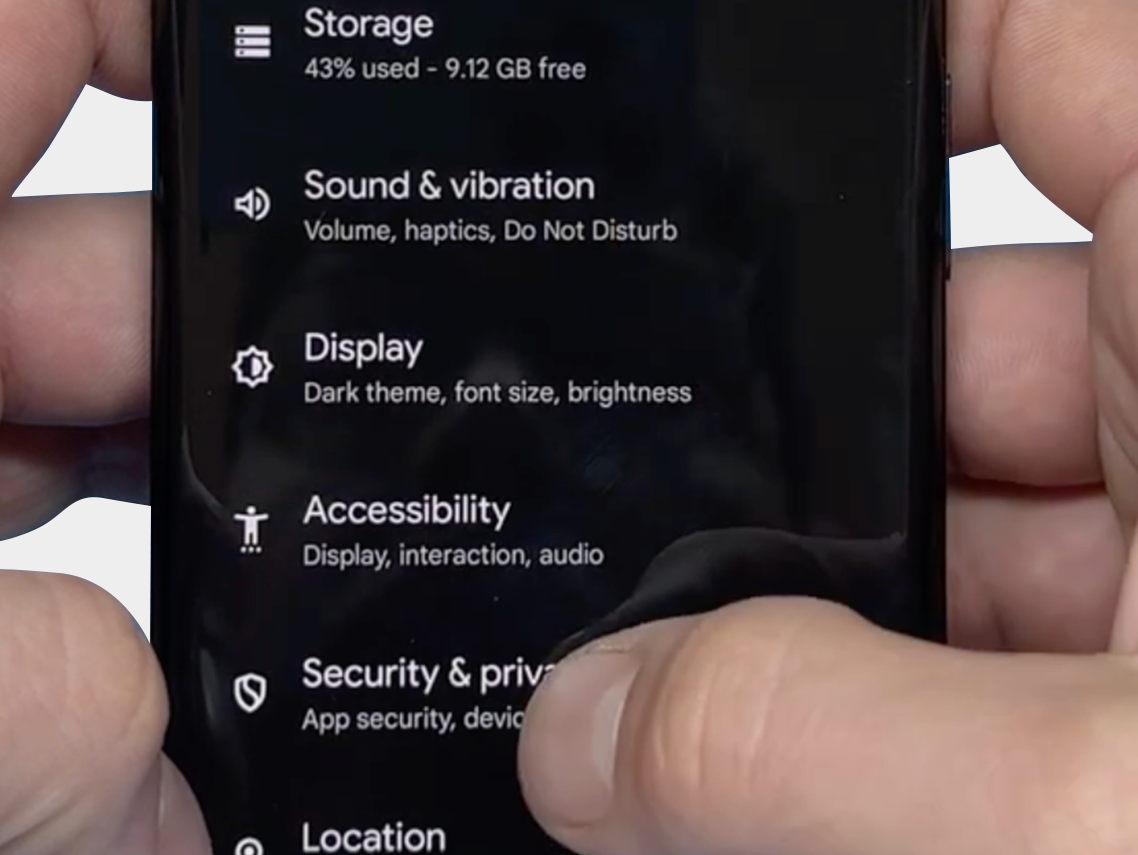
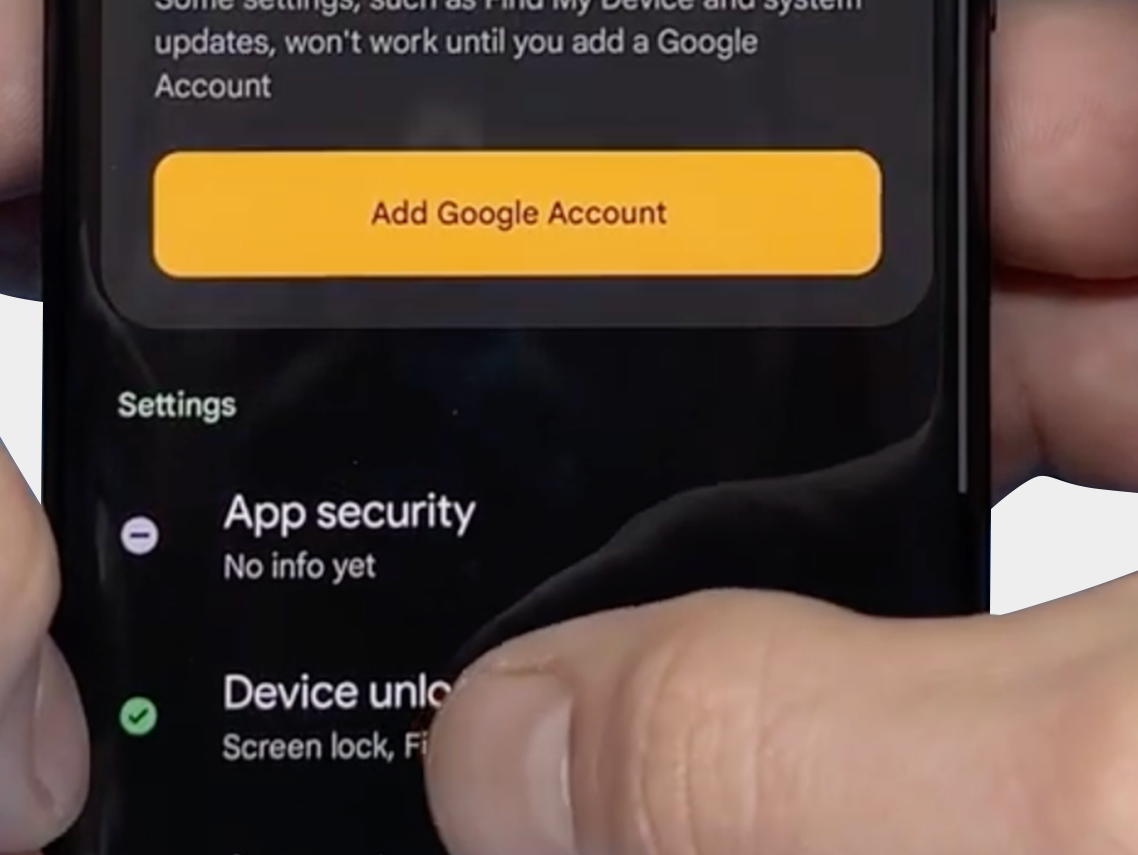
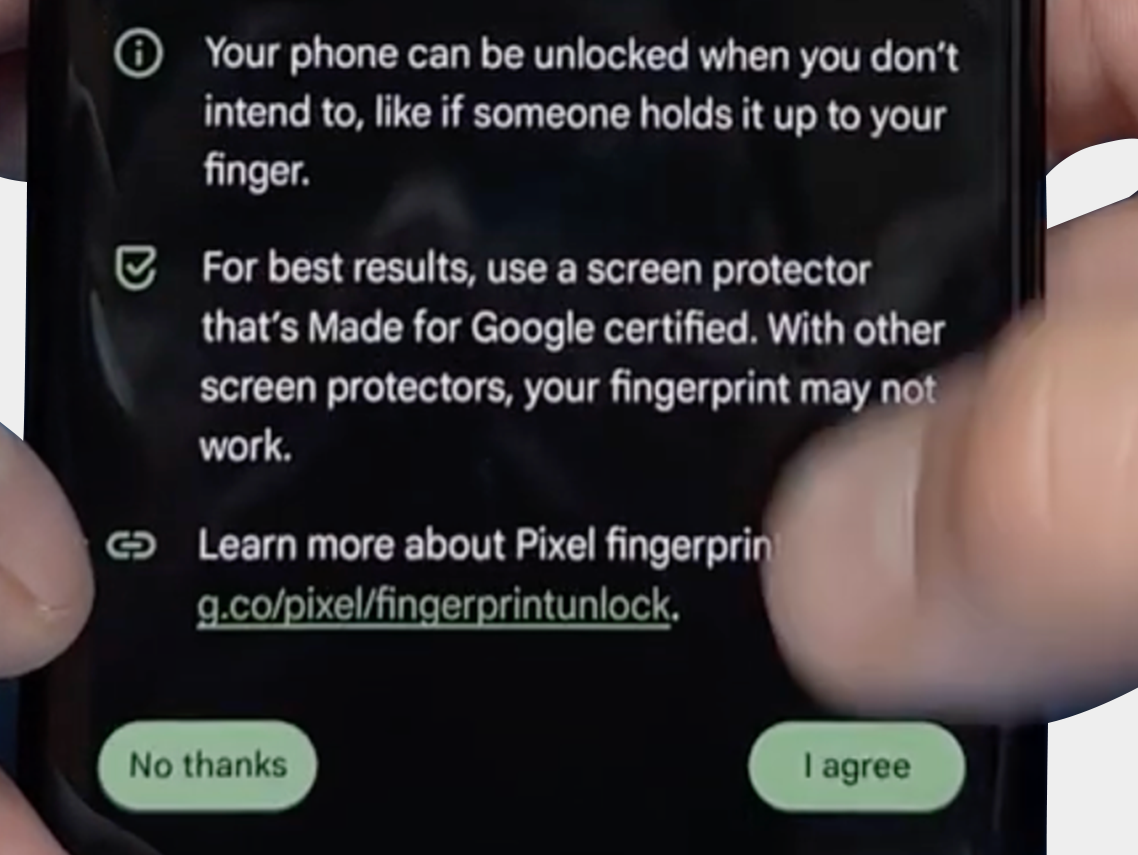
The final step: Verify that you can reset the fingerprint and that it now works via: "Security & Privacy" -> "Unlock Device" -> "FingerPrint Unlock" -> "Agree Terms"
-
-
-


We hope the above tips and information have helped resolve the problem. However, should you still need assistance or have any questions, please do not hesitate to contact us. Our team is ready to further support you.

FDX LITE

FDX LITE

Para oferecer aos nossos clientes uma opção acessível, apresentamos o FDX Lite. Estas telas têm uma resolução HD e oferecem a melhor qualidade dentro deste segmento de preço. Embora realizemos rigorosos controles de qualidade, não temos influência sobre o processo de produção. As telas FDX Lite vêm com garantia de fábrica, mas danos no interior da tela não são cobertos pela garantia.
Features FDX LITE
Pixel resolution High Definition (HD)
Refresh rate Fast response
Includes Camera holder, earpiece mesh and proximity bracket
Temperature Low and controlled
360° Polarized Supported
Oil resistant coating Supported
Anti-glare Supported
Front Glass Anti-dust and fingerprint oil
Inspection Tested before shipment
Warranty Covered
service-pack
Service Pack
Estas peças são originais e fabricadas em ambiente certificado pelo fabricante original do dispositivo.
pulled
Pulled
Essas peças são 100% autênticas e passam por testes e inspeção rigorosos após serem removidas de um dispositivo usado original.
refurbished
Refurbished
Essas peças foram removidas de um telefone usado original, mas o vidro frontal foi substituído por um vidro equivalente ao original, enquanto todos os outros materiais permaneceram autênticos.
oem-equivalent
OEM-Equivalent
Essas peças são montadas profissionalmente por terceiros usando componentes e materiais equivalentes aos do fabricante original.
fdx-ultra
FDX ULTRA
O Soft OLED é uma solução LTPS-OLED de alta qualidade que oferece uma excelente relação qualidade-preço. Graças ao seu design COP flexível, o ecrã é fino, leve e menos propenso a avarias, ao mesmo tempo que oferece imagens brilhantes e vibrantes com uma qualidade próxima da dos equipamentos originais (OEM). A resposta ao toque é rápida e precisa, e cada lote é cuidadosamente testado quanto à cor, estabilidade e desempenho. Isto permite que os técnicos de reparação profissionais confiem numa qualidade consistente, alta compatibilidade e um ecrã fiável com aparência premium, sem o preço premium.
fdx-pro
FDX PRO
O Hard OLED é uma solução OLED acessível que combina imagens nítidas e brilhantes a um preço competitivo. O painel COF rígido oferece uma construção sólida que garante um bom desempenho na utilização diária. As cores são vibrantes, o brilho é intenso e a resposta ao toque mantém-se precisa. Cada lote é verificado quanto à estabilidade, uniformidade e sensibilidade, garantindo que os técnicos podem confiar na qualidade consistente. O Hard OLED é ideal para clientes que desejam um preço competitivo sem sacrificar o desempenho fiável e a clareza visual.
fdx-elite
FDX ELITE
FDX Elite é o nosso produto premium, no qual trabalhamos em estreita colaboração com o fabricante para otimizar a qualidade. Fazemos melhorias com base no feedback dos clientes e na nossa própria experiência. Devido à nossa influência direta no processo de produção, temos total confiança na qualidade. Por isso, oferecemos uma garantia abrangente para estas telas: até mesmo danos internos (que normalmente não são cobertos pela garantia) estão incluídos. No entanto, se houver danos visíveis a olho nu, tanto no interior como no exterior, a garantia será anulada. A nossa tela FDX Elite tem resolução FHD+ e será a opção mais cara devido ao seu valor agregado e à garantia ampliada. Com essa qualidade e serviço, buscamos proporcionar uma experiência sem preocupações aos nossos clientes.
fdx-prime
FDX PRIME
FDX Prime representa o padrão de qualidade in-cell comprado diretamente do fabricante, assim como outros fornecedores no mercado. A seleção do fabricante depende da qualidade do lote de produção, e os produtos atendem aos mais altos padrões de qualidade in-cell do mercado. As telas FDX Prime têm resolução FHD e vêm com garantia de fábrica padrão. Isso significa que danos no interior da tela não são cobertos pela garantia.

Entrar em contato

Estamos disponíveis de segunda a sexta das 09:00 - 17:00 (CET)