Multicolor divider line
FDX LITE

FDX LITE

FDX Lite egy belső cellás belépő szintű kijelző HD felbontással, amely alkalmas alapjavításokra az alacsonyabb árkategóriában. Ezeket a kijelzőket is szigorúan tesztelik a stabil működés és megbízható teljesítmény garantálása érdekében, így az FDX Lite gyakorlati és ellenőrzött választást jelent az árérzékeny alkalmazások számára a belső cellás szegmensben.
Features FDX LITE
Pixel resolution High Definition (HD)
Refresh rate Fast response
Includes Camera holder, earpiece mesh and proximity bracket
Temperature Low and controlled
360° Polarized Supported
Oil resistant coating Supported
Anti-glare Supported
Front Glass Anti-dust and fingerprint oil
Inspection Tested before shipment
Warranty Covered
Service Pack
Service Pack alkatrészek eredetiek, és a készülék eredeti gyártója által tanúsított környezetben készültek.
Pulled
Pulled alkatrészek 100%-ban eredetiek, és eredeti, használt készülékekből származnak. Szigorú teszteken és ellenőrzéseken mennek keresztül a legmagasabb minőség garantálása érdekében.
Refurbished
Refurbished alkatrészek egy eredeti használt telefonból lettek eltávolítva, de az elülső üveg egy az eredetivel egyenértékű üvegre lett cserélve, miközben minden más anyag eredeti maradt.
OEM-Equivalent
OEM-Equivalent alkatrészeket egy harmadik fél professzionálisan szerel össze, az eredeti gyártóéval egyenértékű alkatrészek és anyagok felhasználásával. Alapfunkcionalitásra teszteltek, és megbízható alternatívát kínálnak kedvező árú javításhoz.
FDX ULTRA
FDX Ultra egy Soft OLED LTPS kijelző, amely élénk, élénk színekkel és sima, pontos érintéssel rendelkezik. A rugalmas COP kialakításnak köszönhetően a képernyő vékony, könnyű és extra törésálló. Minden egyes tételt szigorúan tesztelnek szín, stabilitás és teljesítmény szempontjából, így a szakemberek megbízható és egyenletes minőségre számíthatnak.
FDX PRO
FDX Pro egy kemény OLED-kijelző éles képminőséggel, élénk színekkel és gyors, pontos érintéssel. A COF-tervezésnek köszönhetően megbízható teljesítményt nyújt a mindennapi használat során. Minden tételt stabilitásra és egyenletességre tesztelnek, így a technikusok számíthatnak következetes minőségre versenyképes áron.
FDX ELITE
AzFDX Elite egy prémium kategóriás, cellába épített kijelző, amelyet a gyártóval együttműködve fejlesztettek ki az optimális minőség érdekében. Folyamatosan fejlesztjük a vásárlói visszajelzések és a szakértelmünk alapján. Ez a kijelző a legdrágább opciónk, de a hozzá tartozó minőséggel és szolgáltatással gondtalan vásárlói élményt nyújt.
FDX PRIME
FDX Prime egy megbízható, szabványos in-cell megoldás, amely közvetlenül gondosan kiválasztott gyártóktól származik. A kijelzők magas in-cell minőségi szabványoknak felelnek meg, és szigorúan tesztelik őket a következetes teljesítmény, megbízhatóság és hosszú távú használhatóság biztosítása érdekében. Az FDX Prime alkalmas a mindennapi professzionális használatra az in-cell szegmensben.
Tips & Tricks

What to do with Vanished Fingerprint on your Google Pixel after Screen Replacement?

12-03-2024 Olvasási idő: 2 min

What to do with Vanished Fingerprint on your Google Pixel after Screen Replacement?

A common problem that occurs with Google Pixel smartphones is the failure of the fingerprint scanner after replacing the screen. In this blog, we share effective solutions to address this problem so that your customer can continue to use their phone effortlessly.


Start by Checking the Flex Cable

Make sure the fingerprint scanner flex cable is correctly connected to the motherboard and that it is not damaged. This is important to check because it could be causing the problem. If this is not the case, you have an idea where the possible problem could lie. If the cable does connect properly to the motherboard, it is likely that the fingerprint scanner needs to be recalibrated. Below are the steps to do this:


The Step-by-Step Calibration of the Fingerprint Scanner:

(Note: These steps only apply to the Google Pixel 6 and newer models.)


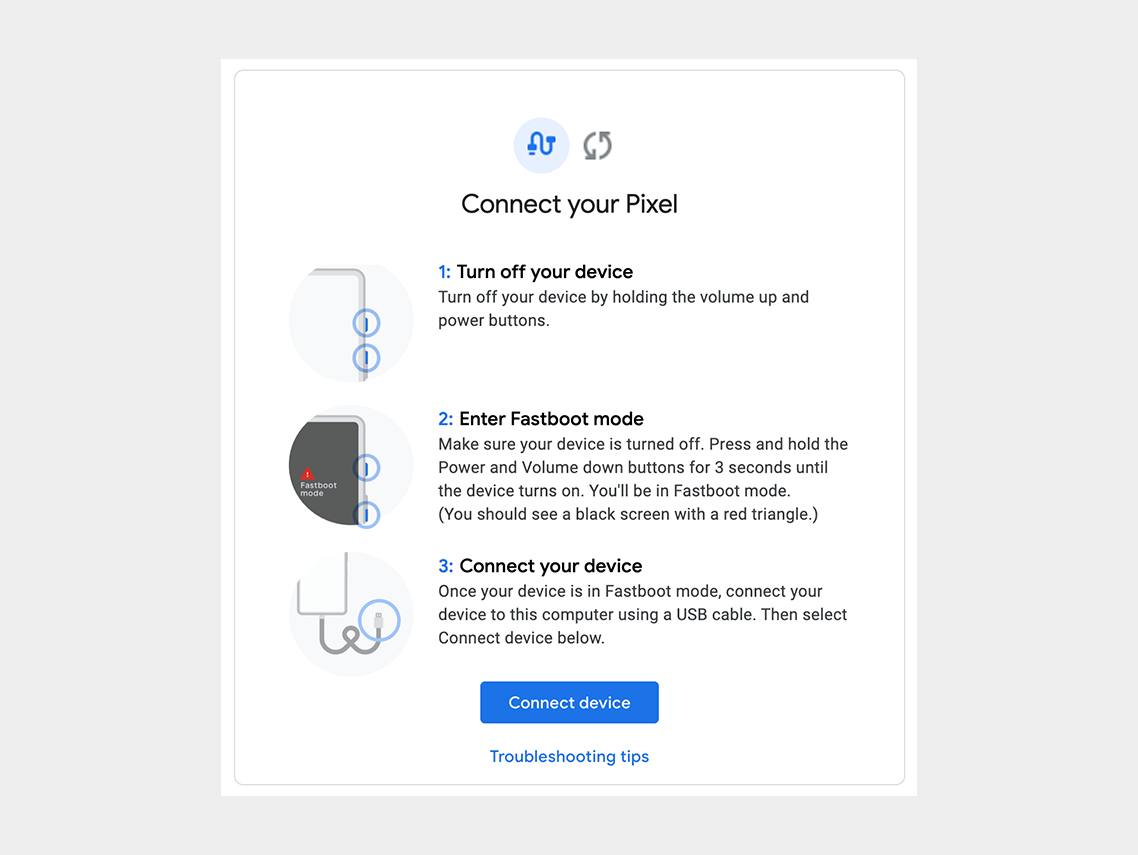
Step 1: Turn off the cell phone.

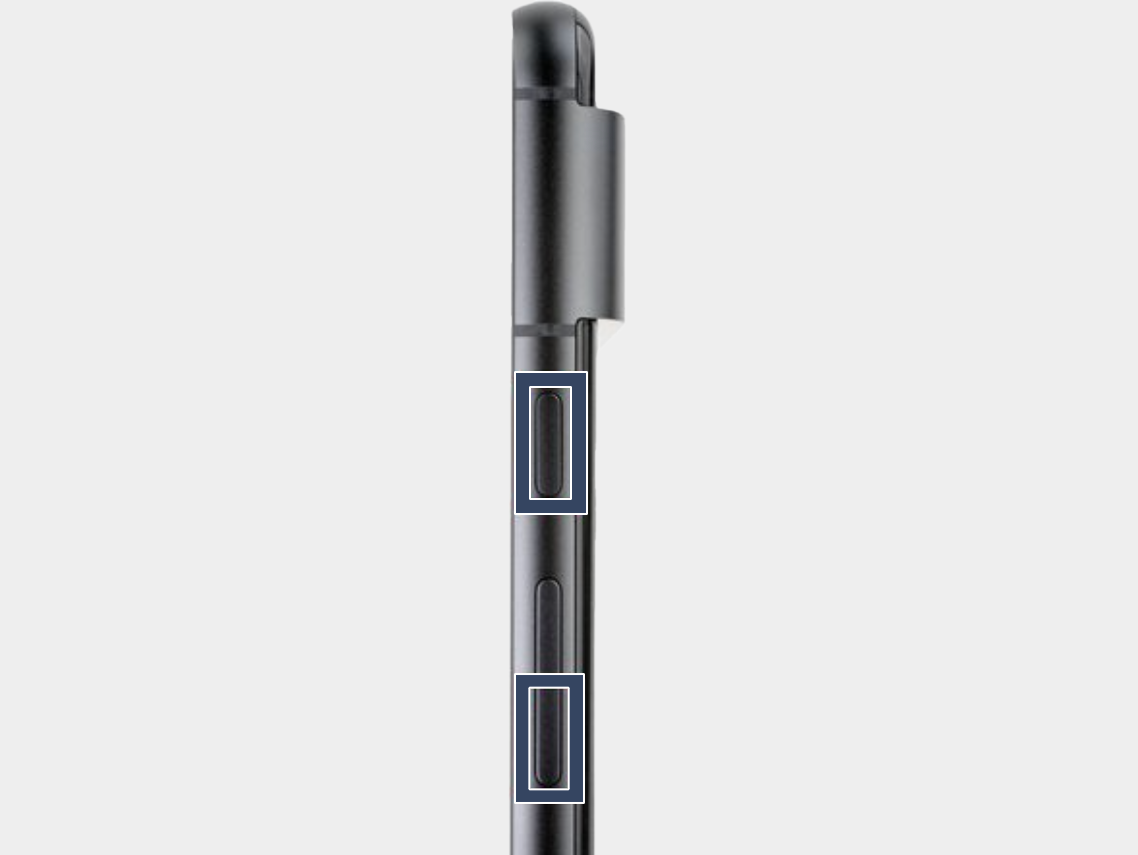
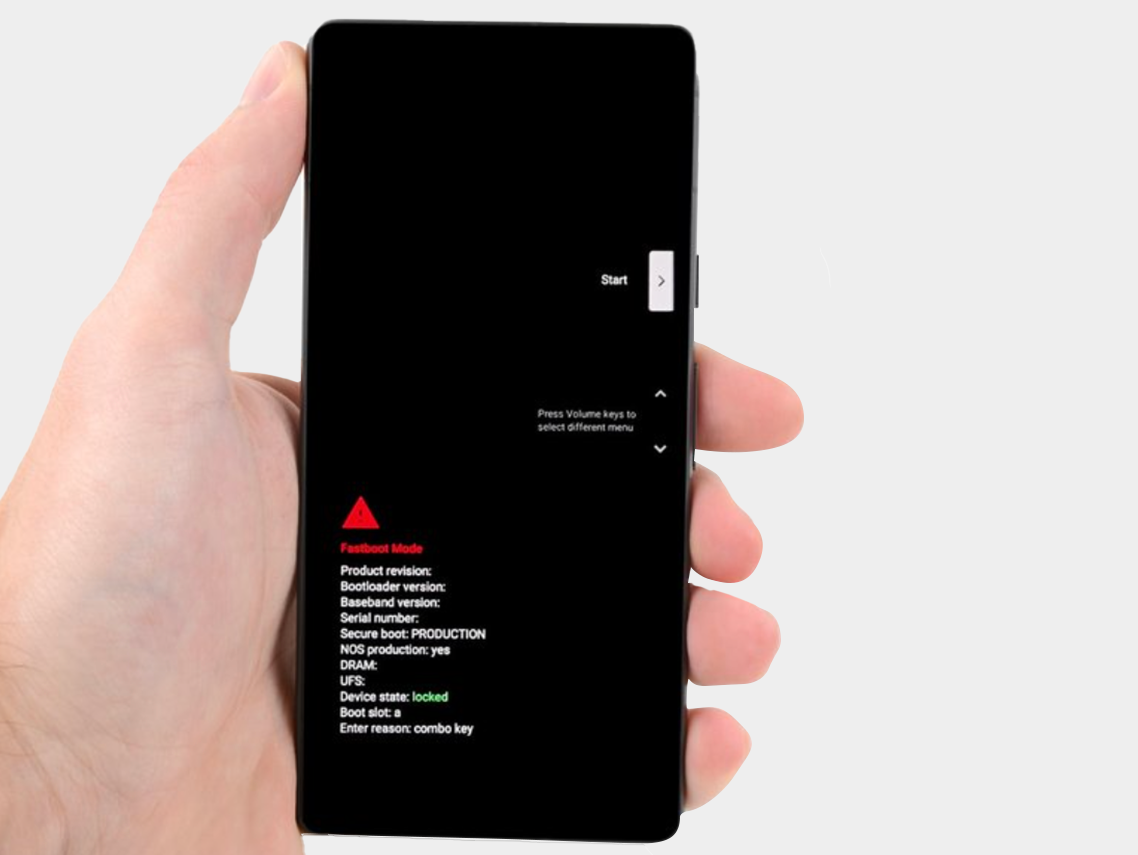
Step 2: Press the power button and volume down button for three seconds to enter the quick boot mode.
-


Step 3: Connect the phone to the computer.

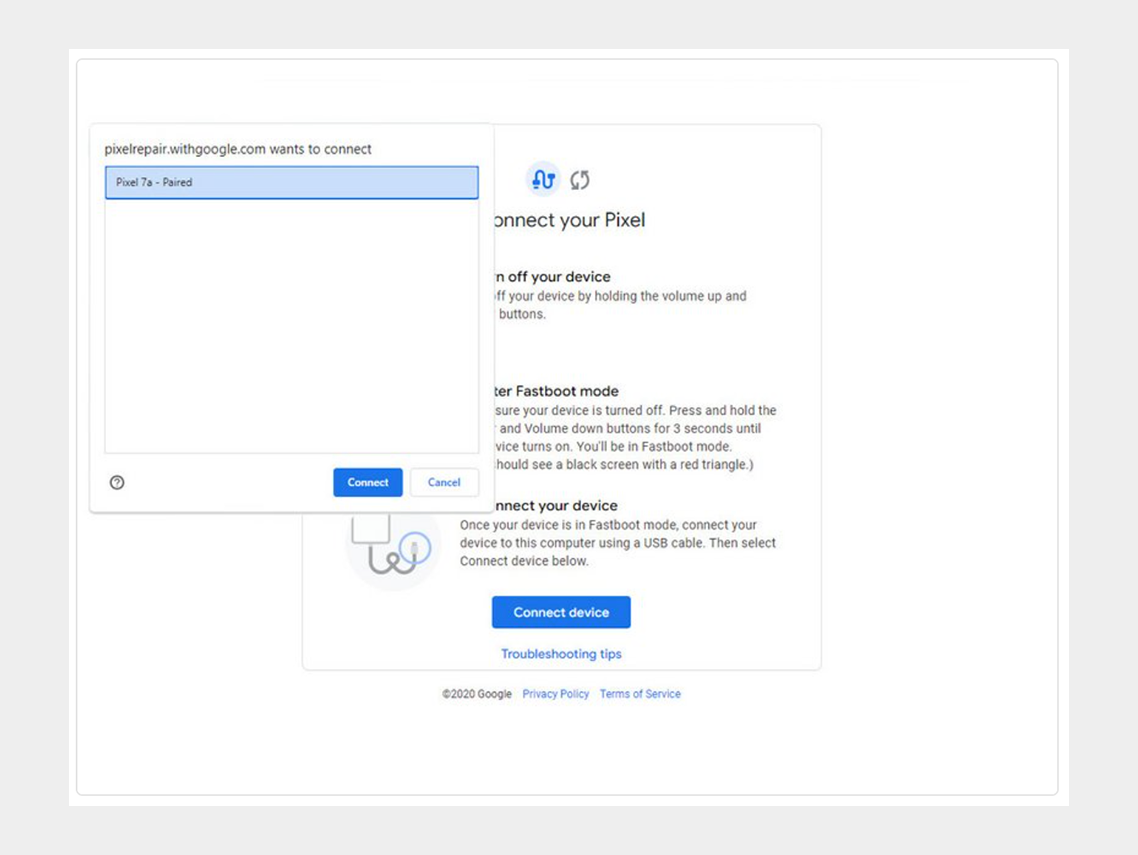
Step 4: Go to the calibration software and click on "Connect Device". Select the appropriate device.
-


If the device is not recognized, check the following:


  • Make sure Chrome has access to use USB devices. Go to Settings > Privacy and security > Site settings > Permissions > Additional permissions > USB devices.
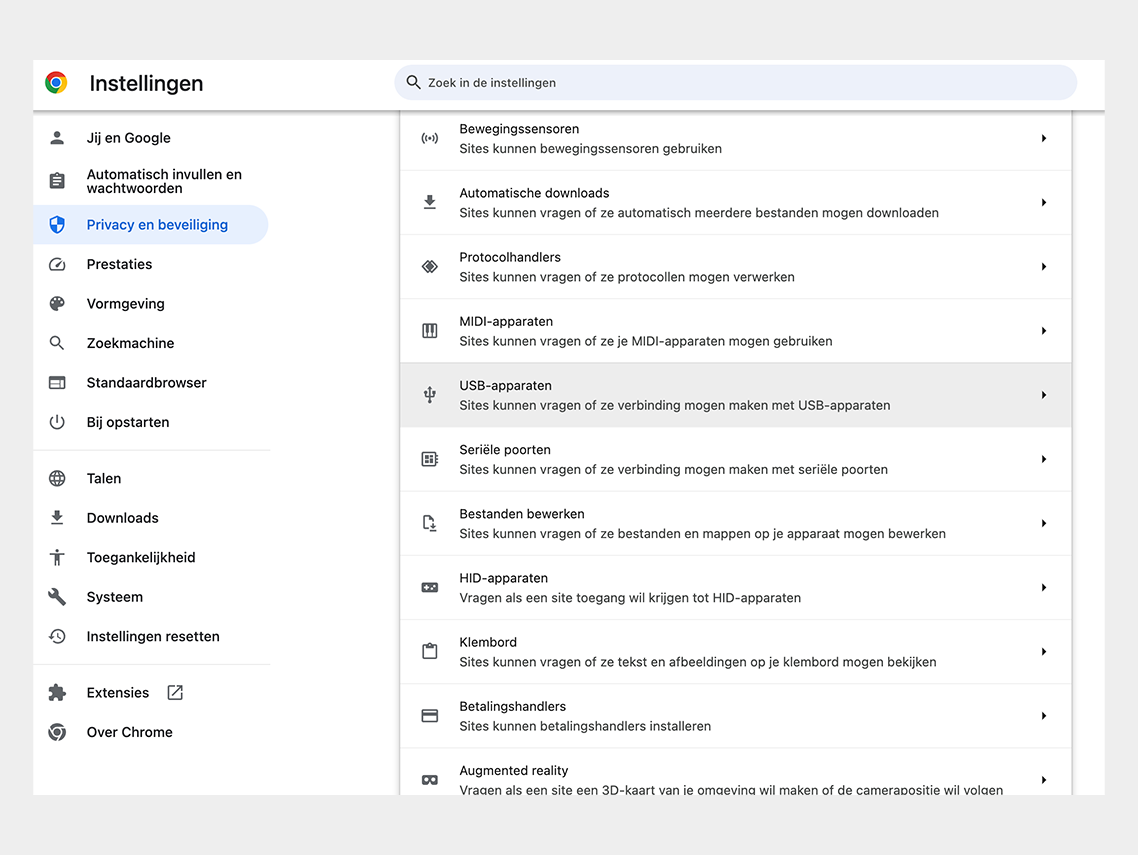

Google Chrome permission


  • Disconnect and reconnect the USB cable. Then try to connect again.
  • Try a different USB cable.
  • For Windows users: Make sure you have downloaded and installed the Google USB driver. Here is the link for the driver.  Follow the steps below:
  • 1. Connect the Android device to your computer's USB port.
  • 2. Open Computer Manager from Windows Explorer.
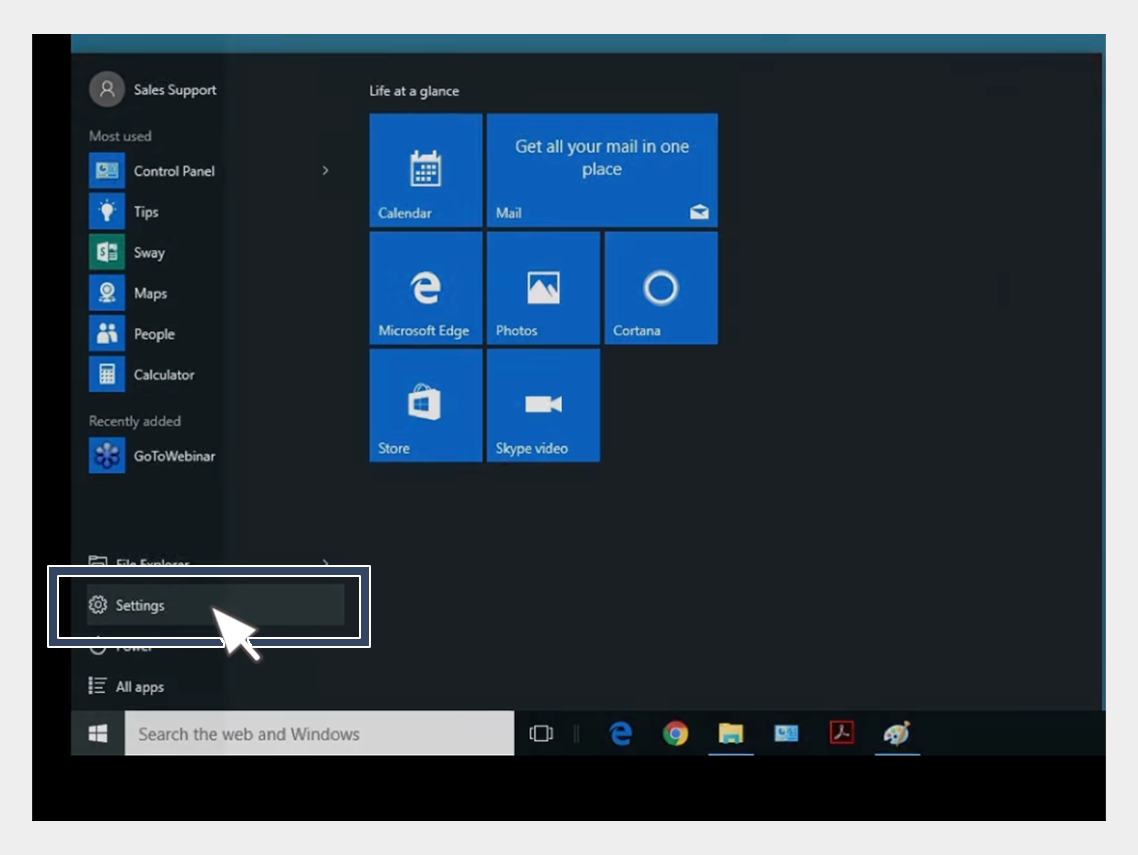

USB-driver installation


3. In the left pane of Computer Management, select Device Manager.
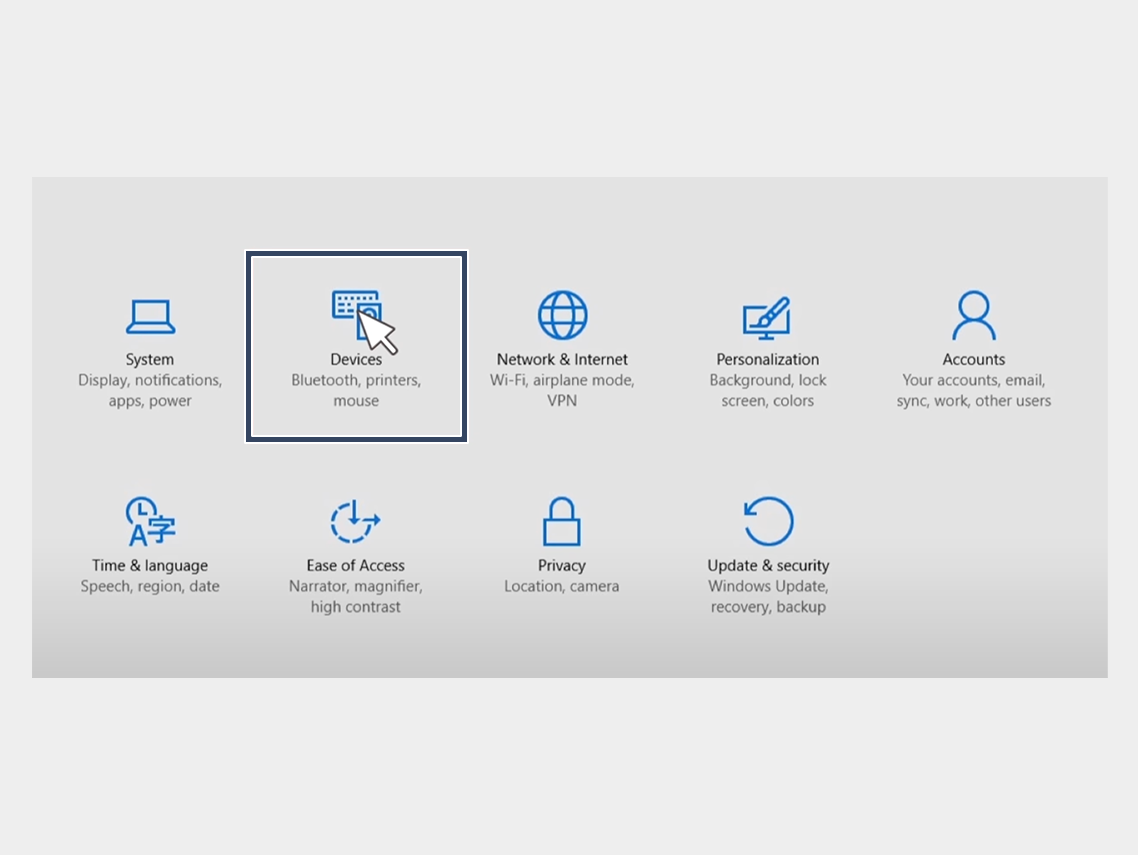

USB-driver installation


4. In the right pane of Device Manager, find and expand Portable Devices or Other Devices, depending on what you see.


5. Right-click on the name of the device you connected, then select Update Driver.
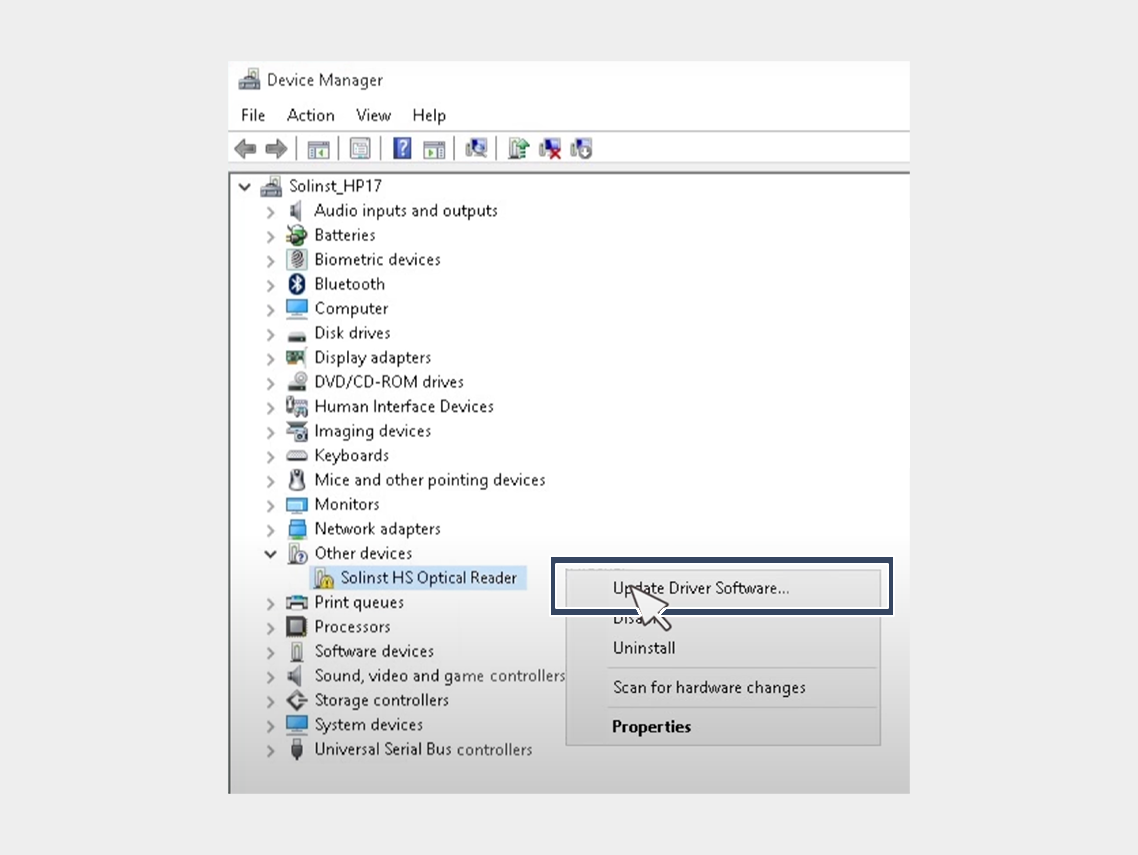

USB-driver installation


6. In the Hardware Update Wizard, choose Browse for driver software on my computer and click Next.
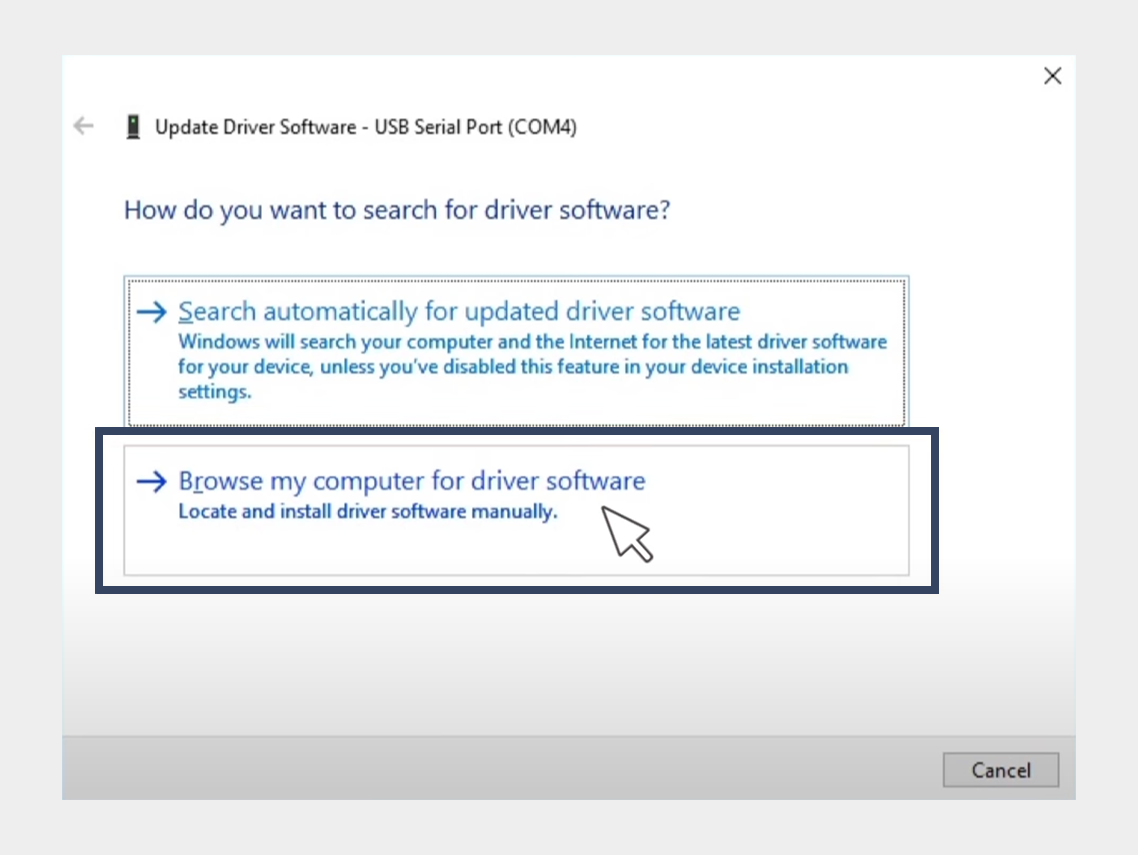

USB-driver installation


7. Click Browse, then locate the folder containing the USB driver. For example, the Google USB driver is located in android_sdk driver.
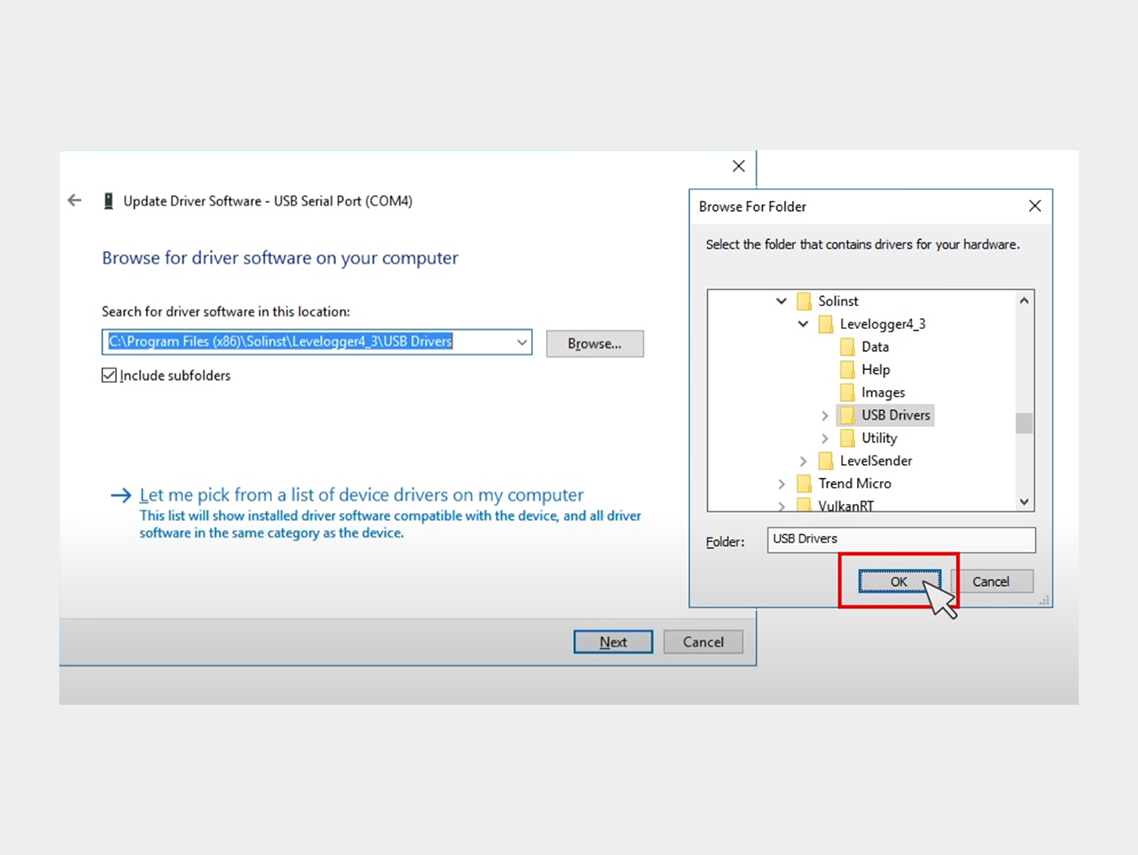

USB-driver installation


8. Click Next to install the driver.


Step 5: Click on "Install Software."
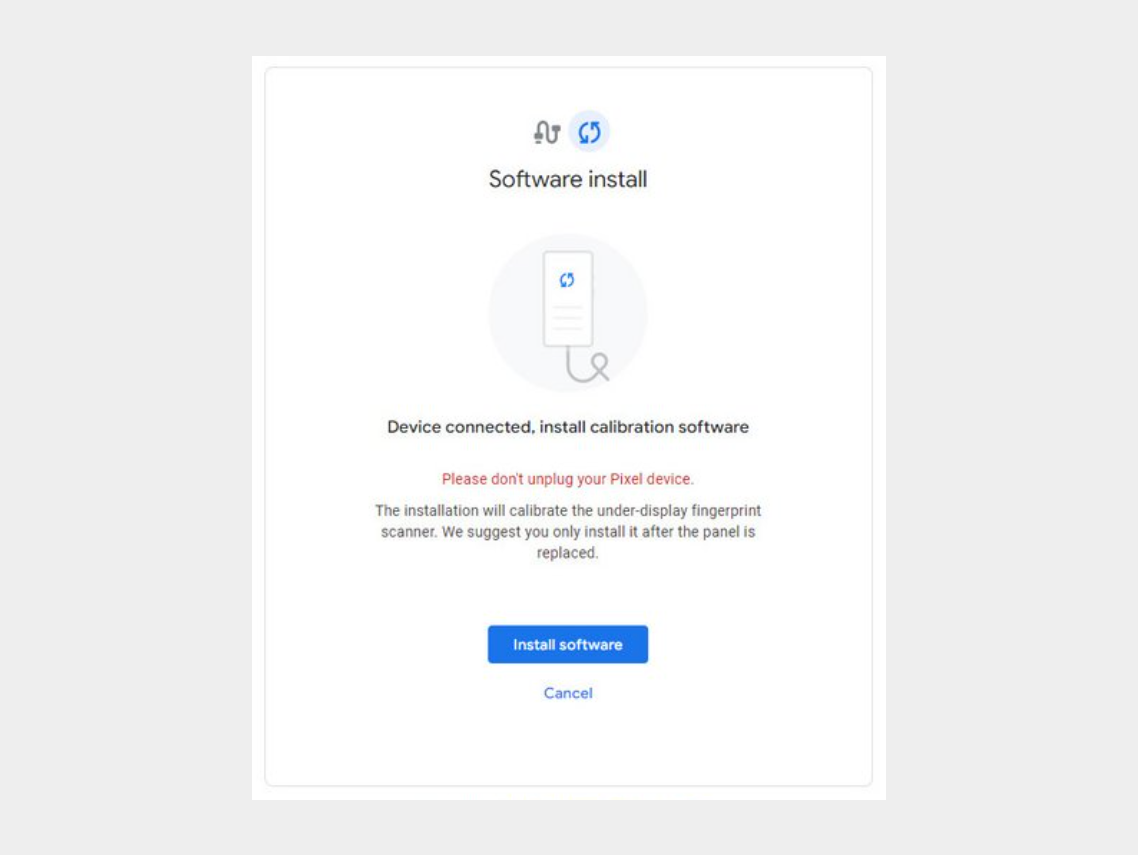


Step 6: Wait for the software to download.
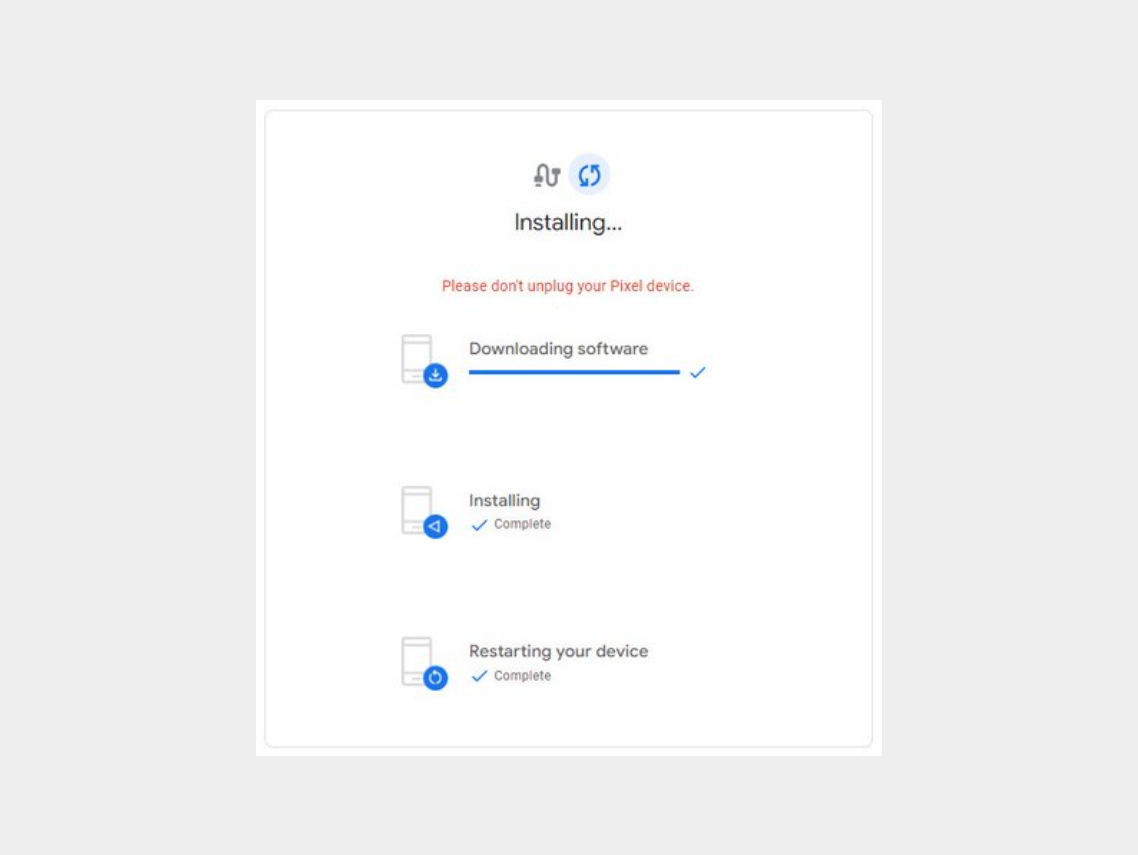

-


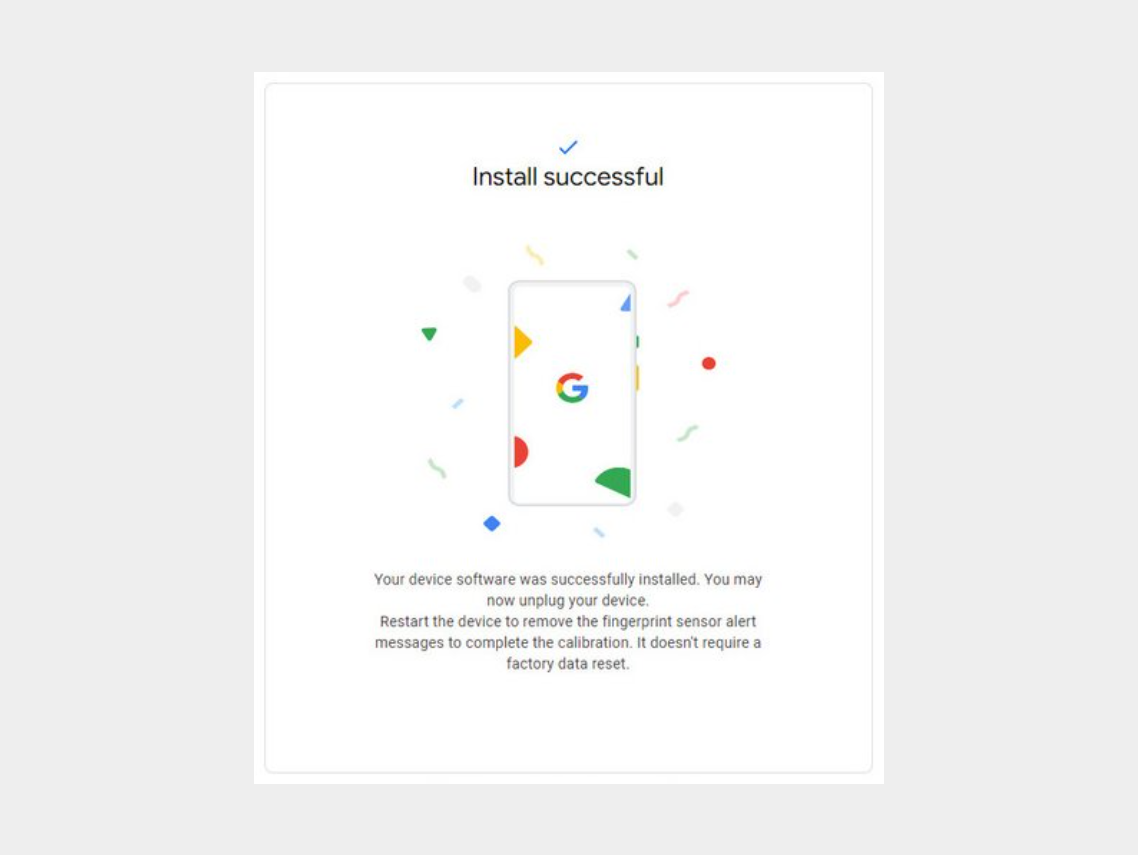
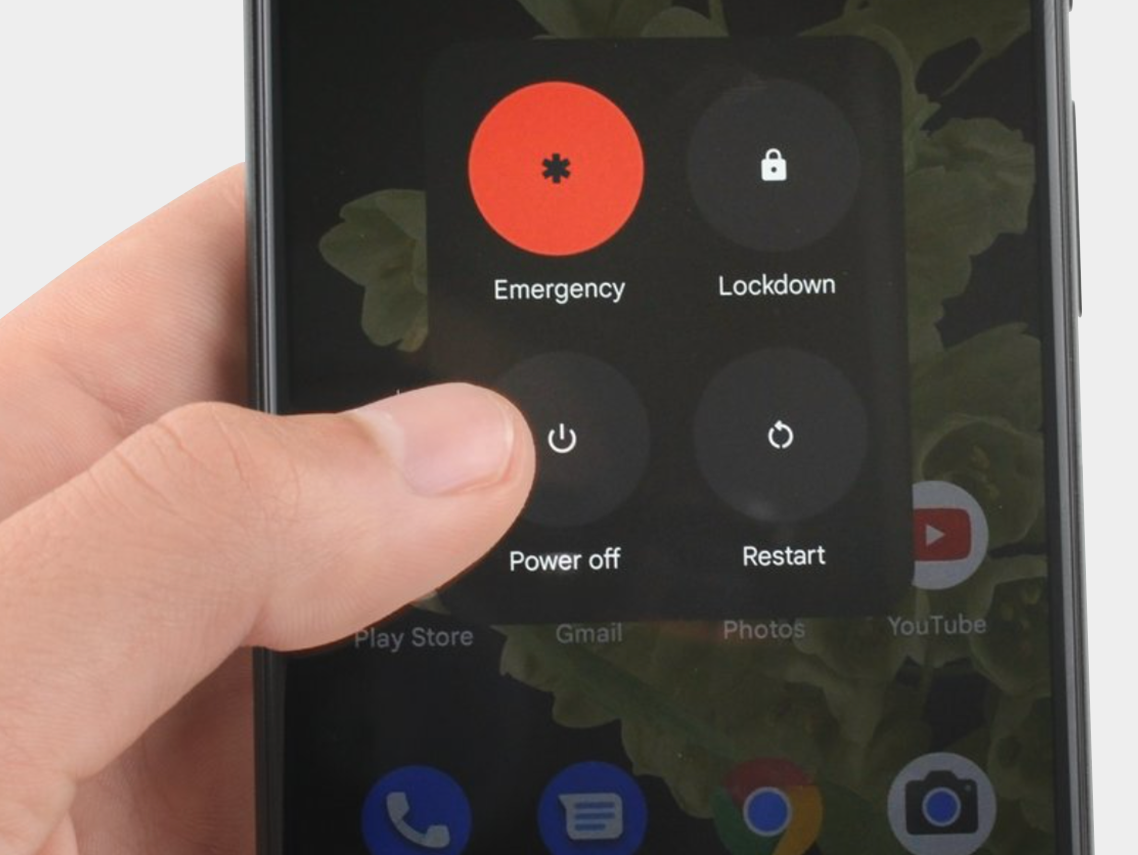
Step 7: Disconnect the phone from the computer and reboot it.


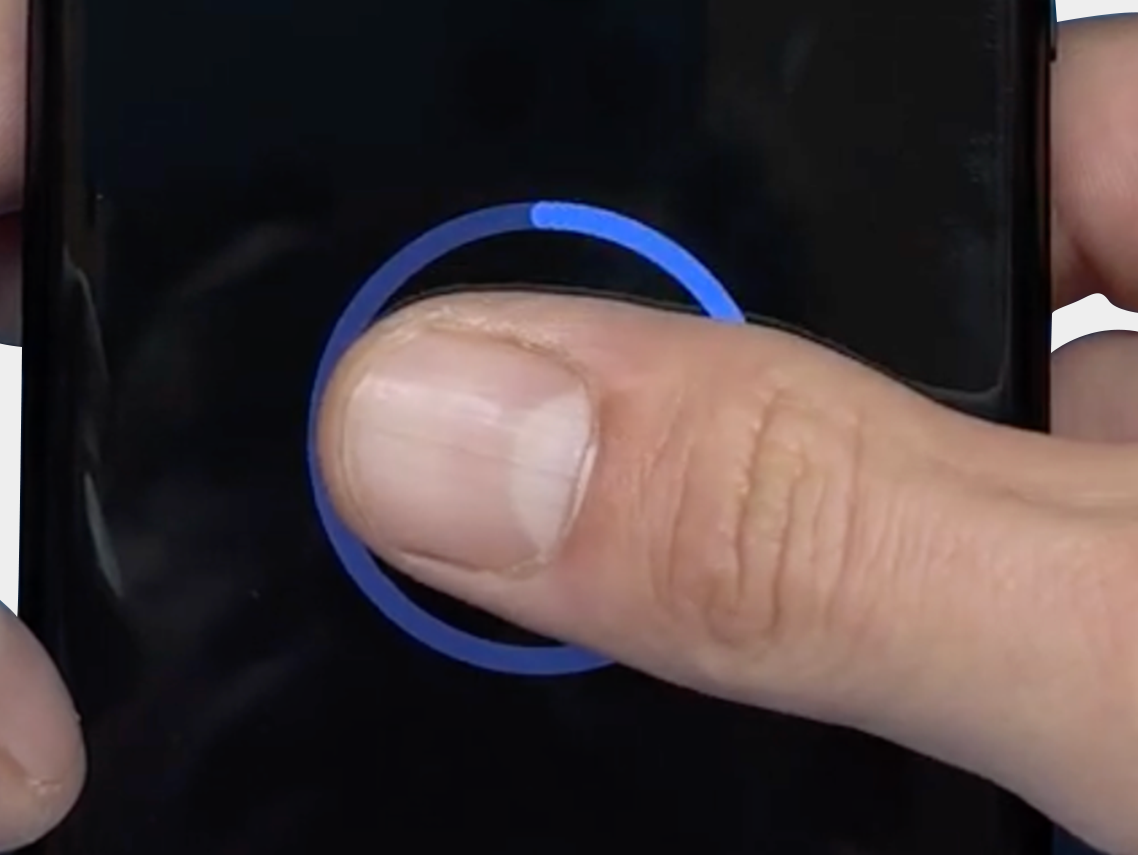
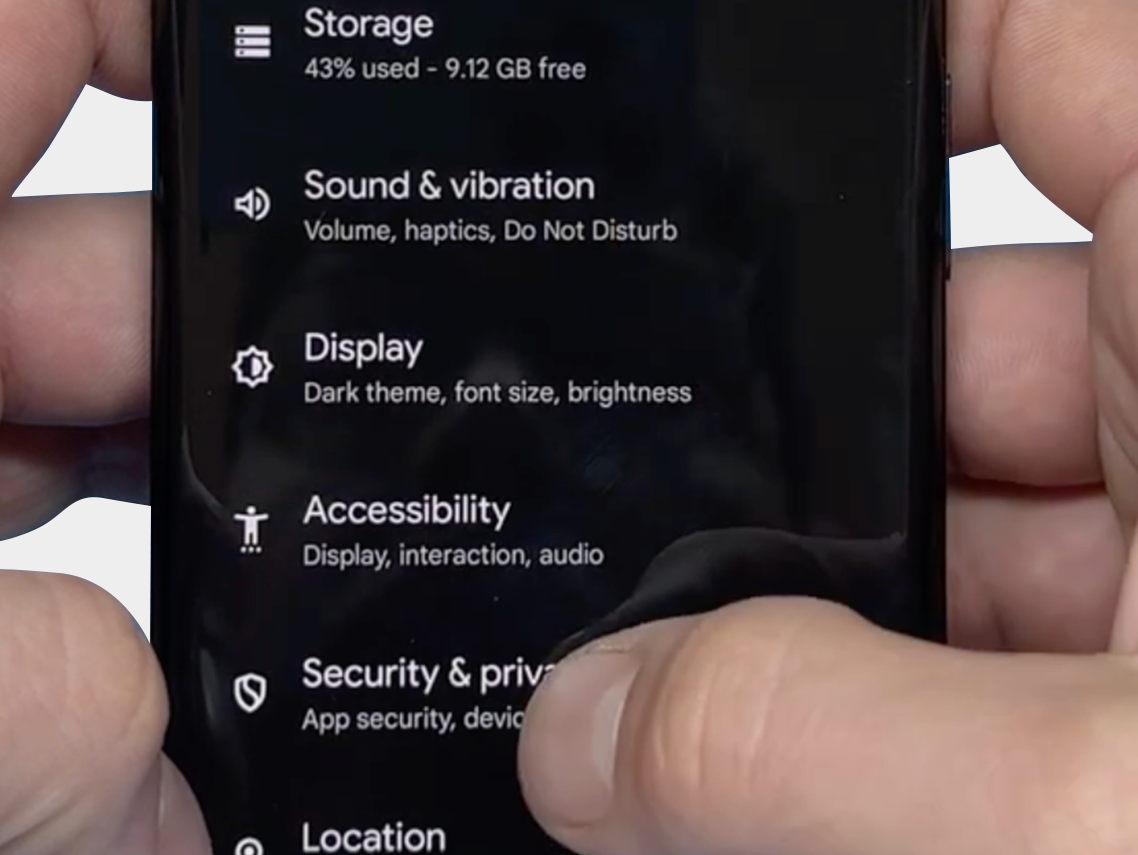
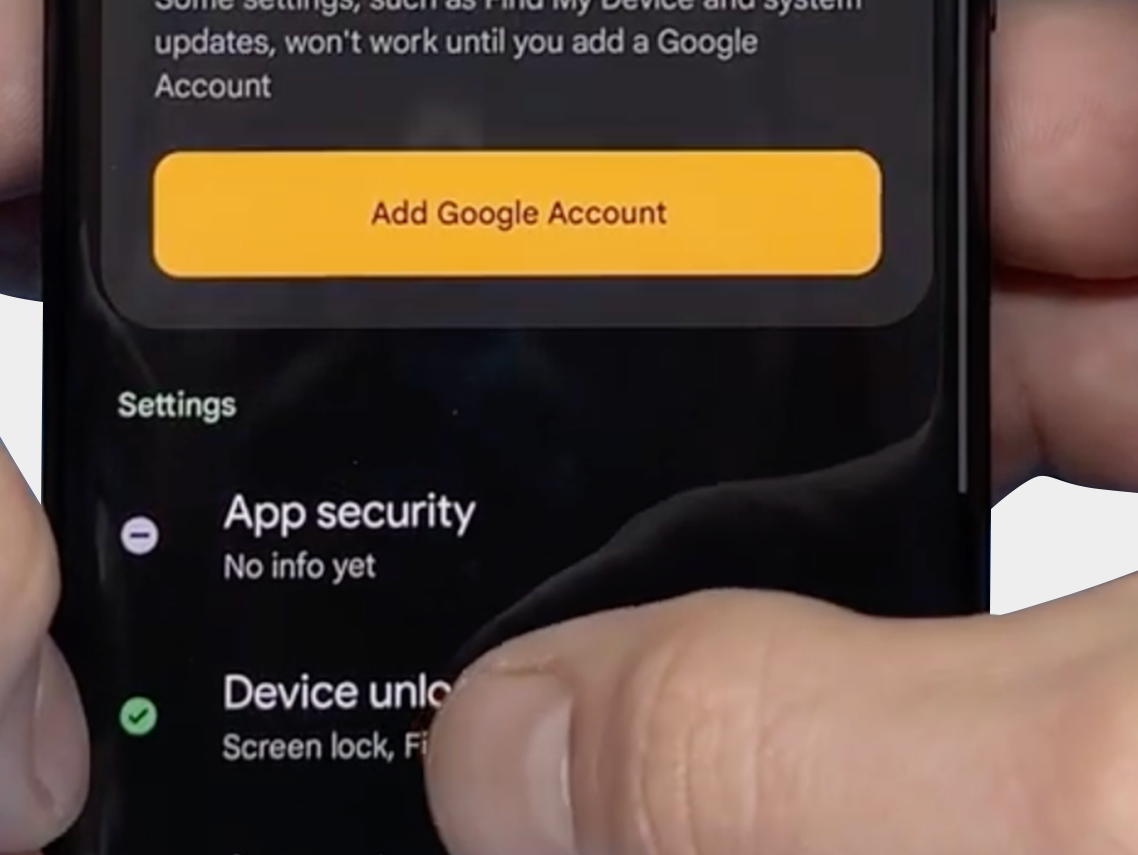
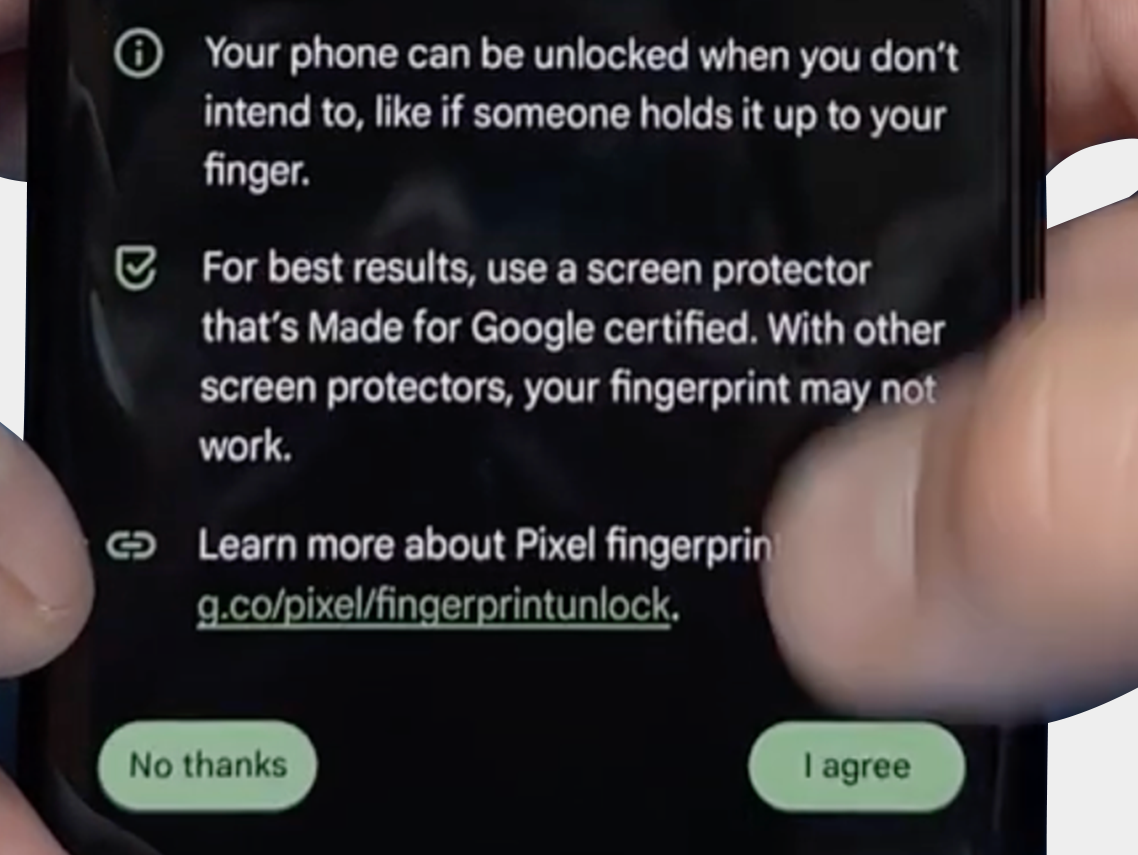
The final step: Verify that you can reset the fingerprint and that it now works via: "Security & Privacy" -> "Unlock Device" -> "FingerPrint Unlock" -> "Agree Terms"
-
-
-


We hope the above tips and information have helped resolve the problem. However, should you still need assistance or have any questions, please do not hesitate to contact us. Our team is ready to further support you.

Checkmark Rendelés este 19:30 előtt, még aznap kiszállítjuk
Checkmark Prémium minőség
Checkmark 15 000+ termék, közvetlenül raktárról